ESP system design has traditionally been a manual engineering process. Every component—from the gas separator and pump to the seal section, motor, cable, and surface equipment—has to be selected individually while ensuring compatibility across the entire assembly.
With the introduction of AutoDesign in nv.design, this process becomes dramatically faster without compromising engineering quality.
Every valid configuration, evaluated in seconds
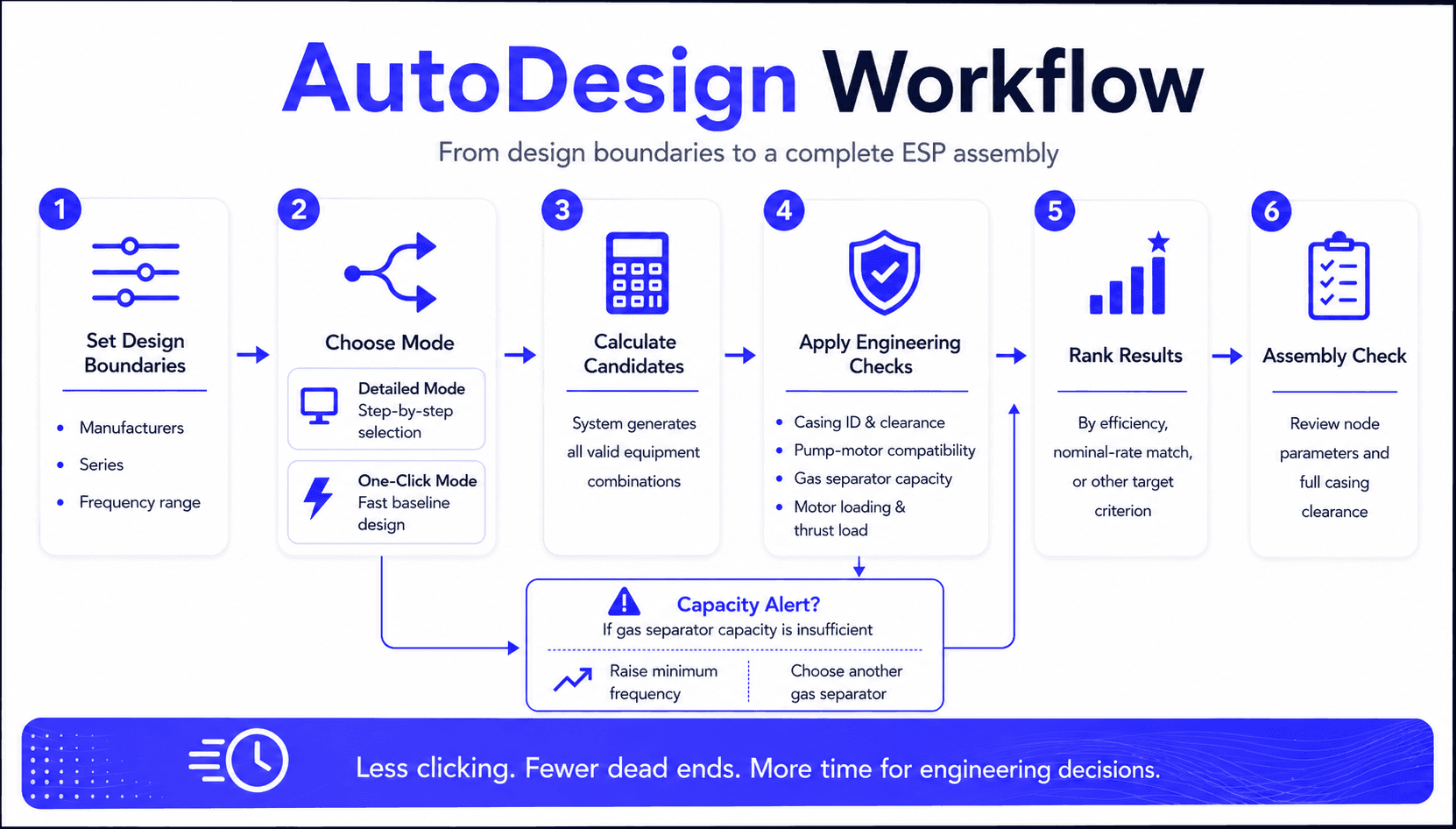
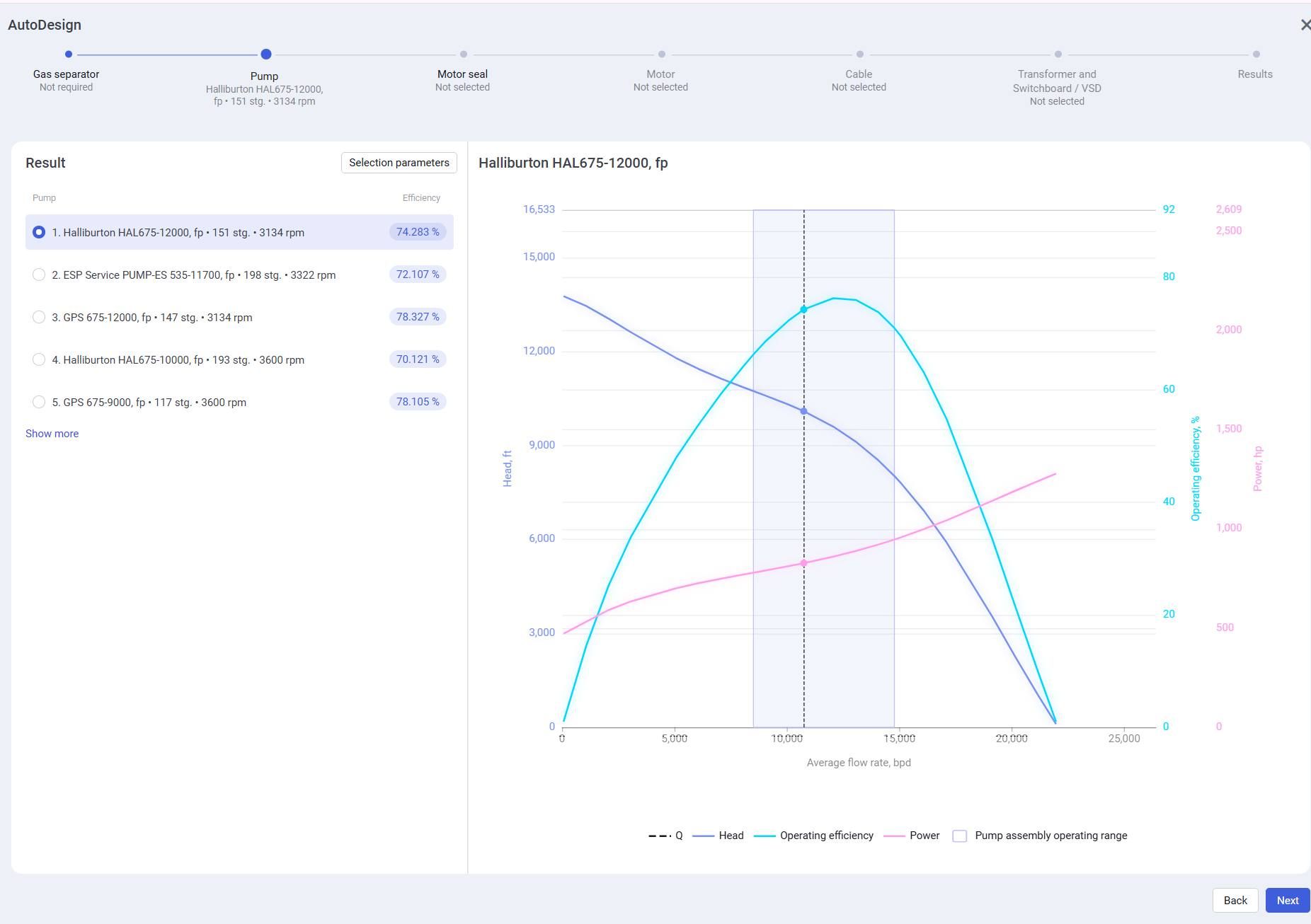
Rather than selecting equipment one component at a time, engineers simply define the design boundaries, including preferred manufacturers, equipment series, and operating frequency range. AutoDesign automatically evaluates every compatible equipment combination and ranks the results according to the selected engineering objective, whether it is maximum efficiency, the closest match to the pump's nominal flow rate, or another optimization criterion.
Instead of reviewing only a handful of possible configurations, engineers can now evaluate every technically valid option in a matter of seconds.
Two engineering workflows
AutoDesign supports two different design approaches depending on the engineering task.
Detailed Mode
Guides engineers through the complete assembly process step by step, applying engineering constraints and optimization criteria throughout each stage of equipment selection.
One-Click Mode
Provides rapid preliminary design. Engineers select manufacturers and operating frequency, click Calculate, and receive a complete ESP assembly within seconds.
Engineering validation built into every calculation
AutoDesign is more than an equipment selection tool. Every recommended configuration is continuously validated using the engineering logic already built into nv.design.
During calculation, the system automatically verifies:
- Casing ID and equipment clearance
- Pump and motor compatibility
- Gas separator capacity at the selected operating frequency
- Motor loading
- Thrust bearing loading
- Complete assembly compatibility
If a selected gas separator cannot provide sufficient throughput within the specified operating range, AutoDesign immediately identifies the limitation and recommends possible solutions—such as increasing the minimum operating frequency or selecting another separator—without requiring engineers to restart the entire design process.
Assembly verification before final selection
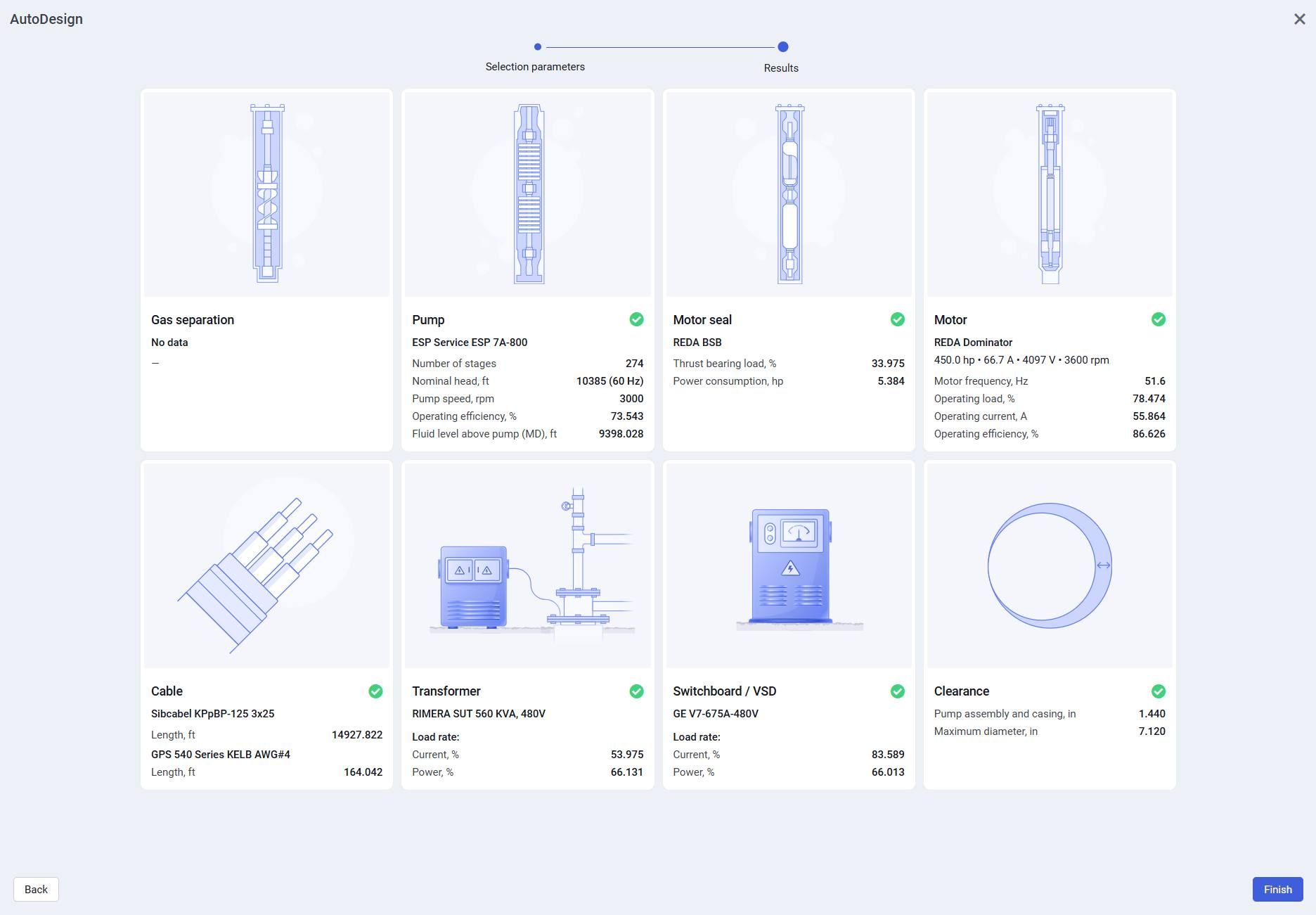
The workflow concludes with the Assembly Check screen, where engineers can review all calculated parameters for every assembly component while confirming compatibility and casing clearance before finalizing the design.