
Motor seal
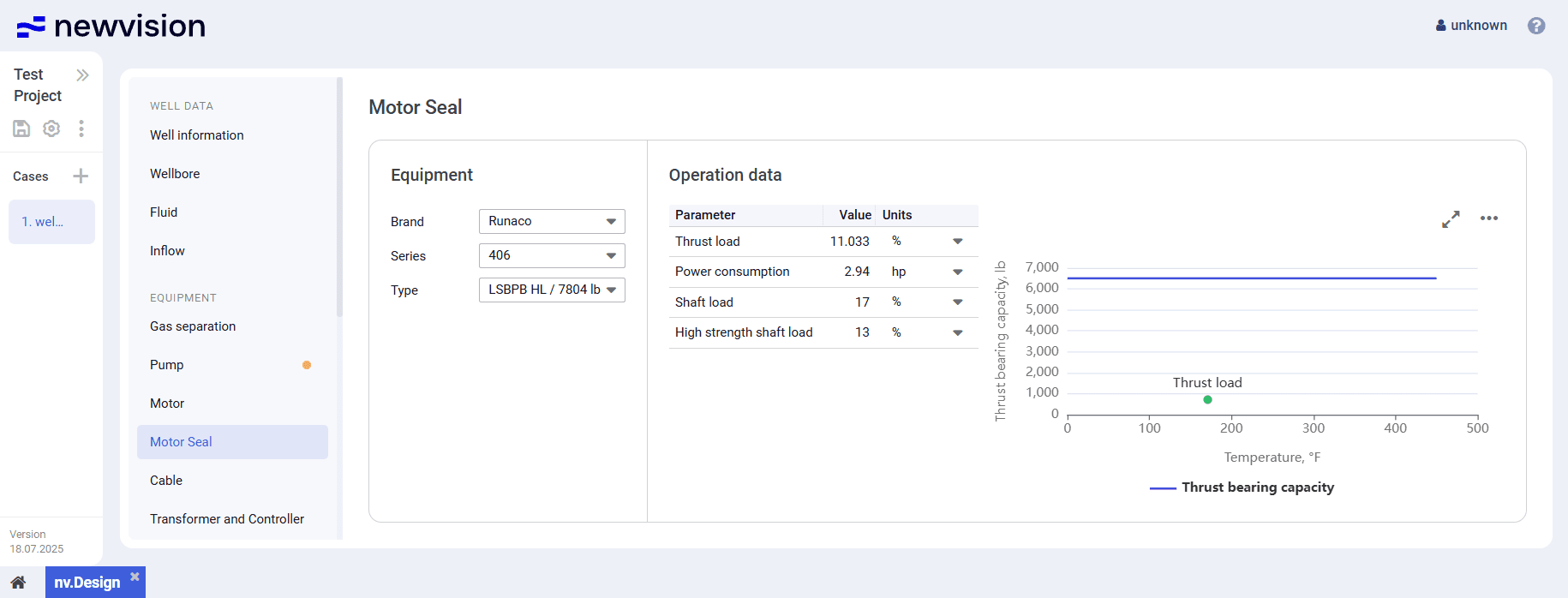
The Motor Seal section provides information about the seal installed at the motor.
The section consists of the following parts:
- Equipment pane in the left part of the section.
- Operation data table in the central part of the section.
- Visualization pane in the right part of the section.
 Select image to enlarge
Equipment
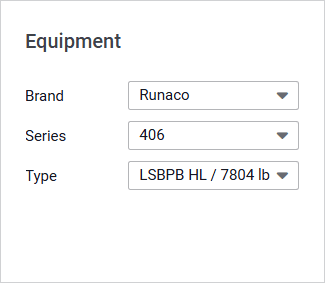
The pane provides controls for the motor seal selection.
 Select image to enlarge
To select a seal, select the desired options from the parameter lists.
Operation Data
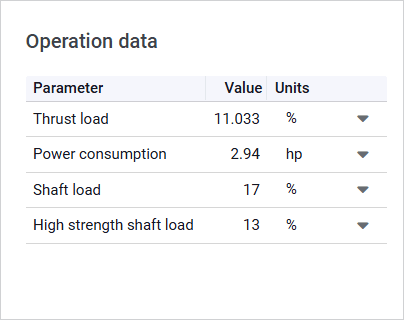
The Operation data table provides calculation results for the selected motor seal. The motor seal capacity and load are calculated based on the thrust load value from the Calculation data table in the Pump section.
 Select image to enlarge
The table contains values of the following parameters expressed in percentages relative to their nominal values:
- Thrust load : Actual thrust load relative to the nominal thrust bearing capacity.
- Power consumption : Estimated energy consumption of the motor seal.
- Shaft load : Load on the shaft relative to the maximum allowable load for a standard-strength shaft.
- High strength shaft load : Load on the shaft relative to the maximum allowable load for a high-strength shaft.
If any of the calculated load values exceed acceptable thresholds, the system shows a warning that recommends selection of a motor seal with a higher thrust capacity.
Visualization Pane
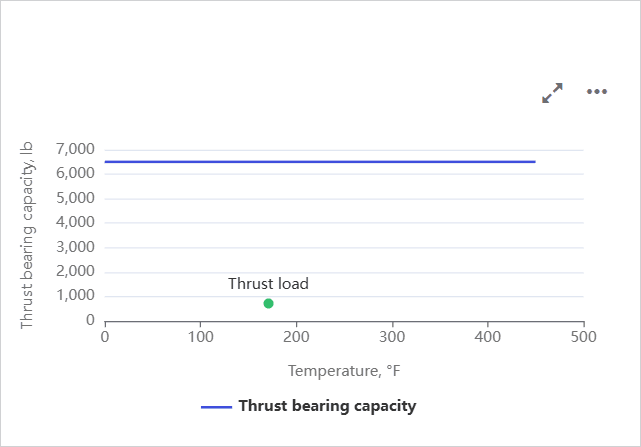
The pane contains a motor seal performance chart displaying the Thrust bearing capacity parameter values at different operating temperatures.
 Select image to enlarge
The green dot represents the current operating point. On hovering over it, a window with information about the thrust load and corresponding temperature is displayed.
You can also expand the pane to full screen or collapse it back to the original size using the Expand (  ) / Collapse (
  ) buttons located in the upper-right corner of the pane.