
Relative Permeability
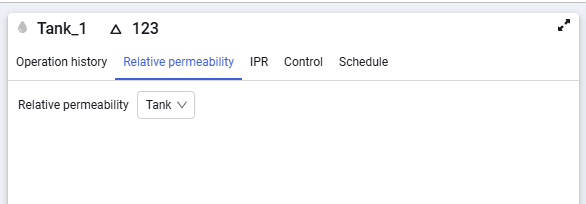
Relative permeability input methods for wells differ from the input methods for a tank.
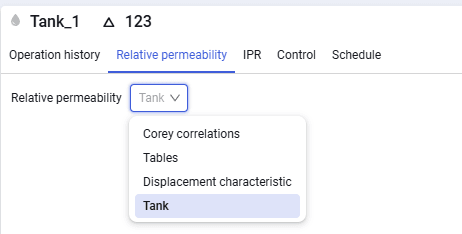
In the Relative permeability field, the list of input methods are available.
 Select image to enlarge
Corey correlations and tables are the same as for a tank.
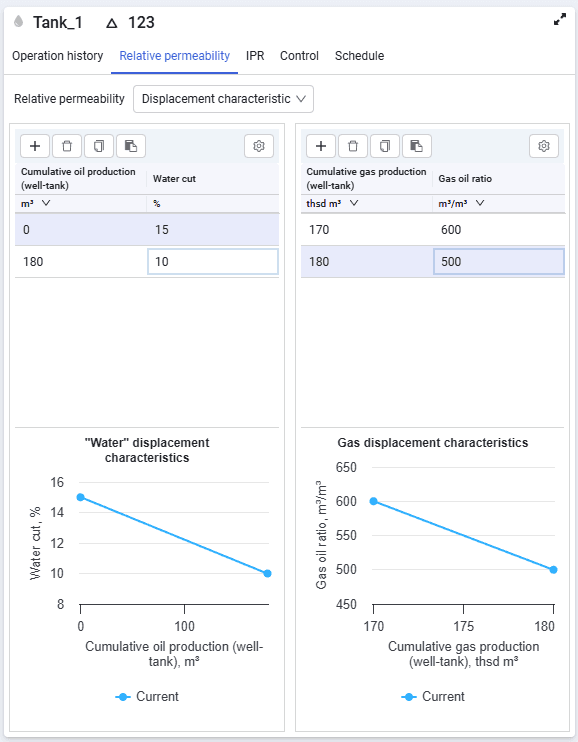
The relative permeability input window with displacement characteristics selected looks as follows:
 Select image to enlarge
The displacement characteristics form consists of the following elements:
Add
 – add new rows for data entry;
Delete
 – delete the selected row;
Copy to clipboard
 Used to copy and save data in external tables;
Paste from clipboard
 Used to paste values from external tables. For a correct paste, select the required cell in the table; the entire copied value range will be pasted starting from the selected cell;
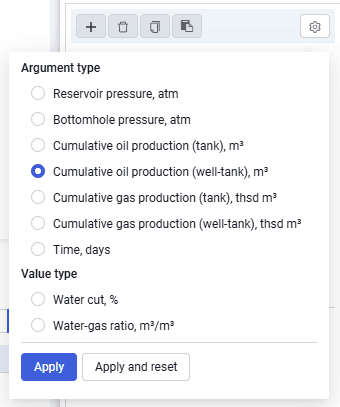
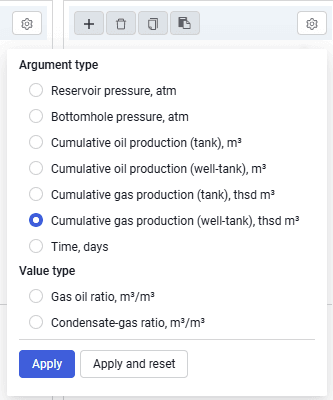
Displacement characteristic settings

The following settings are available for water:
 Select image to enlarge
The following settings are available for gas:
 Select image to enlarge
The relative permeability input window when the method from the reservoir is selected looks as follows.
 Select image to enlarge
In this case, relative permeability will match the relative permeability settings of the tank to which the well is linked.