
Analyzing calculation results
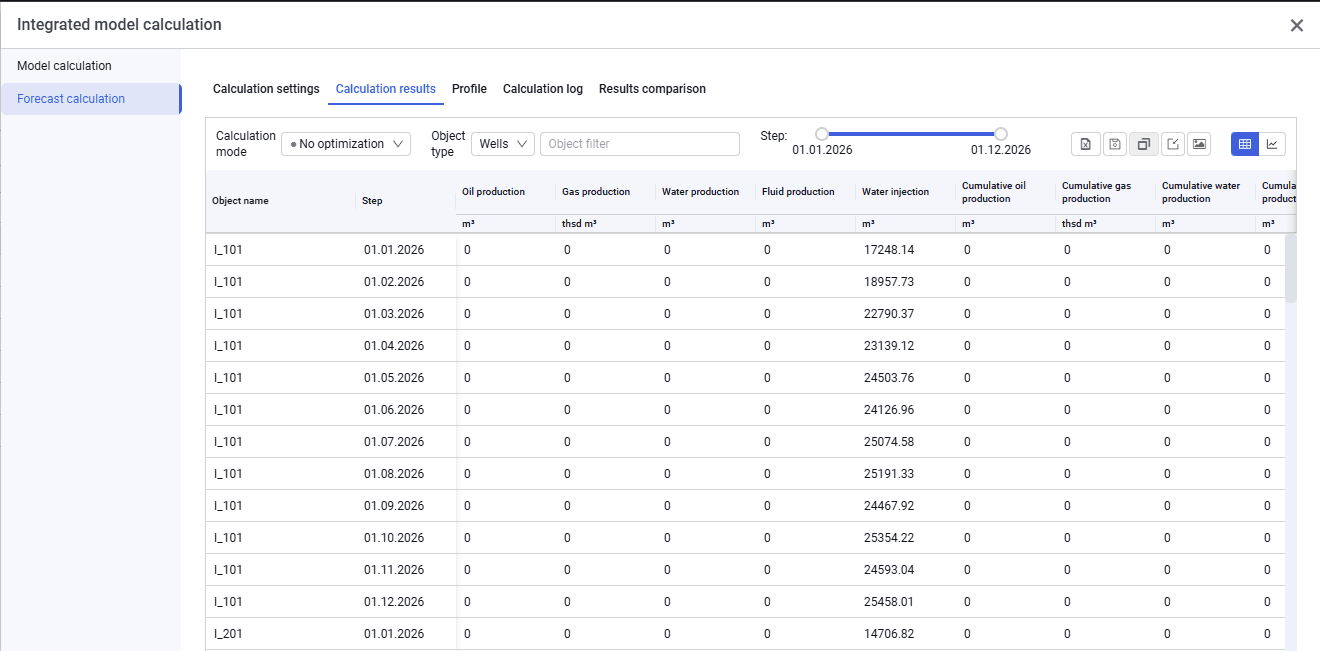
1.To analyze calculation results, go to the "Calculation results" tab.
 Select image to enlarge
2.On this tab you can select the objects for which calculation results will be displayed, filter them, select calculation steps, and export the results in Excel format.
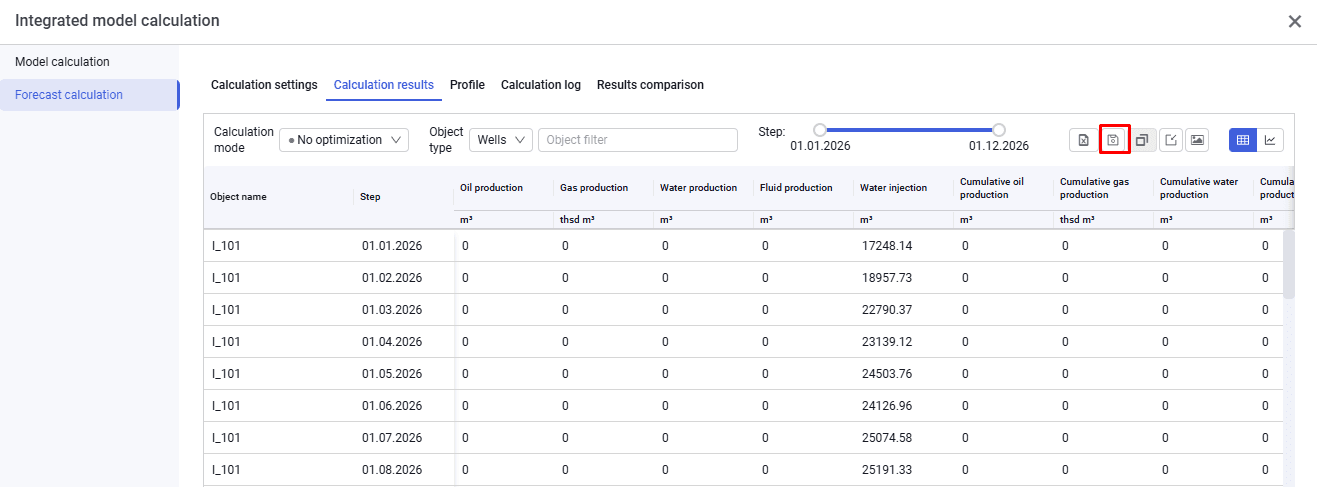
3.To later compare the current calculation results with others, click "Save results for comparison" in the upper-right corner of the screen.
 Select image to enlarge
4.In the pop-up window, enter a result description (calculation name) and click "OK".
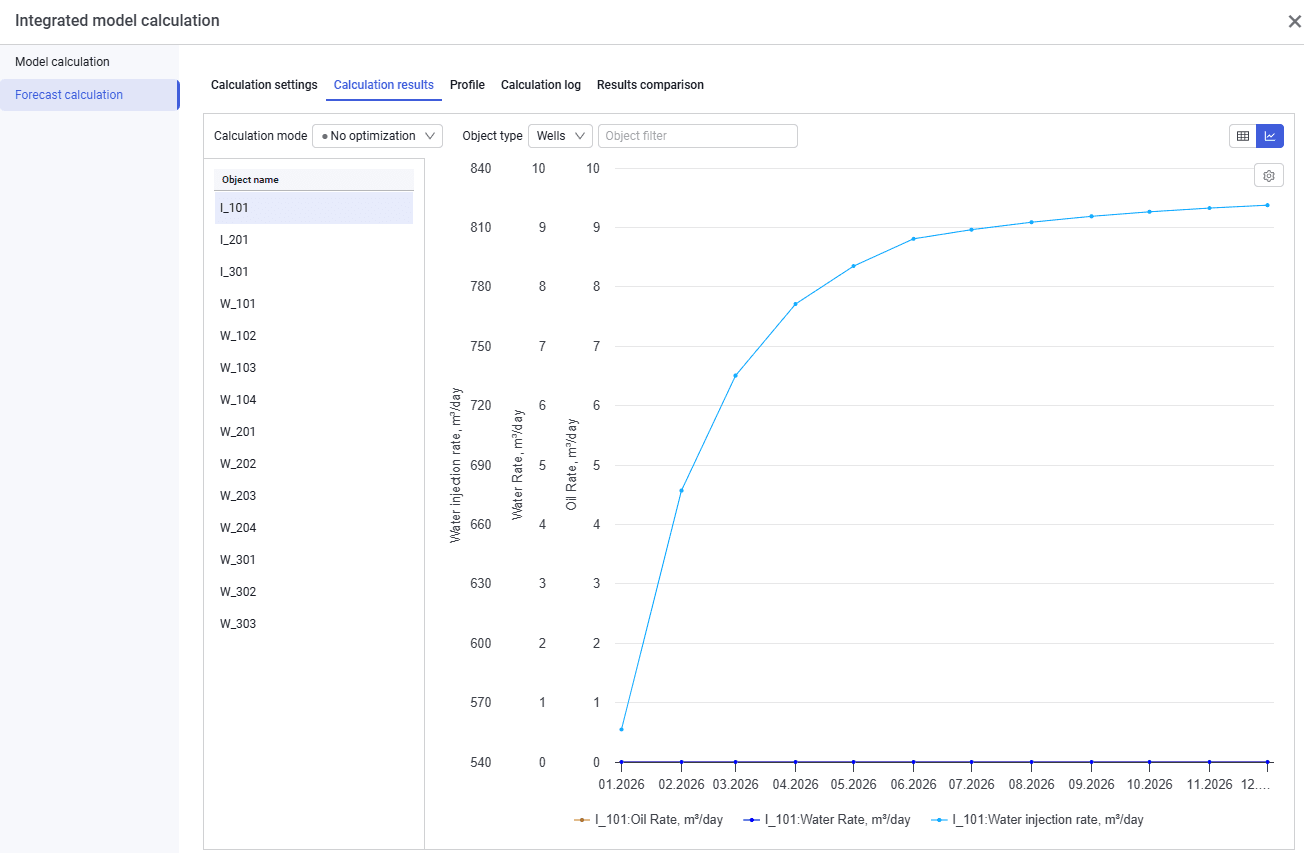
5.To analyze plots, click "Plot" in the upper-right corner of the window. In the window that appears, you can select the object type, filter objects, and select the parameters to display on the Y-axis.
 Select image to enlarge
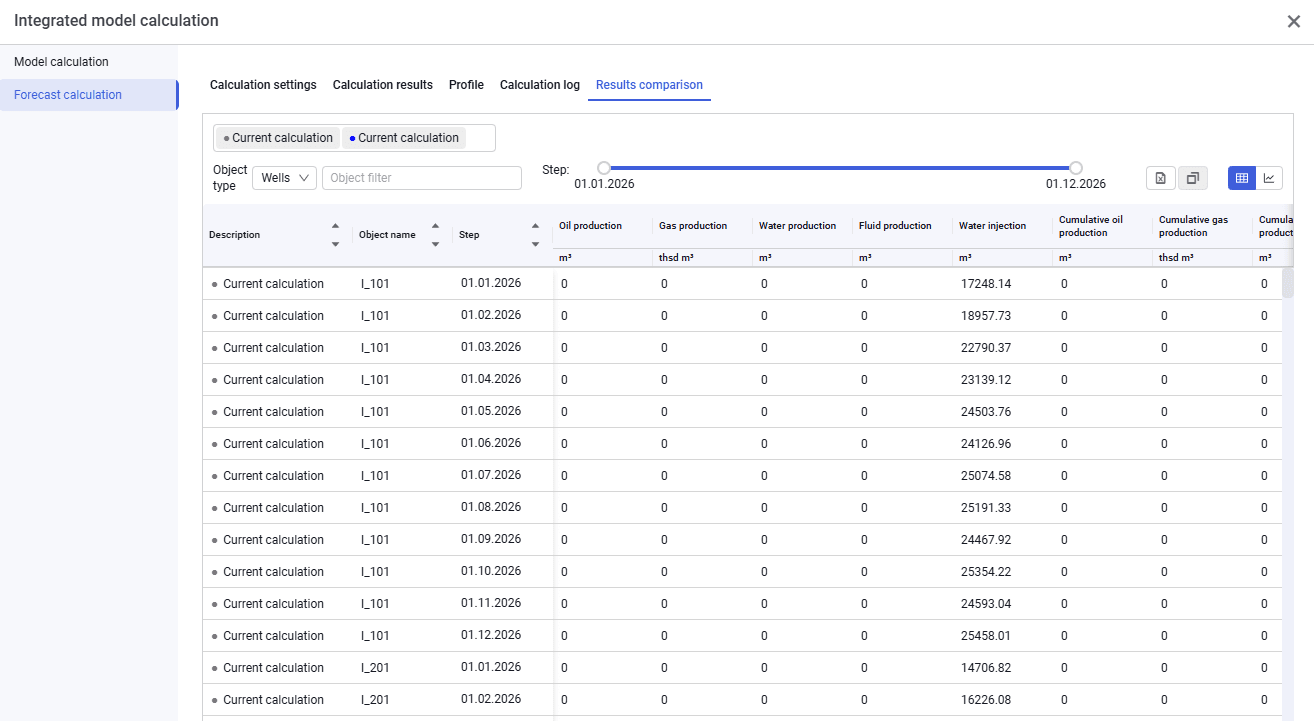
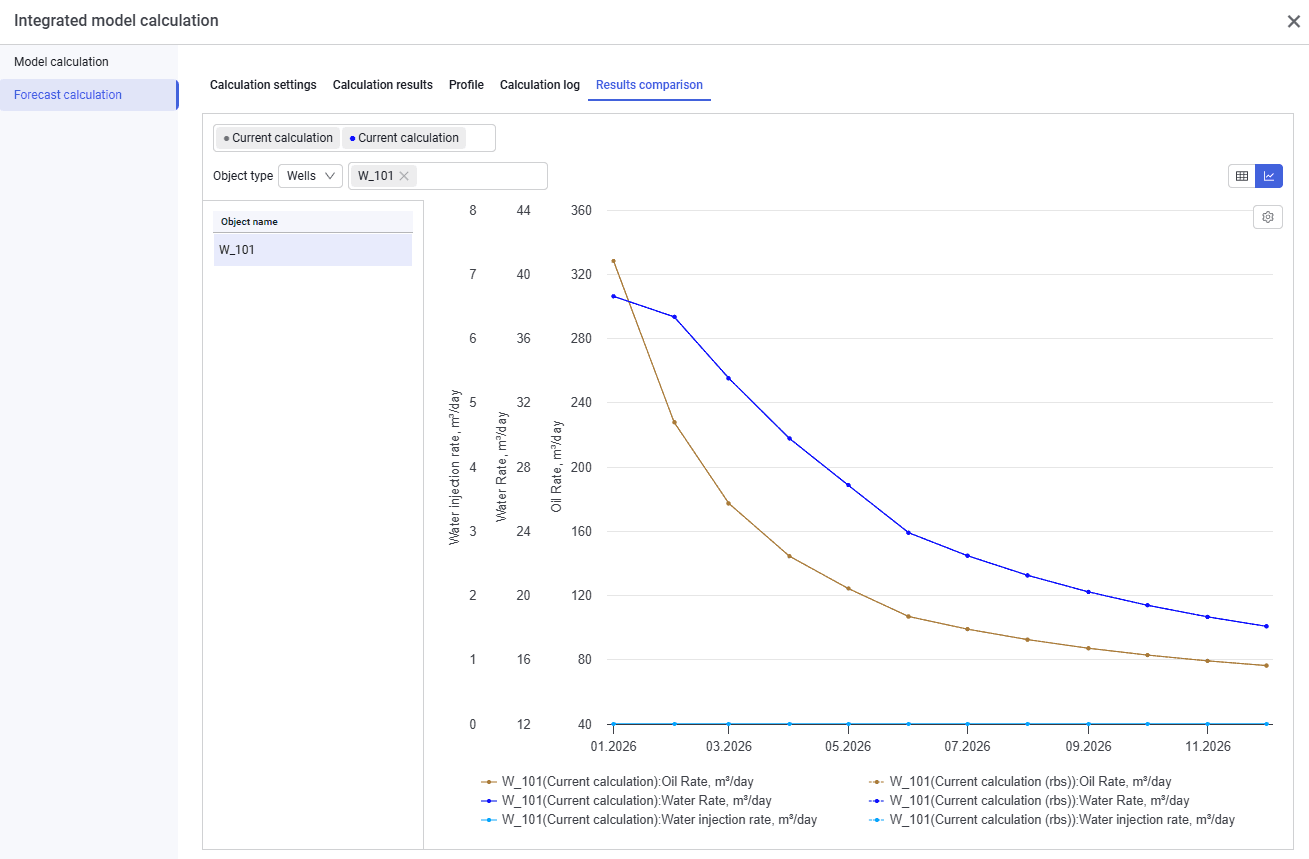
6.To compare results, go to the "Results comparison" tab and select the saved results of interest. You can select objects and view the comparison in tabular or graphical form.
 Select image to enlarge
 Select image to enlarge