
Creating a well model
To add a well model, do the following:
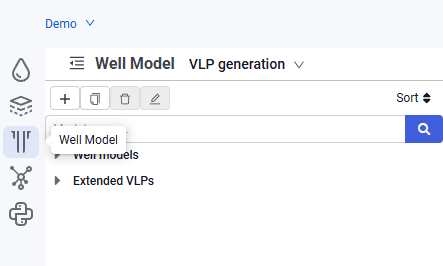
1.In the navigator, select the "Well Model" tab.
 Select image to enlarge
2.In the object tree, click  .
.
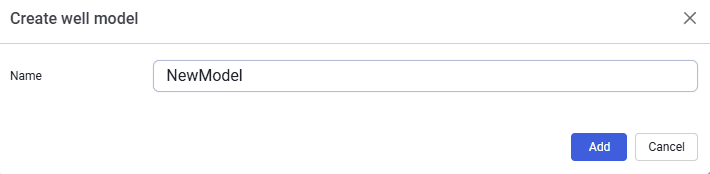
3.In the dialog that opens, enter the model name.
 Select image to enlarge
4.After filling in the fields, click Add.
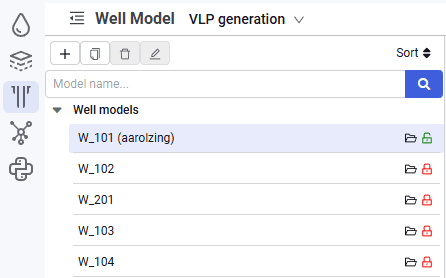
5.The new model appears in the model tree.
 Select image to enlarge
6.Load the selected model using  .
.
7.By default, the model is locked for editing. The model status is shown in the row with the model name. To unlock the model, click  . The model becomes available for editing, the model status changes to
  , and the login of the user who is editing the model appears in the row with the model name.