
Entering Operation/Injection History
Before entering operation history, you must link the well to a tank. Without a link, the Operation history tab contains no intervals.
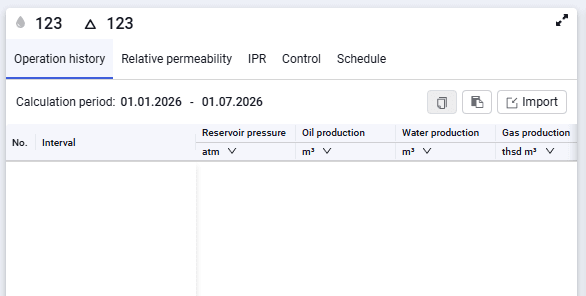 Select image to enlarge
1.To link a well, click the Select button
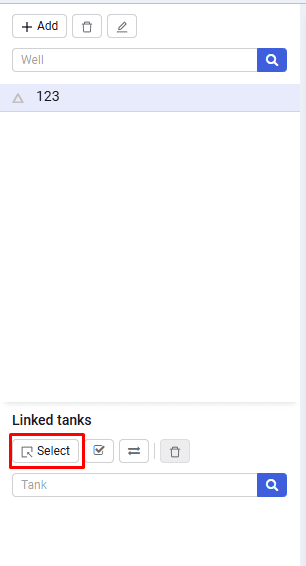 Select image to enlarge
2.In the Linked tanks window, select one or more tanks if the well operates on several development objects.
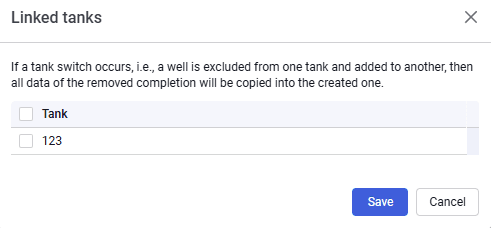 Select image to enlarge
3.Save the well link using the Save button
4.After saving, history intervals appear automatically. The number of intervals for the well equals the number of intervals for the tank.
5.For correct operation, specify the well purpose immediately. To do this, go to the Control tab and select the well purpose from the drop-down list
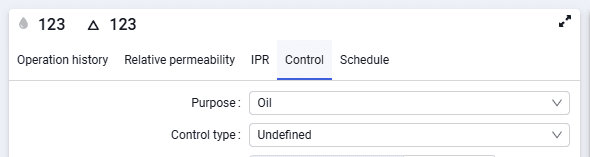 Select image to enlarge
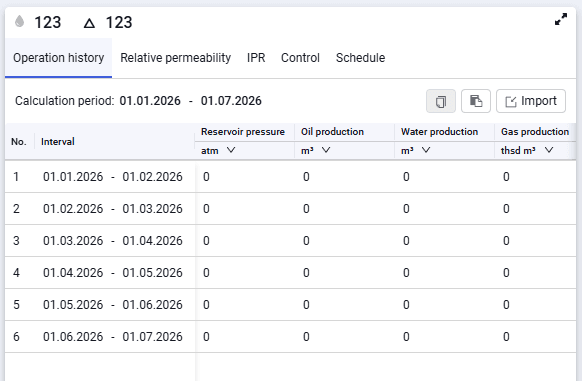
6.You can then go to the Operation history tab and fill in the following parameters:
- Weighted average reservoir pressure (P res., atm);
- Oil production (m³);
- Water production (m³);
- Gas production (thsd m³);
- Gas injection (thsd m³);
- Water injection (m³);
- Pressure matching weight;
- Relative permeability matching weight.
7.Oil, gas, and water production and gas and water injection are entered for the specified period. Some history fields can be left empty or set to zeros, for example if there is no weighted average reservoir pressure for one of the periods or the well has no production.
8.The matching weight is 1 by default. You can set any weight for any point — the larger the value, the greater the point weight in matching.
 Select image to enlarge
9.You can enter well operation history manually from the keyboard, using the spinner in the cell, or by pasting from the clipboard from previously prepared tables. To do this, select the required value range in the prepared table, copy it, then select the first cell of the range where the copied values should be pasted and click  . The values will appear in the table.