
Running a methanol optimization calculation
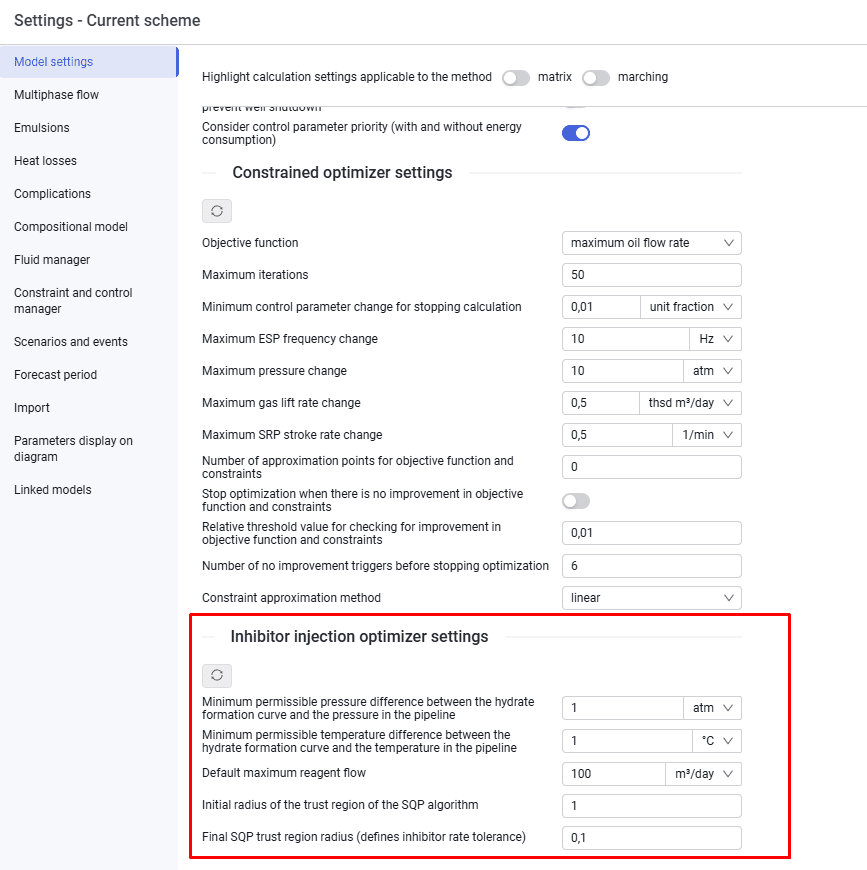
1.To run the calculation, sources or wells with inhibitor must be present. Settings are specified in "Model settings".
 Select image to enlarge
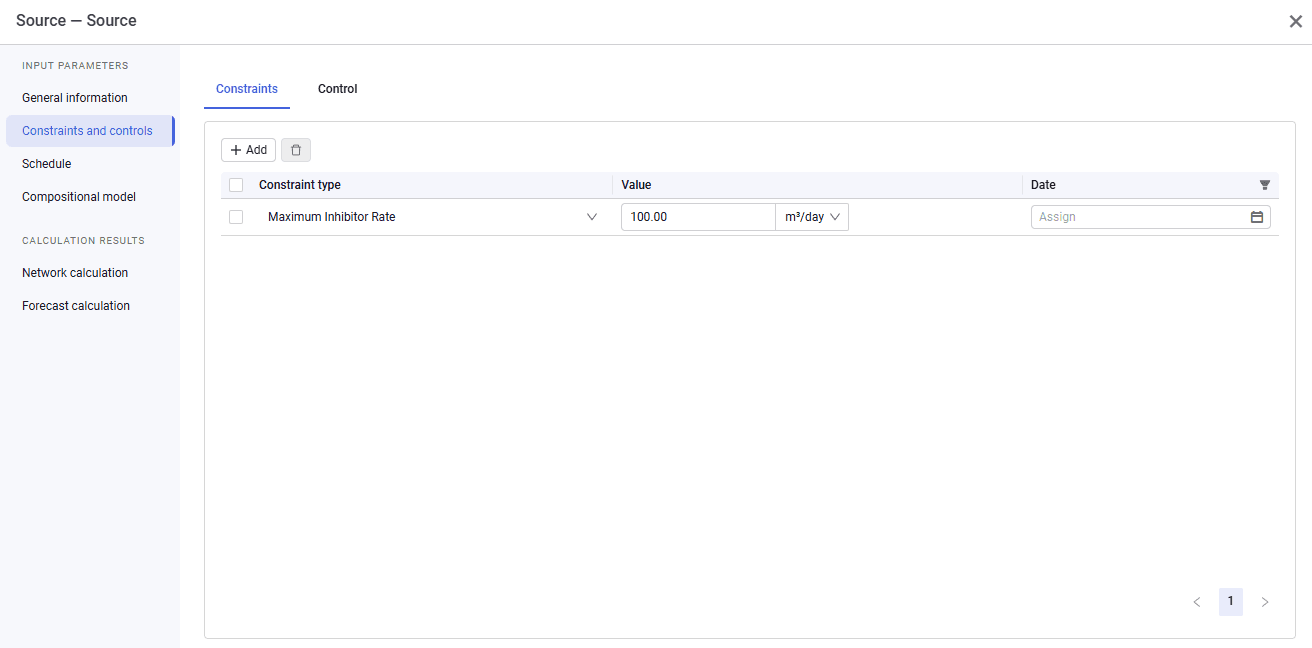
2.On the "Source" object you must:
- select the flow rate type — "Inhibitor";
- specify the initial solution rate, concentration, and temperature.
- On the "Constraints and controls" tab, add the "Maximum Inhibitor Rate" constraint type and enable the control flag ("Inhibitor Rate Selection").
 Select image to enlarge
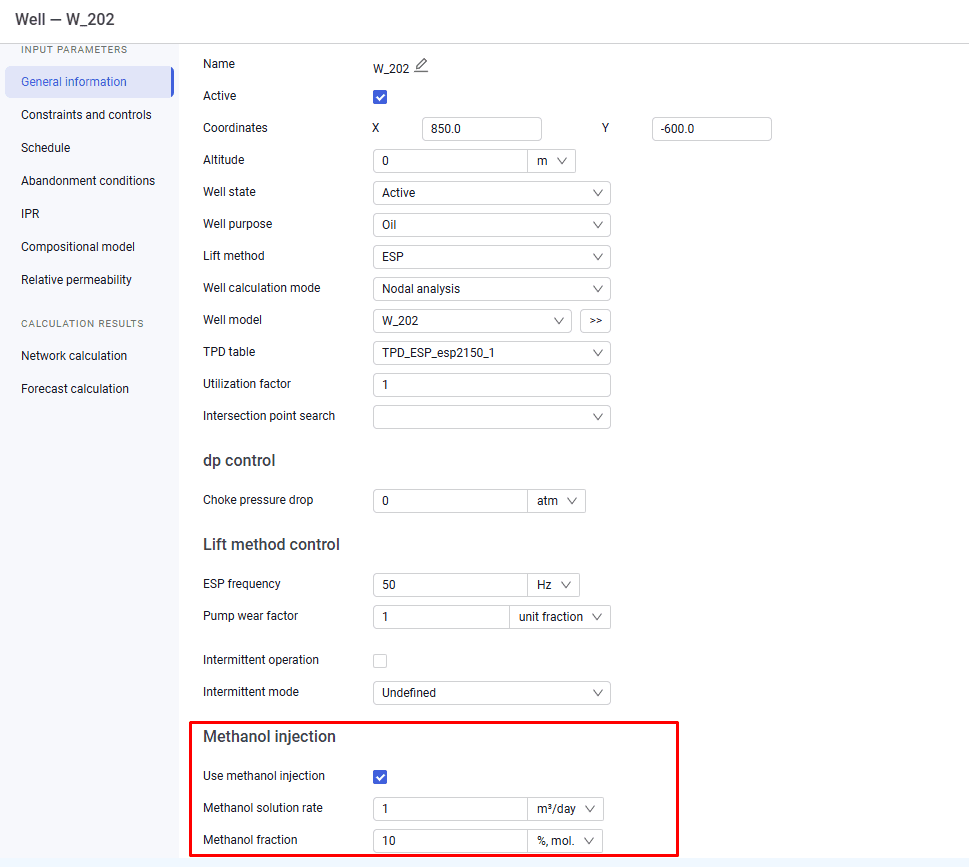
4.For wells, you must additionally set the methanol injection flag on the "General information" tab.
 Select image to enlarge
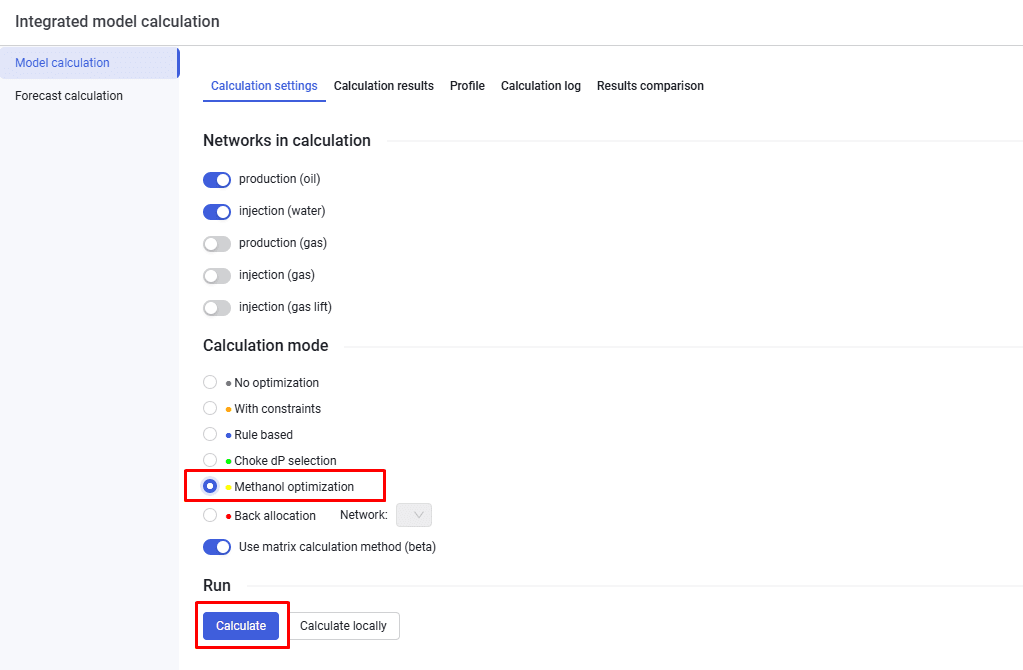
5.On the "Model calculation" tab, select the calculation settings, select the "Methanol optimization" option, select the network type, and click Calculate.
 Select image to enlarge