
Fluid manager
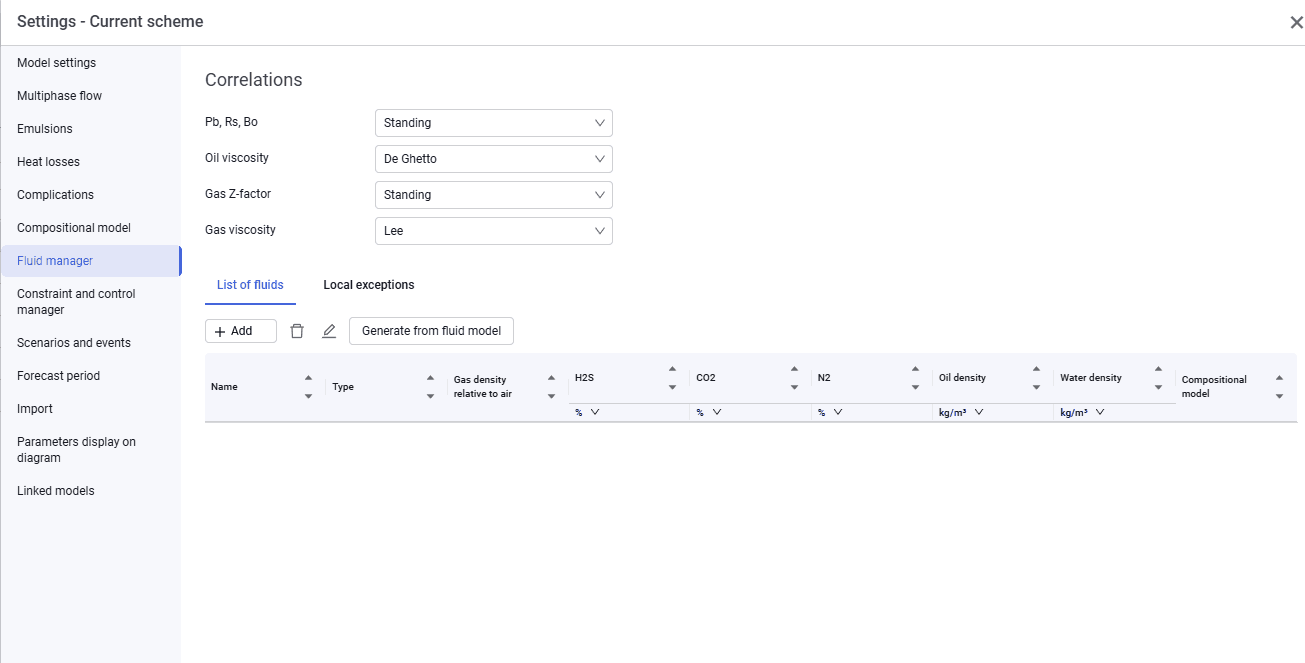
The Fluid manager tab looks as follows.
 Select image to enlarge
On this tab, select the parameters that will be the same for the entire system:
- correlation for calculating Pb, Rs, Bo. The drop-down list includes Standing, Lasater, Vasquez & Beggs, Glaso, DeGhetto, Petrosky, AlMarhoun;
- correlation for calculating oil viscosity. The drop-down list includes DeGhetto, Petrosky, Beggs & Robinson, Bergman, Egbogah, Beal;
- correlation for calculating gas Z-factor. The drop-down list includes Standing, Dranchuk, Papay;
- correlation for calculating gas viscosity. The drop-down list includes Lee, Carr.
On this tab you can define fluids manually and later use them to calculate a model on sources. You can also generate a fluid from an existing fluid model created in the nv.AIM PVT module using the Generate from fluid model button.
In the created fluid, in the Compositional model column, you can link a compositional PVT model.
This tab also displays local exceptions, which you can export by clicking Export to Excel.