
Wells
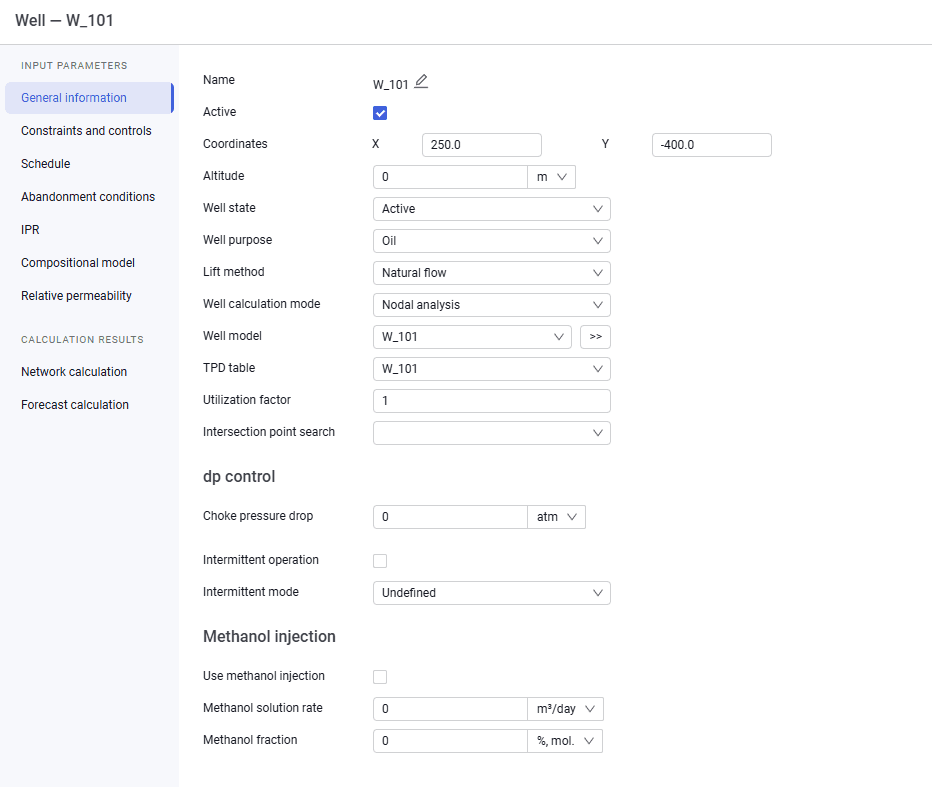
Fill in the parameters on the "General information" tab. The following fields are available on this tab:name;active flag;coordinates;altitude;well state;lift method;well calculation mode;well model (you can select a model from the drop-down list);VLP tables depending on the VFP table format selected in the calculation settings;utilization factor;choke pressure drop;lift method controlESP frequency (for ESP);Pump wear factor (for ESP);Intermittent operation (selecting the check box enables this operating mode);Intermittent mode (On/Off time, intermittency coefficient).Methanol injectionUse methanol injection;Methanol solution rate;Methanol fraction.
 Select image to enlarge
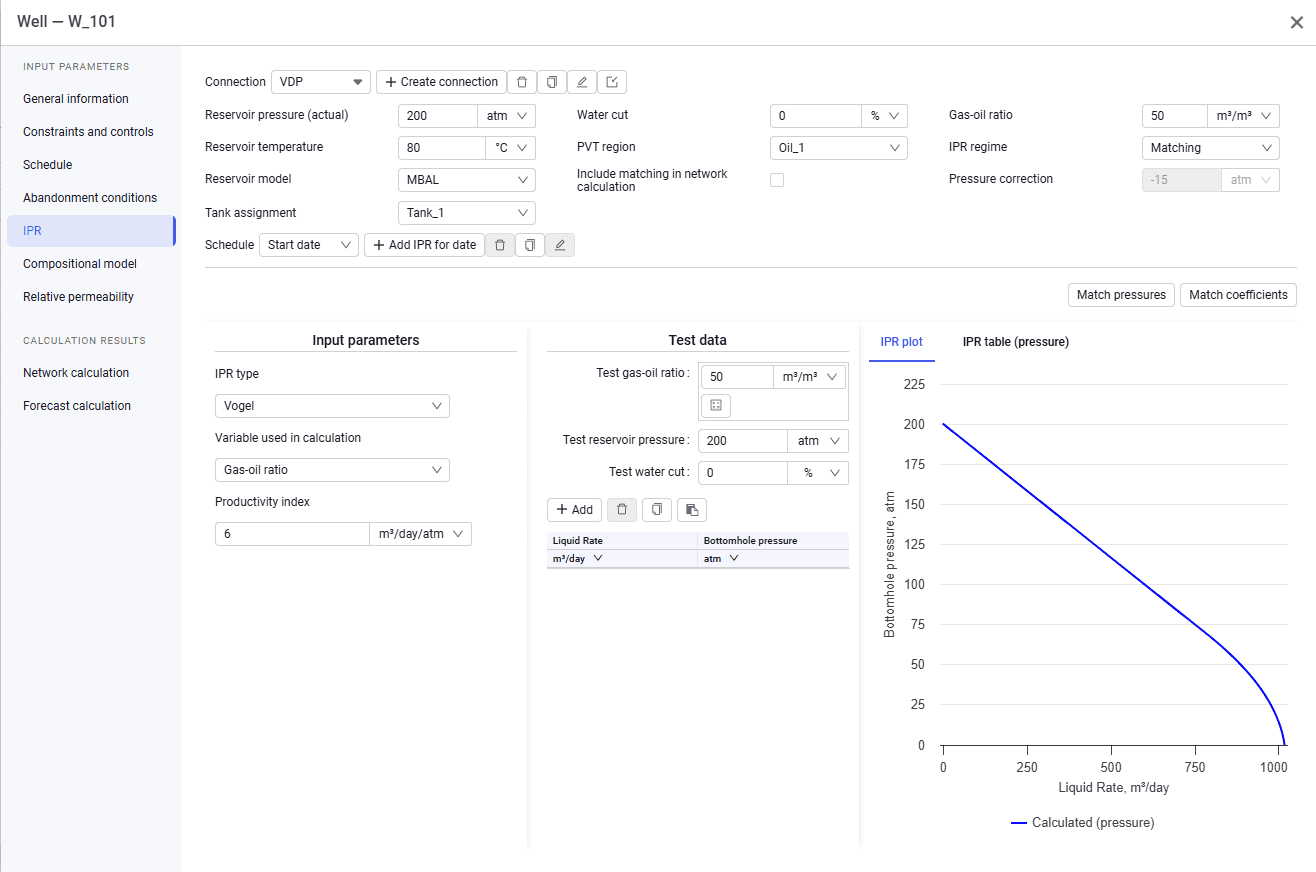
On the "IPR" tab, fill in the reservoir parameters (reservoir pressure, reservoir temperature, water cut, GOR) and the parameters for calculating the IPR curve. To do this:
Create a connection. You can create a connection in 2 ways:
click the Create connection button and specify the connection name in the window that appears. Enter the data manually (reservoir pressure, reservoir temperature, water cut, GOR, input parameters for calculating the IPR curve (IPR type, variable used in calculation, productivity index), test data (if available), and link a PVT model).
 Select image to enlarge
import IPR data automatically on the "IPR" tab using the  button or on the "Import" tab in the general settings. To do this, link a well model on the "General information" tab.
If required, link a reservoir model and specify the tank assignment.Then run automatic matching of pressure or coefficients if required.When calculating in "Tracking" mode, a compositional fluid model is additionally linked on the "Compositional model" tab.