
Entering general information
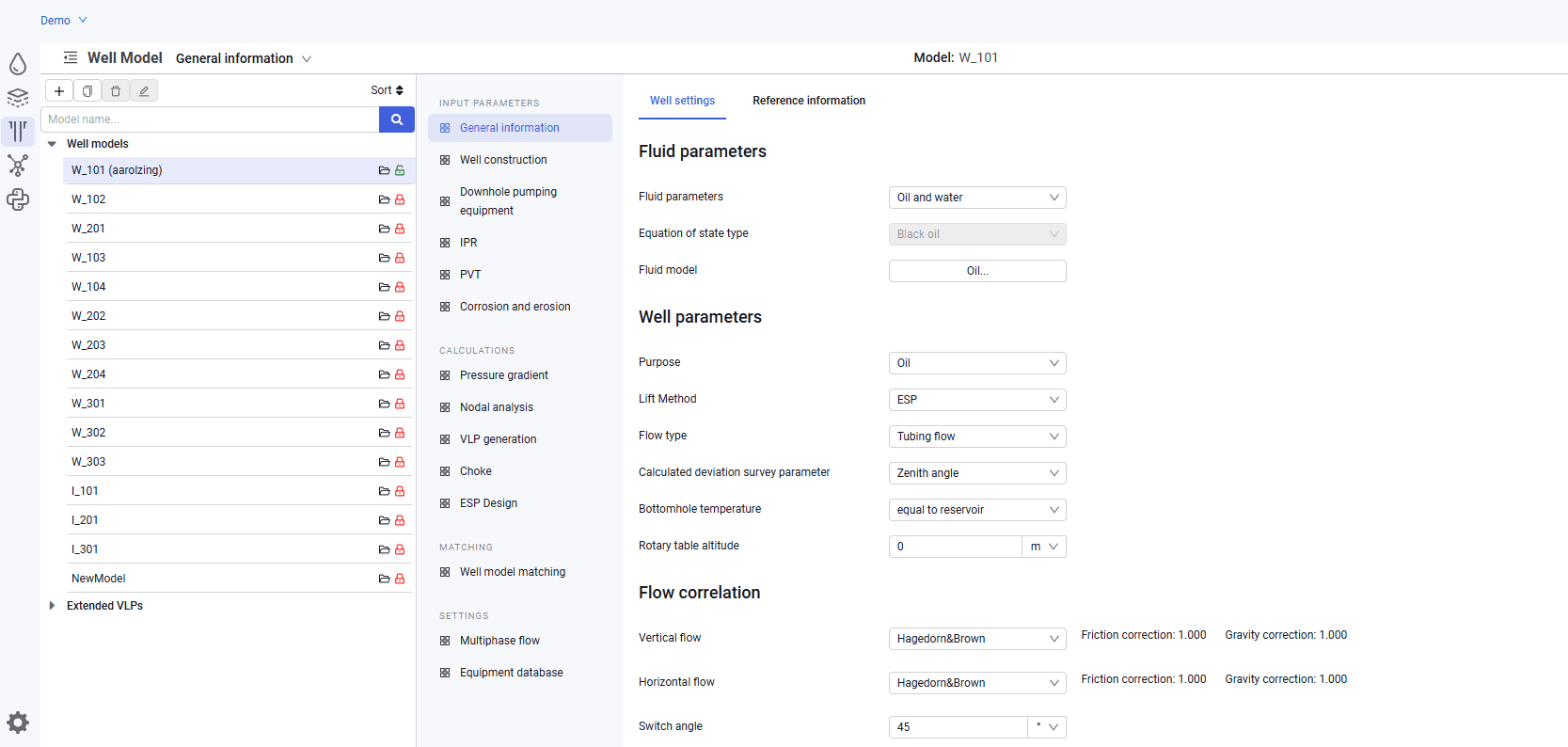
On the "General information" tab, two subsections are available for filling in: "Well settings" and "Reference information".
1.In the "Well settings" subsection, select:
- fluid parameters. Depends on the type of fluid the well produces or injects;
- fluid model. Select a previously created PVT fluid model;
- purpose. Depends on the well type;
- lift method;
- flow type;
- calculated deviation survey parameter. The drop-down list provides TVD and zenith angle;
- rotary table altitude;
- vertical flow correlation;
- horizontal flow correlation;
- switch angle;
- number of calculation cores.
 Select image to enlarge
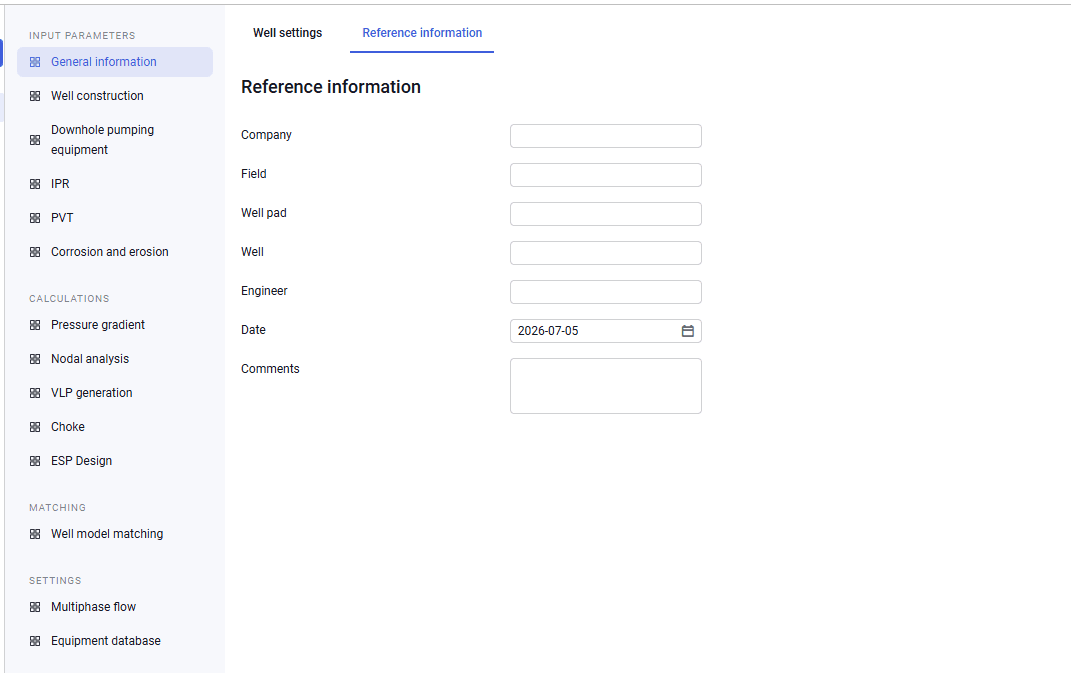
2.In the "Reference information" subsection, you can enter the following information:
- company;
- field;
- well pad;
- well;
- engineer;
- date;
- comment.
The listed fields are not required and can be filled in by a specialist for convenience.
 Select image to enlarge