
Creating Calculation Steps
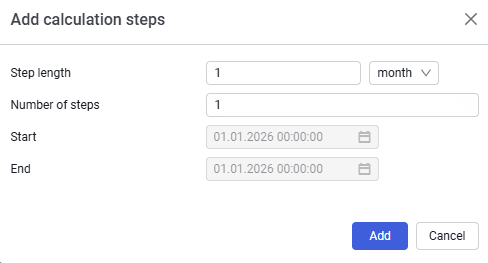 Select image to enlarge
Contains the following elements:
Step length
In the cell, you can specify any step length by typing, pasting from the clipboard, or using the spinner in the cell itself. The step unit is selected from the drop-down list — second, minute, hour, day, month, quarter, year;
Number of steps
Both historical and forecast steps are specified. You can type, paste from the clipboard, or use the spinner in the cell itself;
Start
Defines the tank operation start date;
End
Calculated automatically based on the number of steps. Editing is not available;
Cancel
To exit without saving changes;
Add
To add calculation steps.