
Area 1. Object navigator
This area displays a list of all objects present in the Integrated Model.
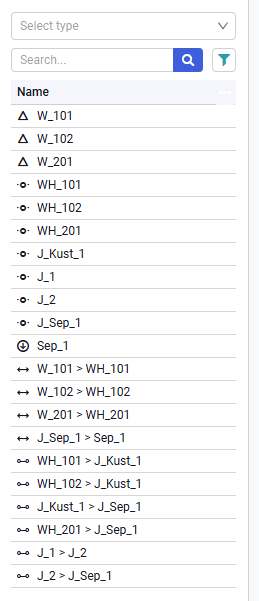 Select image to enlarge
It contains the following elements:
Select types
A drop-down list of object types. When an object type is selected from the list, the table displays only the names of objects of the selected type. The drop-down list includes: pipelines, objects, wells, sources, sinks, chokes, separators, joints, generic equipment, sub-flowsheets, pumps, inflows, heat exchangers, three-phase separators, compressors, groups, scripts, connections;
Search
Search box. Used to search for objects by name;
Filter
 — filter that allows you to search for objects inside sub-flowsheets (Flowsheet). That is, if the model contains sub-flowsheets, without clicking this button only objects of the overall schematic are displayed (if the overall schematic is shown on the screen) and pad objects (if a pad is shown on the screen). If you click the filter button, the list displays all objects regardless of whether they are outside or inside a pad (sub-flowsheet);
The table header contains the following elements:
Sort
 — sort button. Clicking it opens a list with two buttons: "Sort ascending" and "Sort descending". Clicking them sorts objects in the table in ascending or descending order depending on the selection;
Clear sort
 — button to clear the sort.