
Area 2. Calculation results
Depending on the selected tab, different data can be displayed in the calculation results.
When the "Oil" tab is open, the right area shows plots of oil properties versus pressure based on the table created in the area on the left.
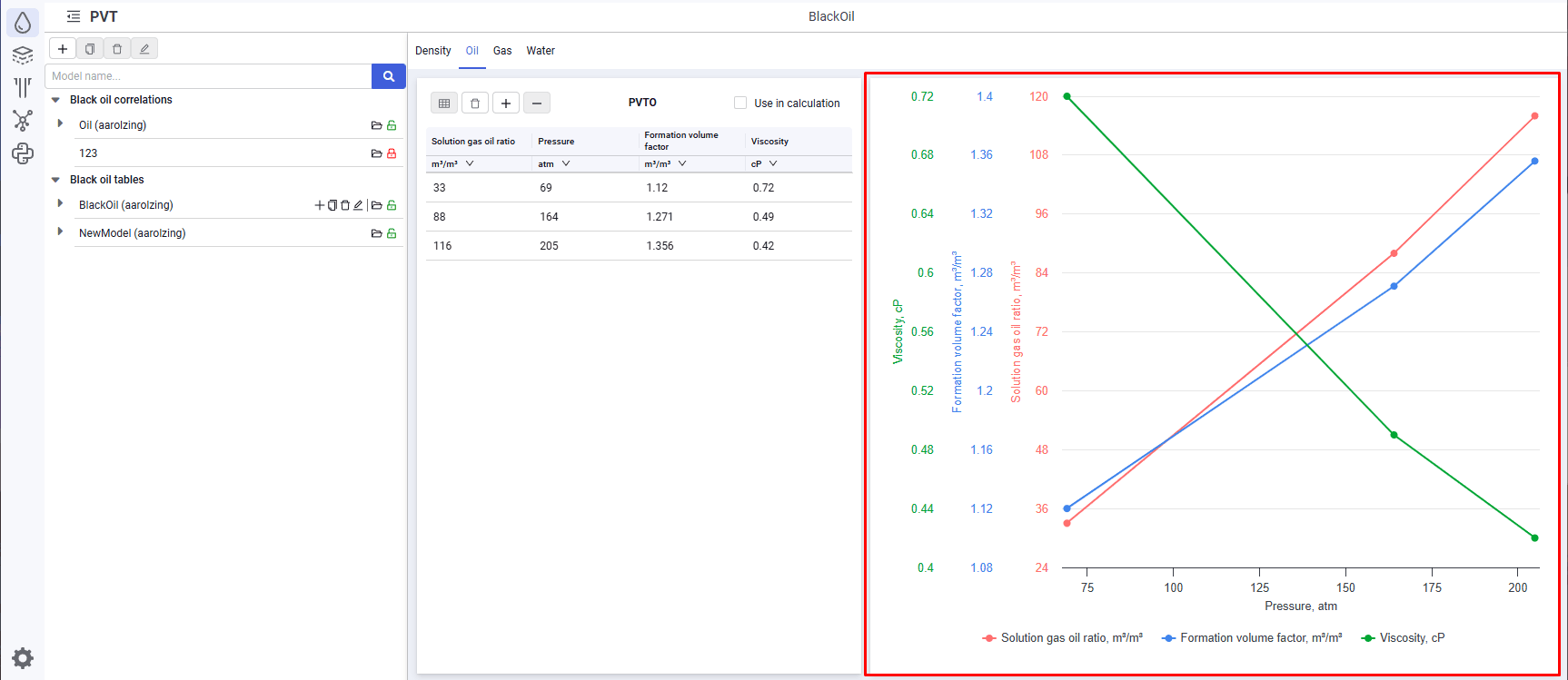 Select image to enlarge
When you hover over the plot, a pop-up window with values is displayed.
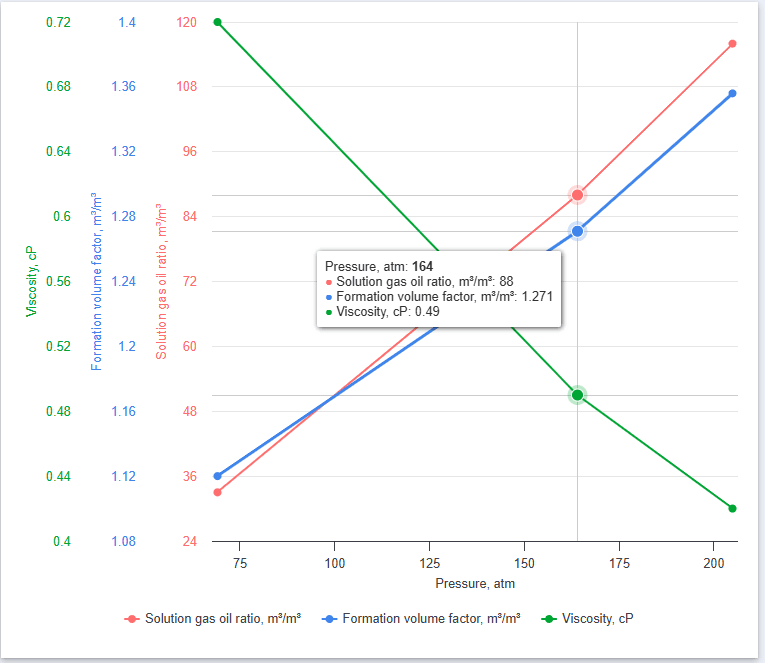 Select image to enlarge
When you click a parameter in the legend below the plot, the curve of that parameter versus pressure is hidden.
When the "Gas" tab is open, the right area shows plots of gas properties versus pressure based on the table created in the area on the left.
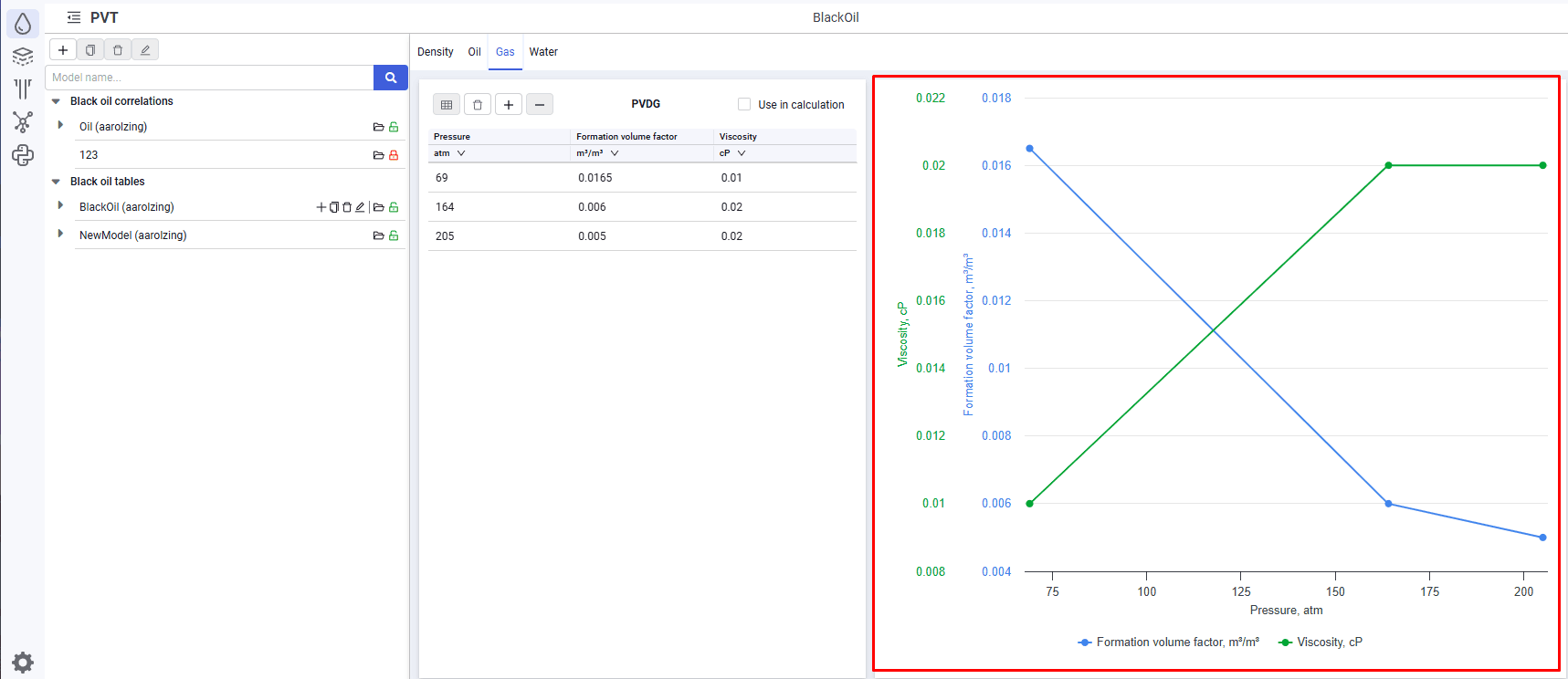 Select image to enlarge
When you hover over the plot, a pop-up window with values is displayed.
When you click a parameter in the legend below the plot, the curve of that parameter versus pressure is hidden.