
nv.AIM SERVER start page
The nv.AIM SERVER start page consists of two main areas: the list of scripts in the project (left pane) and the code editor (right pane).
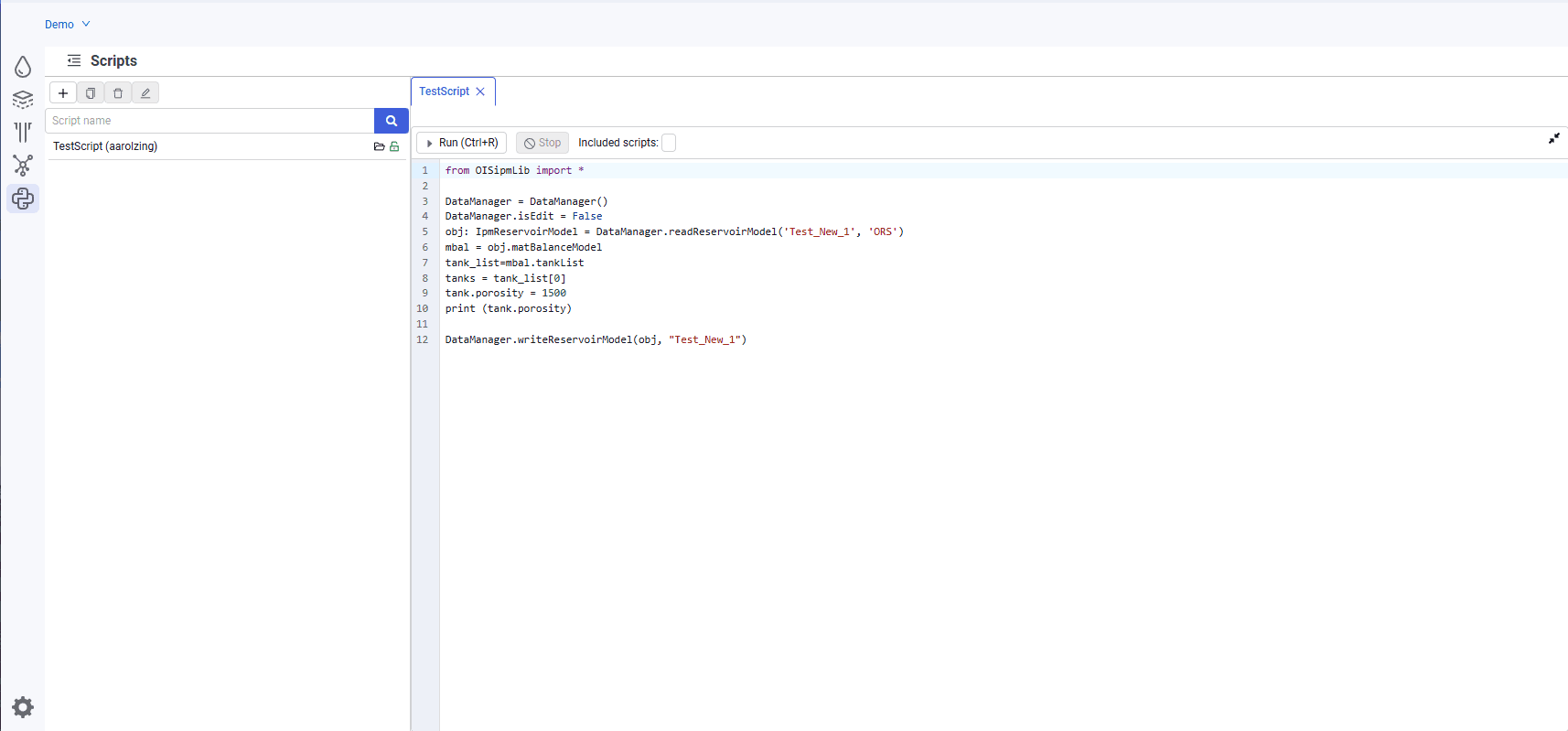 Select image to enlarge
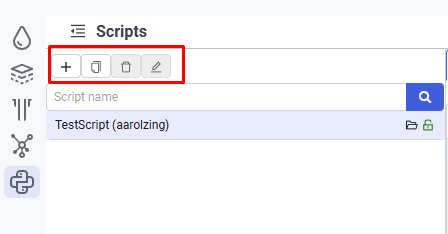
The following controls are available in the left pane:
Hide/show script list (  )
)
Used to enlarge the working area;
Create new script (  )
)
Used to create new scripts in the project;
Clone selected script (  )
)
The button is inactive by default; to clone a script, select the source script in the tree. Use this function to create and adjust a script when you cannot or must not change the original script;
Delete selected script (  )
)
The button is inactive by default; to delete a script, select the script in the list;
Rename selected script (  )
)
The button is inactive by default; to rename a script, select the script in the list.
 Select image to enlarge
The following controls are available for each script:
Load script (  )
)
Click to load the script and view all of its properties and parameters. Script editing is not available;
Enter edit mode (  )
)
Click to unlock the script for editing;
Exit edit mode (  )
)
Available only in edit mode.
In edit mode, the script row shows the login of the user who is currently editing the script.
Exiting edit mode opens a confirmation dialog:
Save – all script changes are saved.
Don't save – changes are discarded and the script remains as it was before editing.
Cancel – edit mode is not exited.