
Downhole pumping equipment
This section is available when you select the "ESP" or "SRP" well lift method and lets you configure downhole pumping equipment parameters.
For a well with an ESP, the section consists of the following tabs:
- Separation
- Pump
- Motor
- Cable
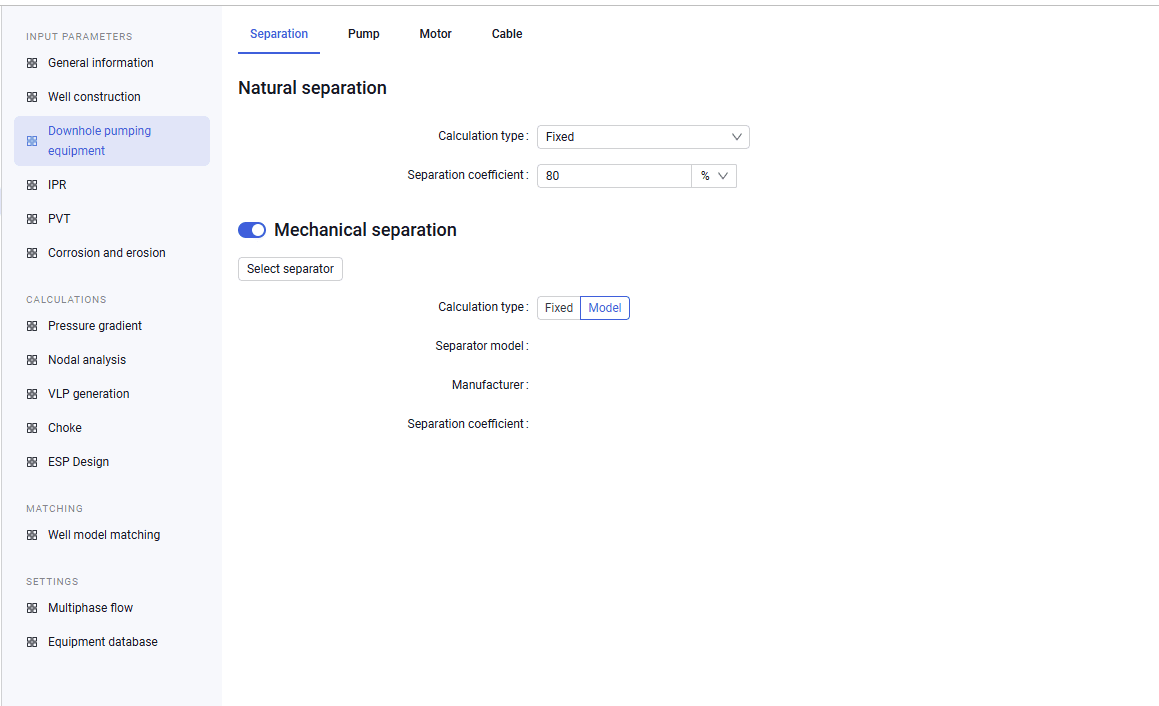
The "Separation" tab consists of two areas and lets you configure natural and mechanical separation parameters:
Natural separation setup
Mechanical separation setup
From the Calculation type list, select the required option (Fixed, Alhanati, or Shakirov-Mishchenko). For a fixed calculation: in the Separation coefficient field, enter the required value
Enable the Mechanical separation option. Select the calculation type: Fixed or Model. Depending on the selected calculation type, do the following: For a fixed calculation: in the Separation coefficient field, enter the required value. For a model calculation: click Select separator, in the dialog that opens select a separator from the equipment catalog, and click Select
 Select image to enlarge
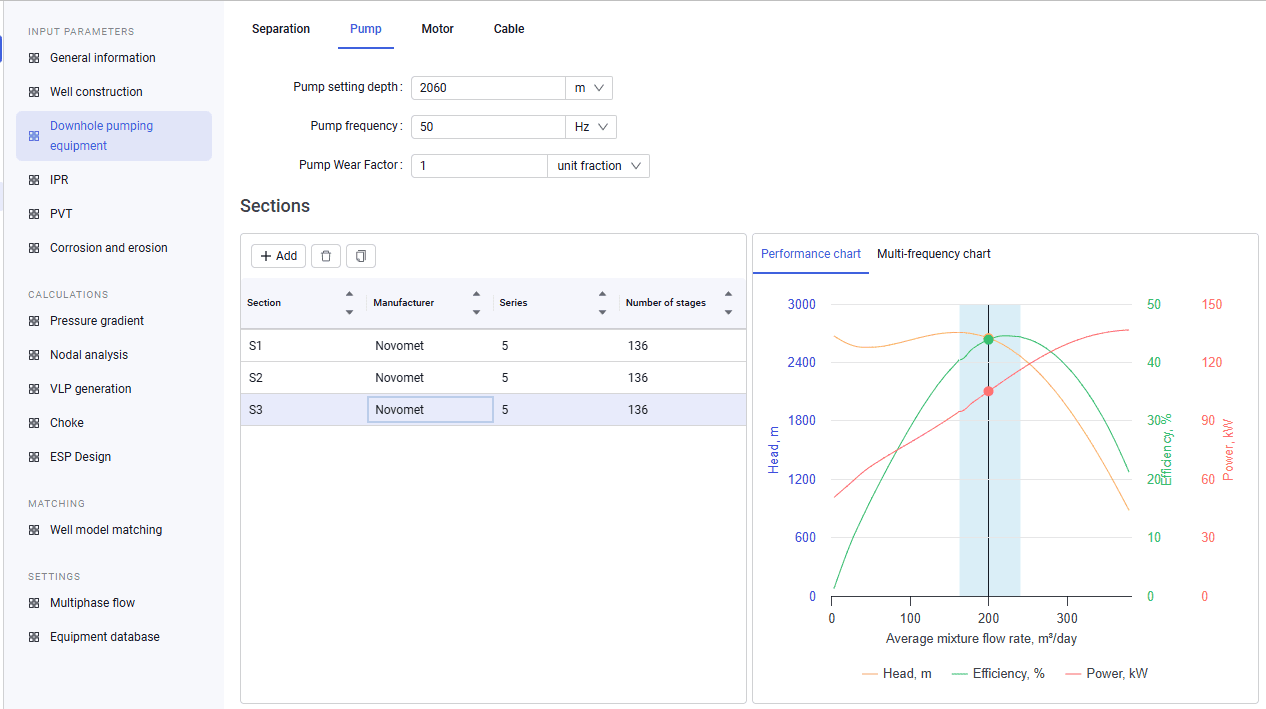
The "Pump" tab lets you configure pump parameters, add pump sections, and view the head–rate characteristic plot.
 Select image to enlarge
The upper part of the tab provides fields for entering pump setting depth and pump frequency, as well as the Pump Wear Factor.
The Pump Wear Factor is a matching parameter and can be changed while matching the well model to actual data. The nominal value is a factor of one. If the efficiency factor is greater than one, the pump operates "better" than the nameplate; if it is less, the pump operates "worse" than the nameplate values.
The lower part of the tab contains a table for adding pump sections. When sections are added from the global equipment catalog, they are copied to the local catalog.
After adding sections, you can edit the number of stages for each section.
To the right of the table, the pump head–rate characteristic plot is shown. The plot is built from pump data and the information entered in the upper part of the tab.
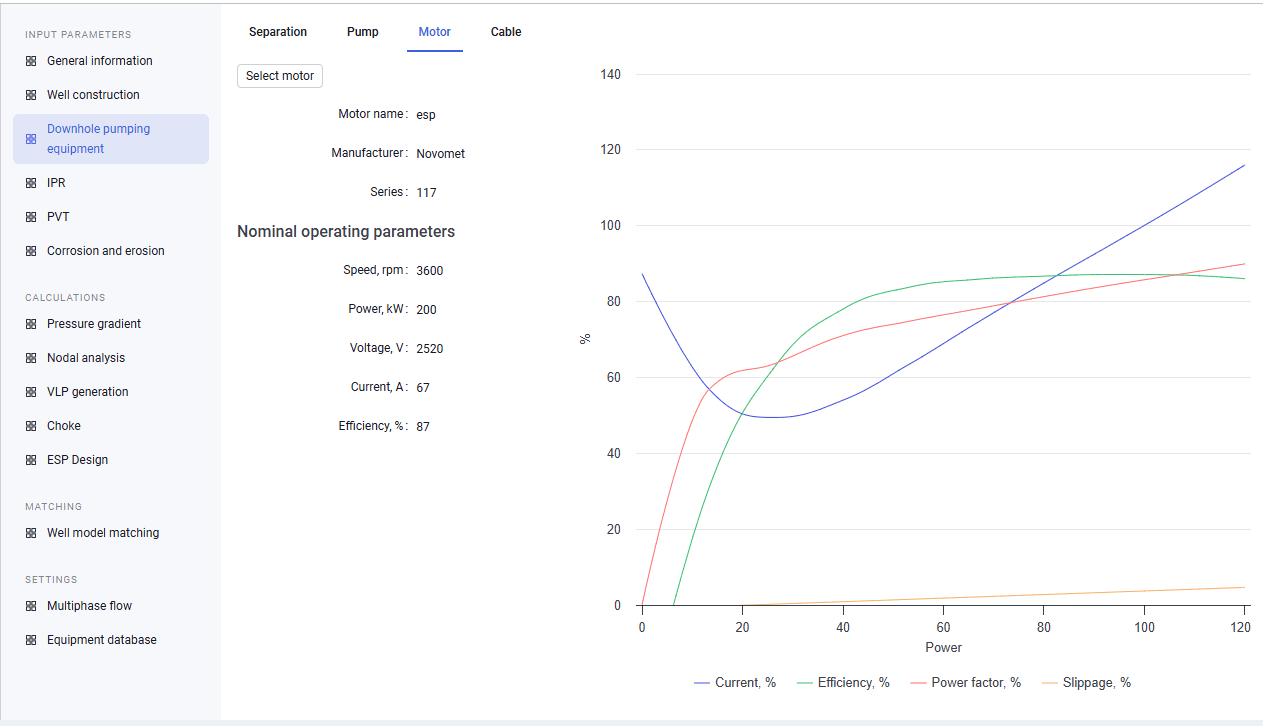
The "Motor" tab lets you select a pump motor from the equipment catalog and view a plot of its characteristics. Motor parameters on this tab are view-only.
 Select image to enlarge
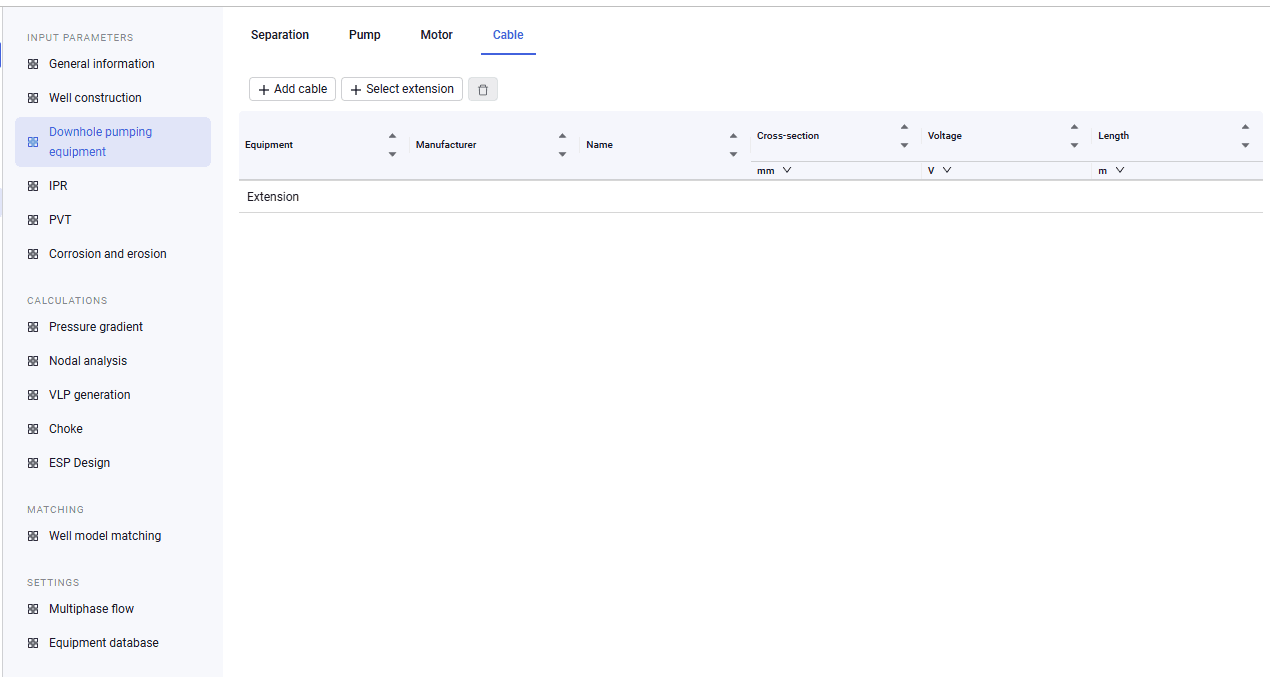
The "Cable" tab contains a table for adding cables and extensions from the equipment catalog. Cable and extension parameters on this tab are view-only.
 Select image to enlarge
For a well with an SRP, the section consists of the following tabs:
- Separation
- Rod configuration
- Pump
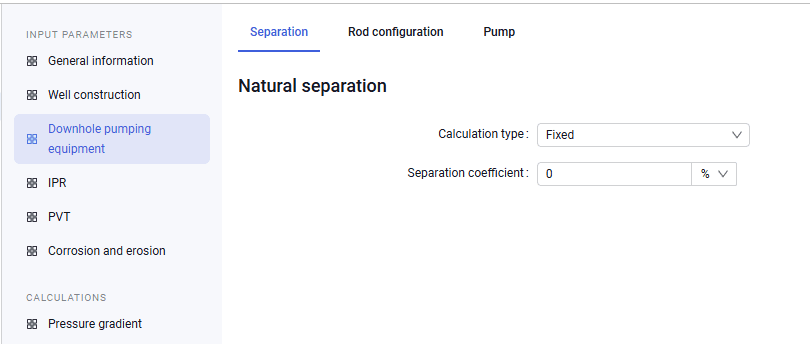
The "Separation" tab is similar to that of an ESP well, except that the mechanical separation type cannot be specified.
 Select image to enlarge
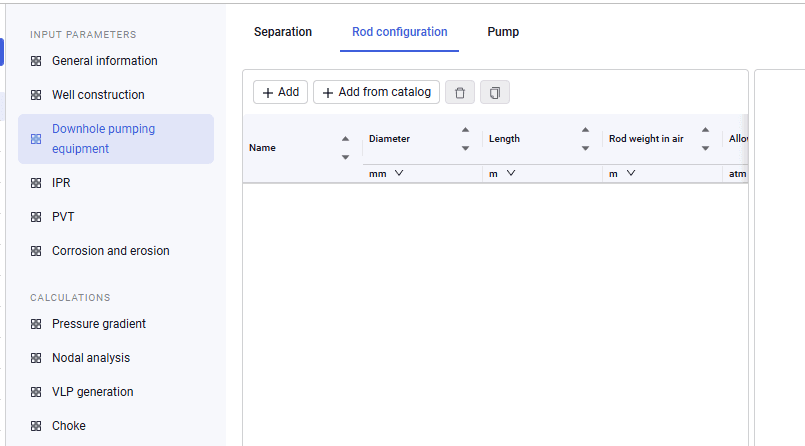
The "Rod configuration" tab lets you specify construction parameters of the rods included in the SRP configuration.
 Select image to enlarge
Above the configuration table, buttons are available for adding a rod manually ("Add") and for adding a configuration from the equipment catalog ("Add from catalog"). When rods are added from the global equipment catalog, they are copied to the local catalog.
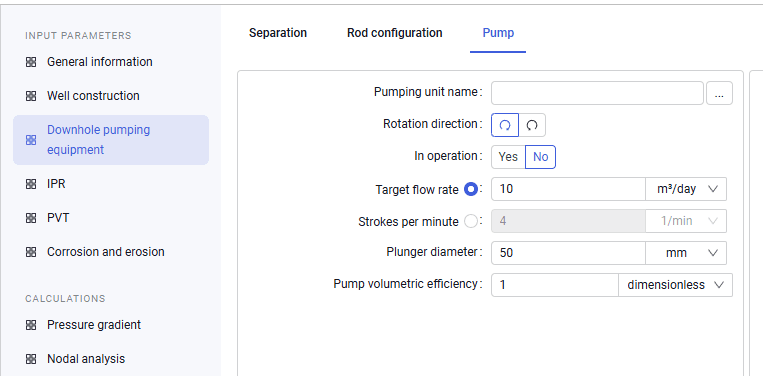
The "Pump" tab lets you select a plunger pump from the equipment catalog and specify its operating characteristics (rotation direction; target flow rate or strokes per minute; plunger diameter; pump volumetric efficiency).
 Select image to enlarge