
Operation History
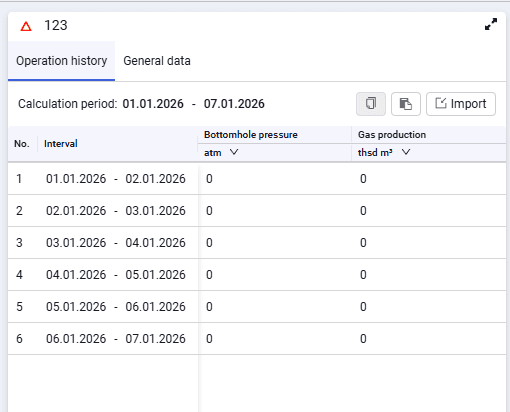 Select image to enlarge
The window contains the following elements:
Copy (  )
)
Used to copy and save reservoir production history in external tables.
Paste from clipboard (  )
)
Used to paste reservoir production history from external tables. For correct paste, select the required cell in the table; the entire copied value range is pasted starting from the selected cell.
Import operation history (  )
)
Used to copy reservoir production history from external tables.
The table contains the following data:
- Interval. Displays the intervals for which production history must be entered. Intervals are not editable;
- Bottomhole pressure. In some intervals pressure may be missing if such data is not available. In that case, enter "0" or leave the cell empty. You can paste a single value from the clipboard, type it from the keyboard, or set the value using the spinner in the cell while editing;
- gas flow rate for the specified period. The input method depends on the production method selected in the calculation settings (per period; cumulative; daily rates).