
Calculation Settings
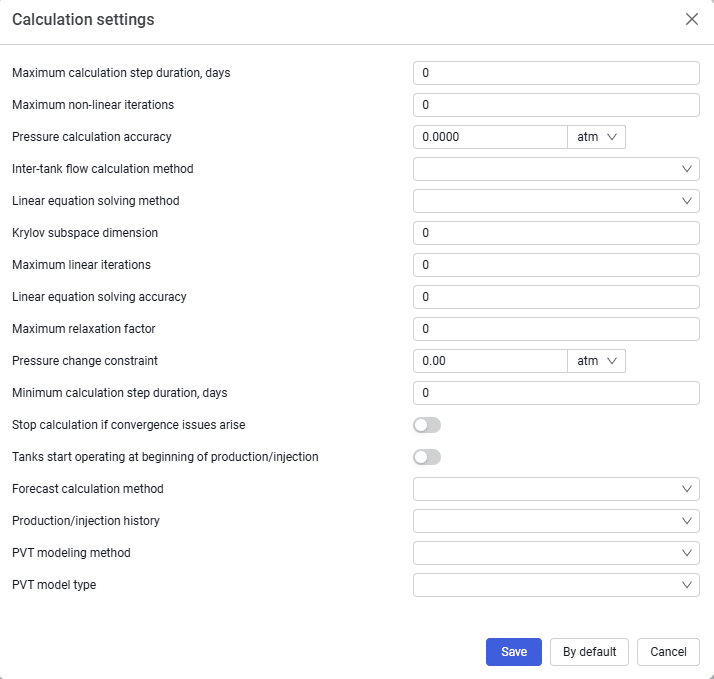 Select image to enlarge
Calculation settings apply only to the model being edited.
Contains the following elements:
- Maximum calculation step duration, days;
- Maximum non-linear iterations;
- Pressure calculation accuracy, atm;
- Inter-tank flow calculation method. From the drop-down list you can select Fully implicit scheme or Crank-Nicholson scheme;
- Linear equation solving method. From the drop-down list you can select GMRES method or Gauss method;
- Krylov subspace dimension;
- Maximum linear iterations;
- Linear equation solving accuracy;
- Maximum relaxation factor;
- Pressure change constraint;
- Minimum calculation step duration;
- Stop calculation if convergence issues arise;
- Tanks start operating at beginning of production/injection;
- Forecast calculation method – by wells or by tanks;
- Production/injection history – per period, cumulative, or daily rates.
- PVT modeling method – correlations or tables
- PVT model type – Black Oil or Tracking
By default
Restores all calculation settings to the default values;
Cancel
To cancel changes and return to the previous state;
Save
To save changes.