
Area 2. Model Data Management and Data Table
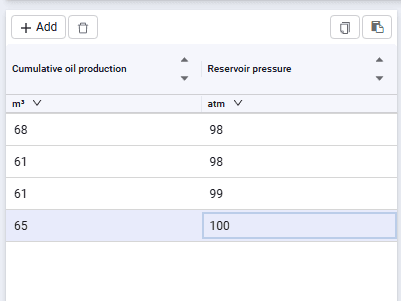
Used to add/delete rows and decline curve data.
 Select image to enlarge
Contains the following elements:
 – add a row for entering data;
 – delete a row;
 – copy the data table to the clipboard. Used to save decline curves in external tables;
 – paste from clipboard. Used to quickly fill table rows if decline curve data is maintained in external tables;
The table header displays parameter names depending on the selected curve type.
Cells are edited by double-clicking a cell. You can paste values from the clipboard, type them from the keyboard, and also change values using the spinner, increasing values with the up arrow or decreasing them with the down arrow.
When the curve type is "Date", the date can be changed using the calendar, which appears automatically when the cell is edited.