
Defining general system settings
1.To fill in the general system settings, click … in the upper-right corner of the screen.
The settings window opens and looks as follows.
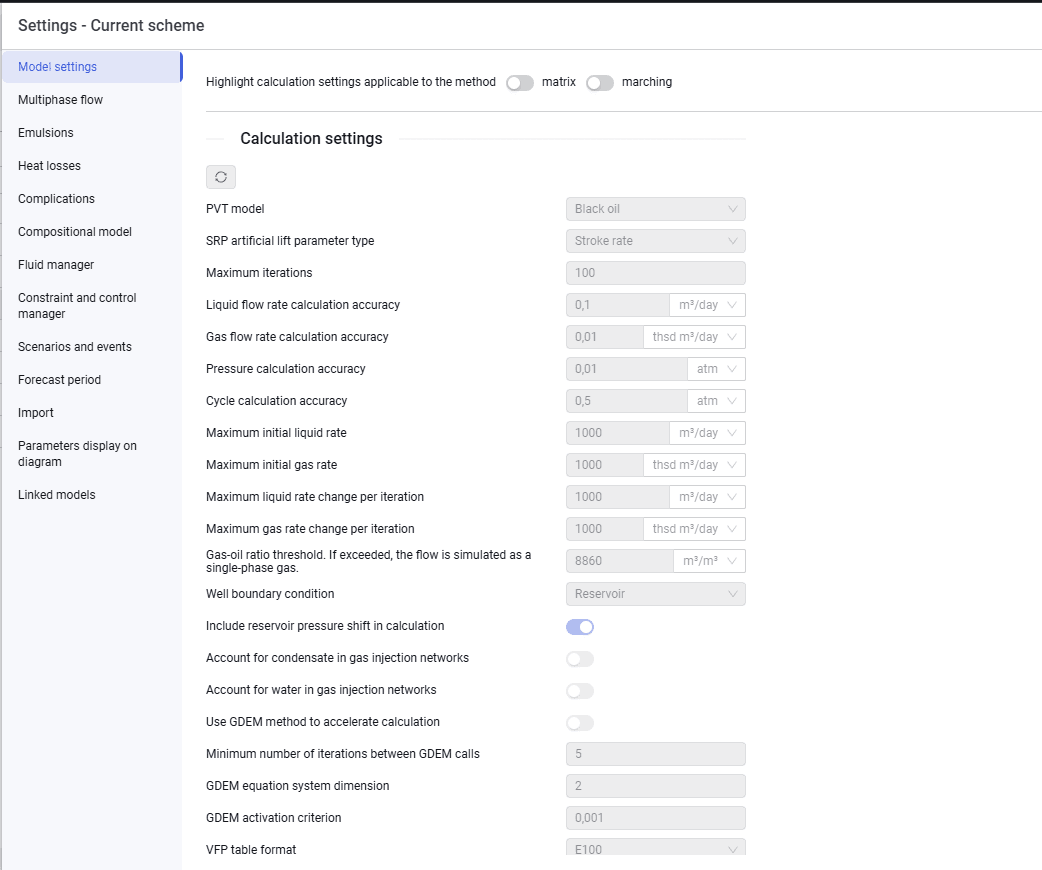 Select image to enlarge
2.On the Multiphase flow tab, select the correlation that will be used in hydraulic calculations of pipelines, and enter gravity and friction correction factors. If the system contains objects with multiphase flow parameters that differ from the entered parameters, they will be displayed in the Local exceptions table.
3.On the Heat losses tab, select the temperature model that will be used for calculations.
- When the Enthalpy balance temperature model is selected, select the pipeline laying method (Above ground or Subsurface) and enter insulation thickness, thermal conductivity of insulation, wind speed, and ambient temperature.
- When the Rough approximation/Improved approximation temperature model is selected, enter the overall heat transfer coefficient, ambient temperature, and phase heat capacities.
If the system contains objects with heat-loss parameters that differ from the entered parameters, they will be displayed in the Local exceptions table.
- On the Flow Assurance tab, you can configure parameters for calculating pipeline corrosion and erosion, as well as the possibility of scale, hydrate, and asphaltene and wax deposits.
- On the Fluid manager tab, select the correlations used to calculate bubble point pressure, gas saturation, formation volume factor, oil viscosity, Z-factor, gas viscosity, and emulsion viscosity.
4.Add the fluid (fluids) whose properties will be used in the system calculation to the fluid list, and enter their properties: fluid type; gas gravity relative to air; H2S, CO2, N2 content; oil density and water density.
5.After you finish entering the system settings, click the cross in the upper-right corner of the window to close it.
6.For a calculation in Tracking mode, on the Compositional model tab select the parameters of the linked compositional fluid model.