
Start Page
The start page contains a list of all available modules and applications as a tile menu, with the ability to configure quick access to them and view recently used applications.
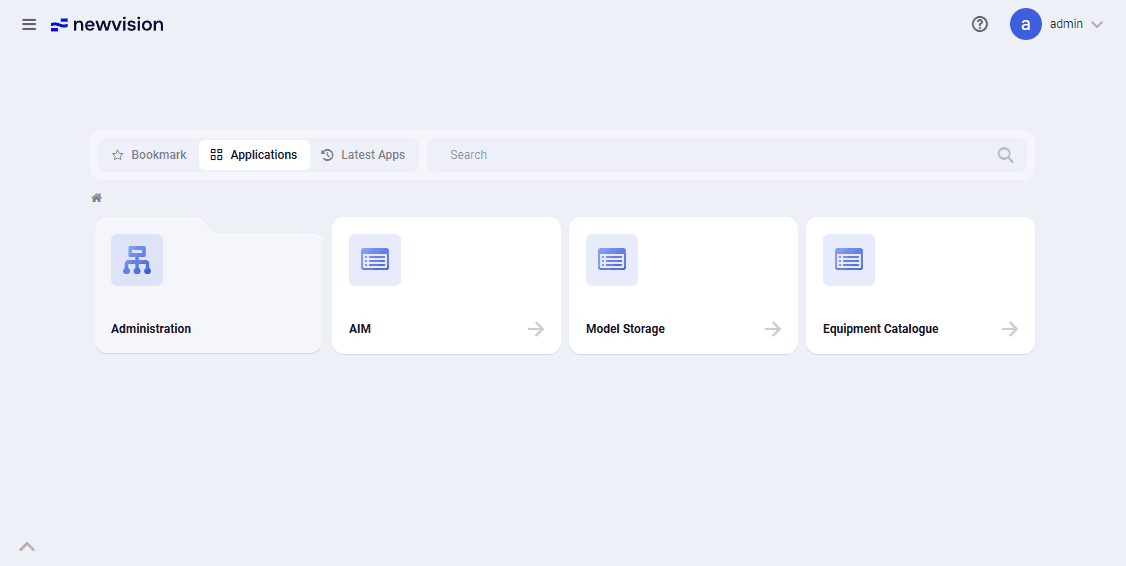 Select image to enlarge
The start page opens by default at the beginning of each nv.AIM session. During the current session, the start page remembers its state and displays the last opened tab at the nesting level from which the page was left.
You can go to the start page at any time while working with the application by clicking the product logo in the upper-left part of the window.
The start page contains the following elements:
- "Search"
A text field at the top of the window for searching for a module or application. To find an item, enter the name or any part of the name of a module or application in the search bar at the top of the window. Found items are displayed as tiles under the search bar. Search results update automatically as you type the query. - "Favorites"
A tab that displays modules and applications added to favorites by the user. An item is added to favorites by clicking the star icon displayed in the upper-right corner of the tile. The icon of an item added to favorites is highlighted with a solid fill. An item is removed from favorites by clicking the star icon
  again.
 - "Applications"
A tab that displays all modules and applications. The content and grouping of items are the same as in the main menu. The main applications are "Model Storage" and "Equipment Catalog". - "Recent"
A tab that displays the last opened applications.