
Adding Project
To add a project for further work, do the following:
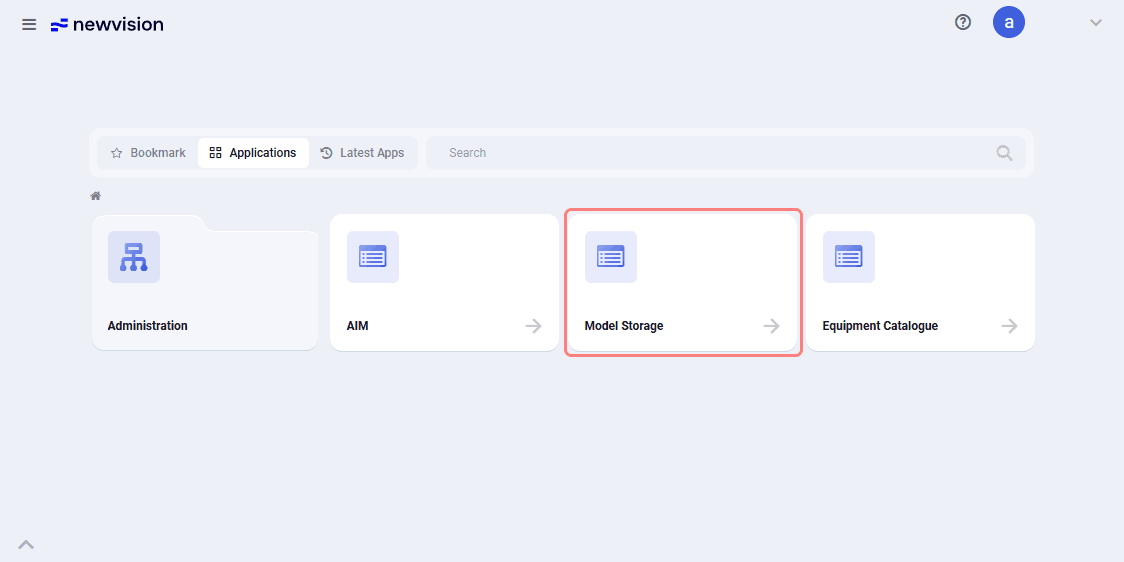
1.On the home page, select the Model storage application.
 Select image to enlarge
2.In the form that opens, in the left part of the application click Create project (  ).
).
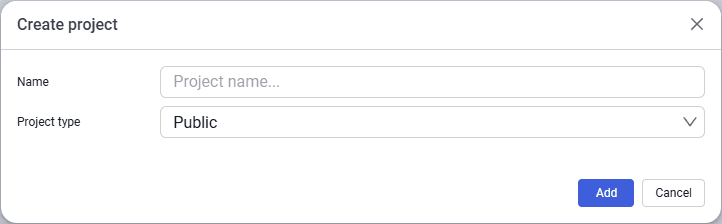
3.In the window that opens, enter the project name and select the project type from the drop-down list — Public or Private.
 Select image to enlarge
4.After filling in all data, click Add.
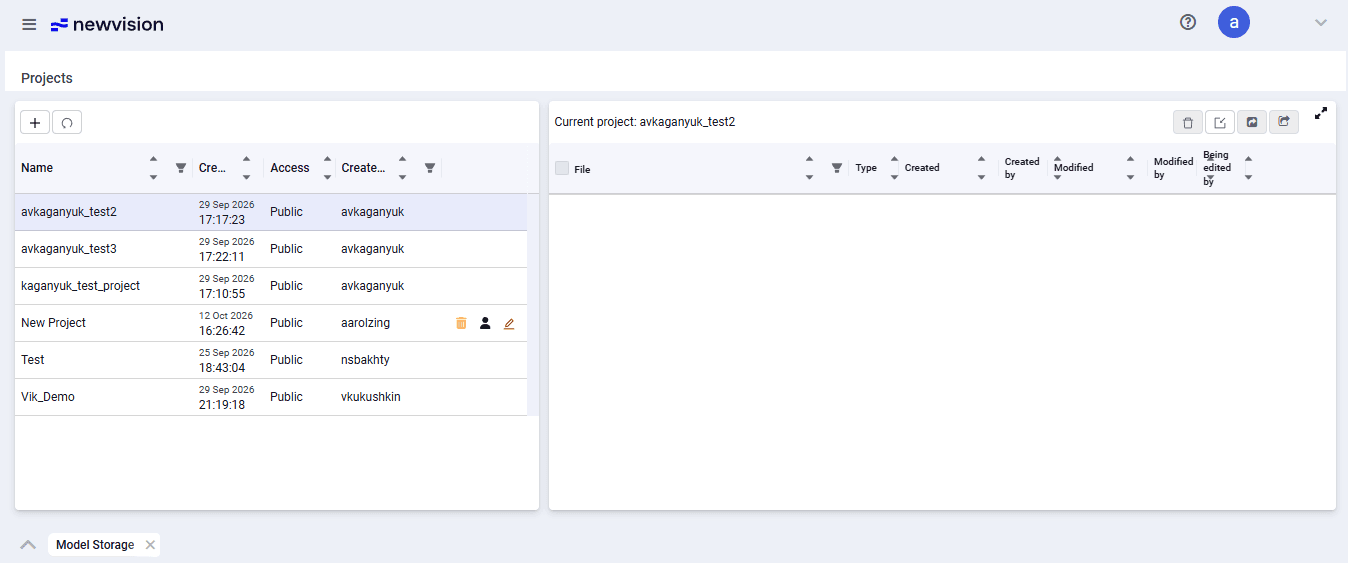
The new project automatically appears in the project list.
 Select image to enlarge
If the new project does not appear in the list, refresh the project list.
Because the project is new, the right part of the screen form does not contain any model files.