
Defining Calculation Steps
To enter tank operation history, you must specify calculation steps. To do this, perform the following actions.
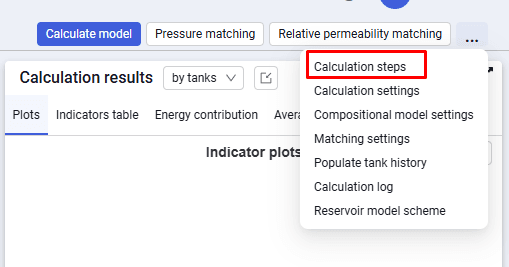
1.In the upper-right corner, open the action menu using the  button.
2.Select Calculation steps.
 Select image to enlarge
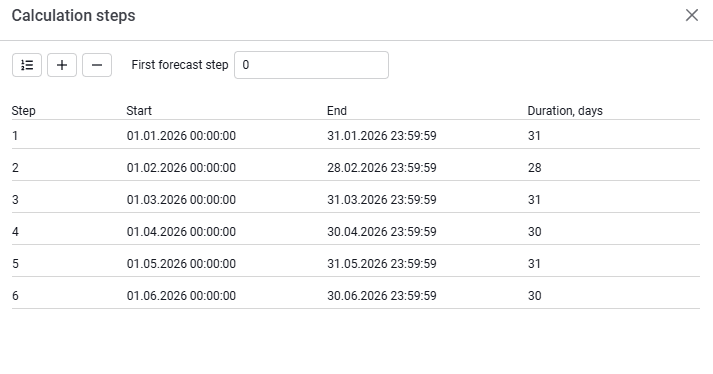
3.In the Calculation steps modal window, click the  button.
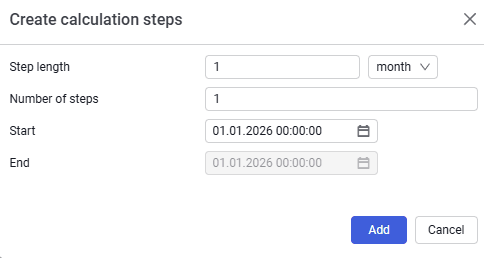
4.In the window that appears, specify the step length, number of steps, and history start date, then click Add.
 Select image to enlarge
| All steps will be added automatically to the Calculation steps form. |
 Select image to enlarge
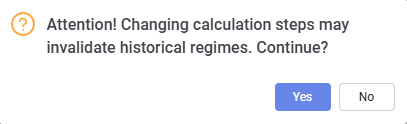
5.Save the specified steps using the Save button. A warning popup will appear; confirm using the Yes button.
 Select image to enlarge
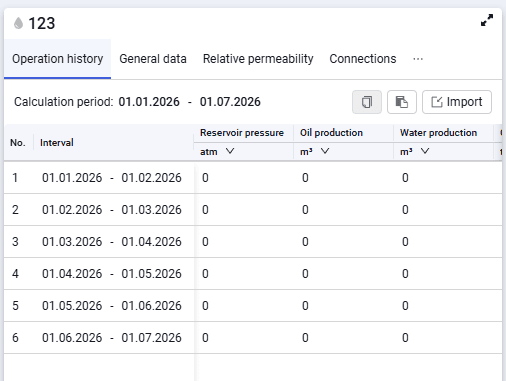
The Operation history tab will be populated automatically.
 Select image to enlarge