
Matching the system to actual data
The next step is to match the system to a snapshot if required.
It is recommended to first match the system to actual tubing head and flowline pressures. Pipeline correction factors, chokes, and so on can be used for matching. The matching method depends on many factors; there is no single pressure-matching approach for every model, and each case is unique.
Matching the system to actual data is described in more detail in the sections Matching the system to actual data and Matching the system to actual data using pipeline correction factors.
Description of the "Model Tabular Editor" feature
The "Model Tabular Editor" module was created for convenient and fast model editing. The module is used to edit parameters of model objects; all changes are automatically reflected in the model.
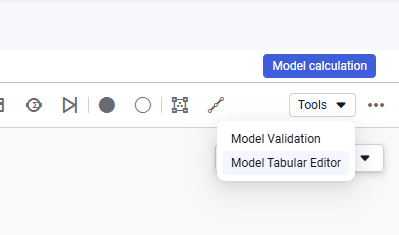
1.To open it, click Tools in the upper-right corner of the workspace and select "Model Tabular Editor" from the drop-down list.
 Select image to enlarge
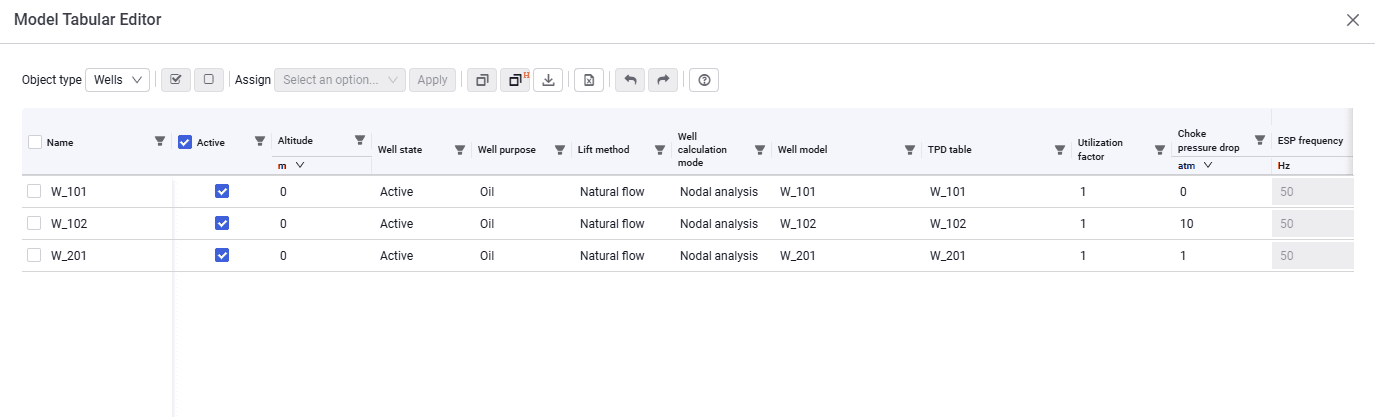
2.After you select an object type, the table displays all objects of that type. Table data can be copied/imported from the clipboard and exported to Excel.
 Select image to enlarge