
ESP
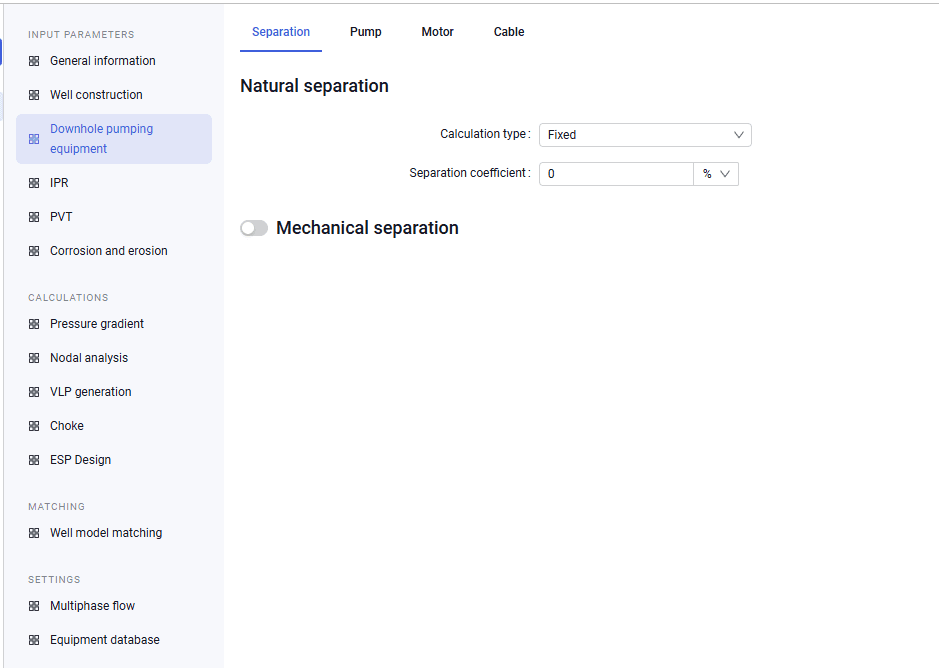
1.On the "Separation" tab you can enter separation data:
- calculation type;
- separation coefficient.
You can also enable mechanical separation and enter source data for it:
- calculation type;
- separation coefficient (if the "Fixed" calculation type is selected);
- separator model, manufacturer, and separation coefficient (if the "Model" calculation type is selected).
 Select image to enlarge
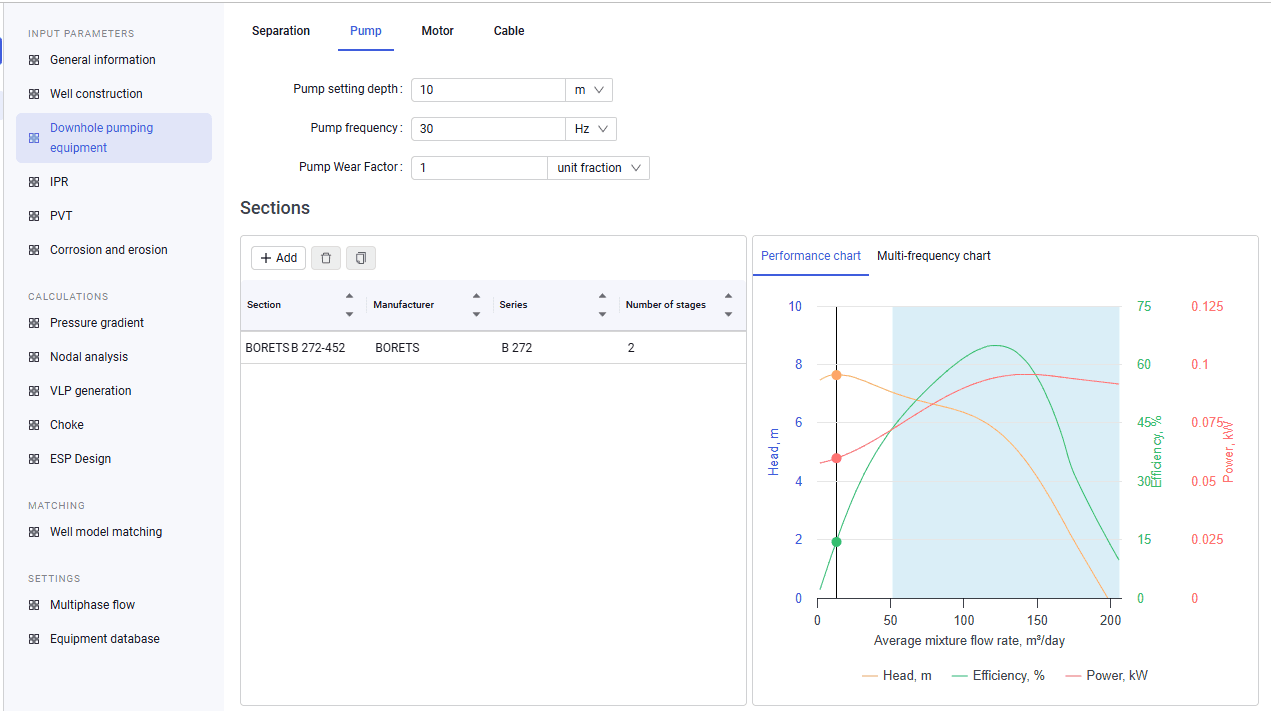
2.On the "Pump" tab you can enter the pump setting depth, pump frequency, and Pump Wear Factor. You can also add pump sections from the global or local equipment catalog and enter the number of stages for each section.
When sections are added from the global equipment catalog, they are copied to the local catalog.
| The Pump Wear Factor is a matching parameter and can be changed while matching the well model to actual data. The nominal value is a factor of one. If the efficiency factor is greater than one, the pump operates "better" than the nameplate; if it is less, the pump operates "worse" than the nameplate values. The right part of the screen shows the pump head–rate characteristic. |
 Select image to enlarge
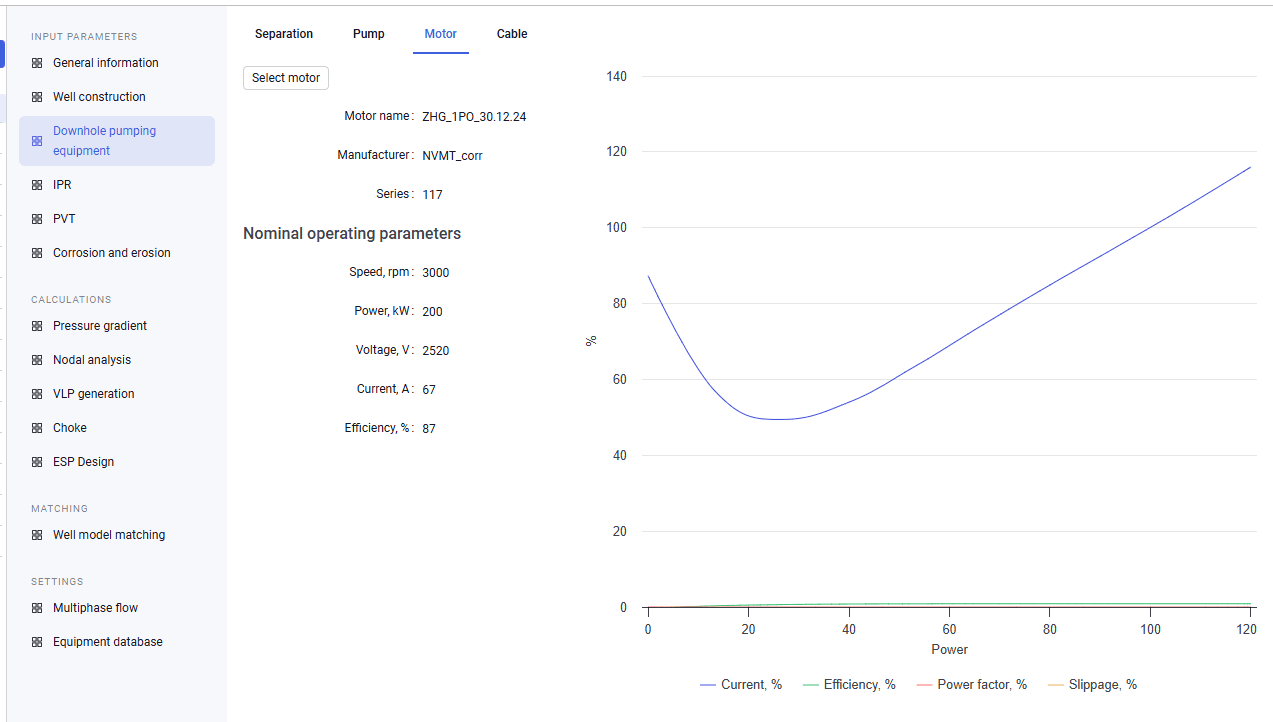
3.On the "Motor" tab you can select a motor. All data is pulled automatically from the database.
 Select image to enlarge
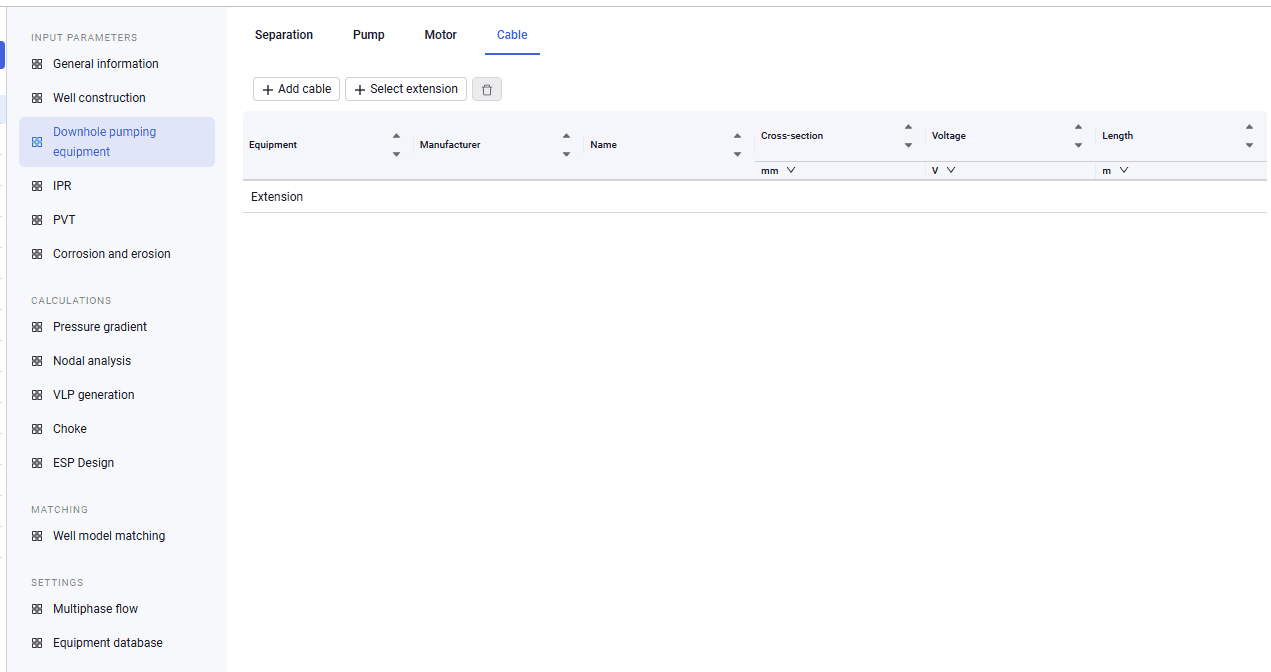
4.On the "Cable" tab you can select a cable and an extension.
 Select image to enlarge