
Matching to laboratory data
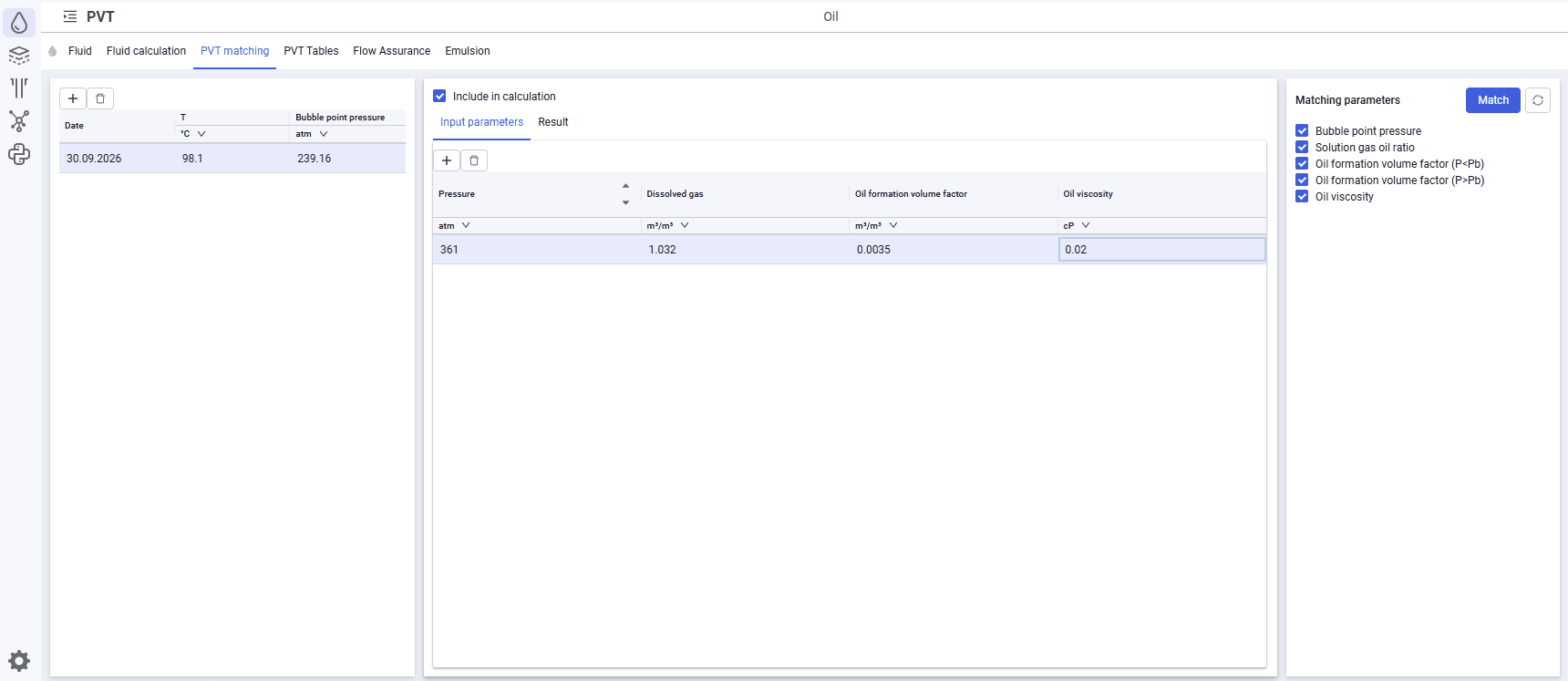
To add laboratory data, do the following:
1.Click Add  .
.
2.In the window, specify the test parameters.
a.For a fluid model of the "Oil" type:
▪test date;
▪fluid temperature during the test;
▪bubble point pressure;
▪pressure (series of values);
▪dissolved gas (series of values);
▪oil formation volume factor (series of values);
▪oil viscosity (series of values).
b.For a fluid model of the "Gas" type:
▪test date;
▪fluid temperature during the test;
▪pressure (series of values);
▪Z-factor (series of values);
▪gas formation volume factor (series of values);
▪gas viscosity (series of values).
3.Select matching parameters.
a.For a fluid model of the "Oil" type, the following parameters are available for selection:
▪bubble point pressure;
▪solution gas oil ratio;
▪oil formation volume factor;
▪oil viscosity.
b.For a fluid model of the "Gas" type, the following parameters are available for selection:
▪gas viscosity;
▪Z-factor.
4.Click Match.
 Select image to enlarge