
Calling an external API
To interact with nv.AIM Server and run scripts, it is sufficient to:
1.Obtain an access token
token_url:
https://web-imaimport.apps.test.paas.gazprom-neft.local/hub/oauth2/token
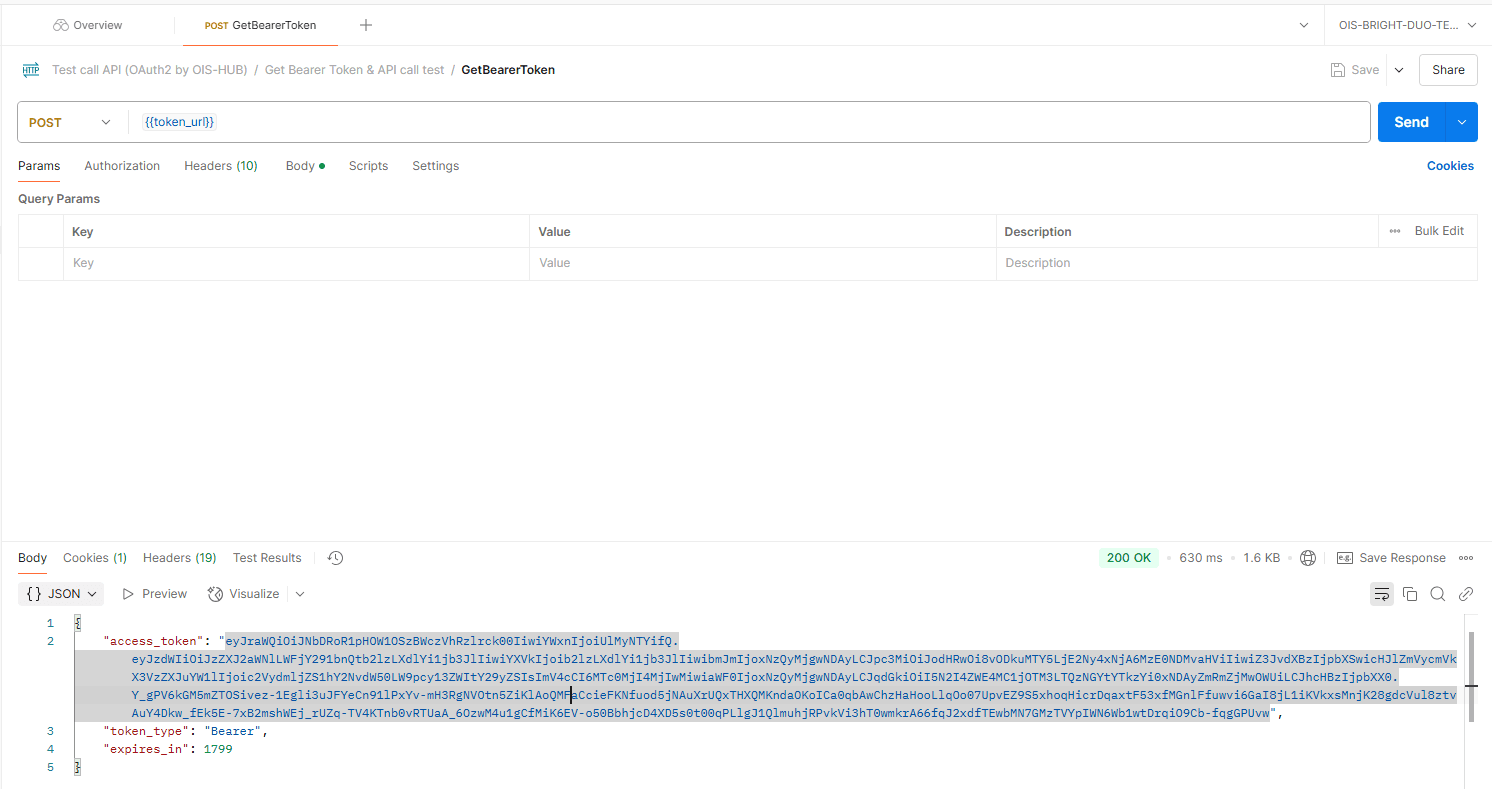 Select image to enlarge
2.Authorize with this token
gateway_url:
https://web-imaimport.apps.test.paas.gazprom-neft.local/modules/10000/api/
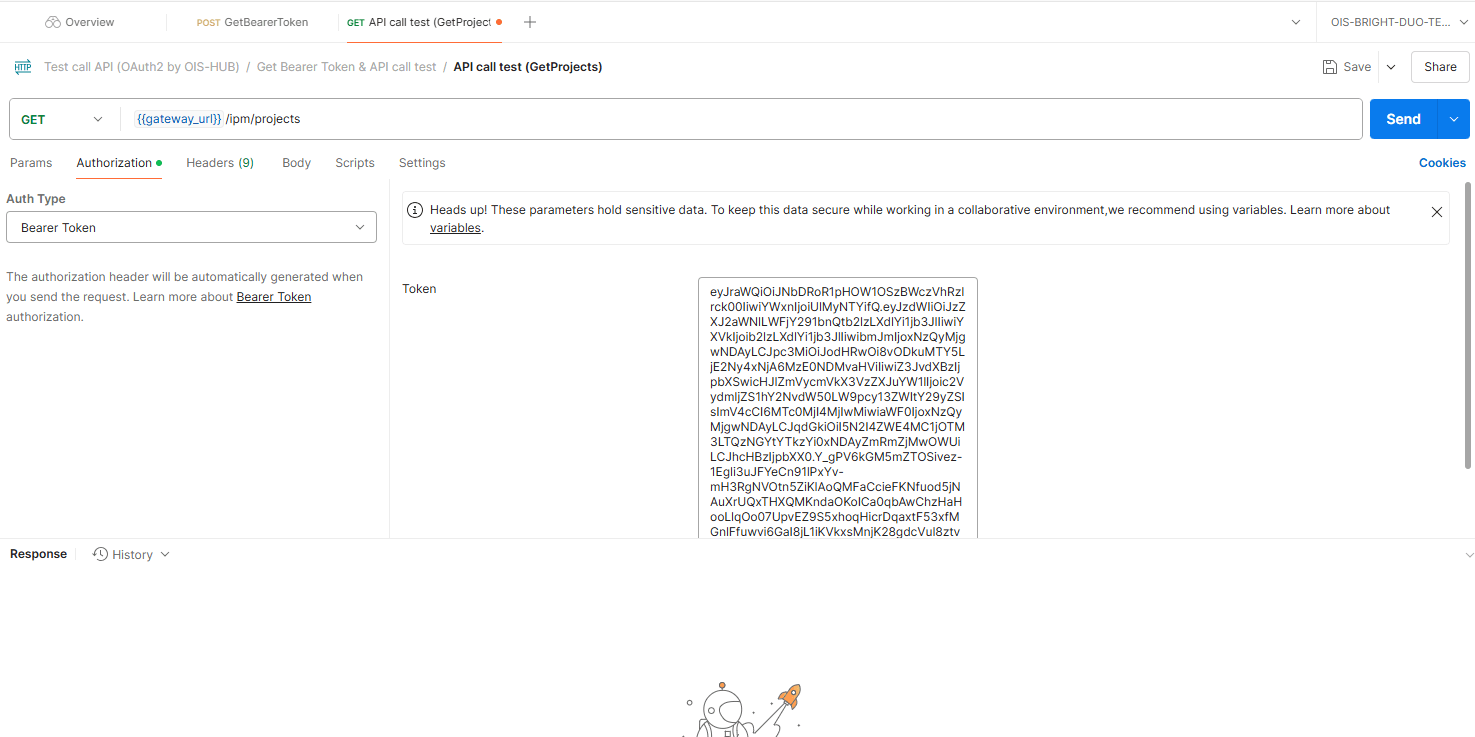 Select image to enlarge
3.Get the list of projects
gateway_url/ipm/projects
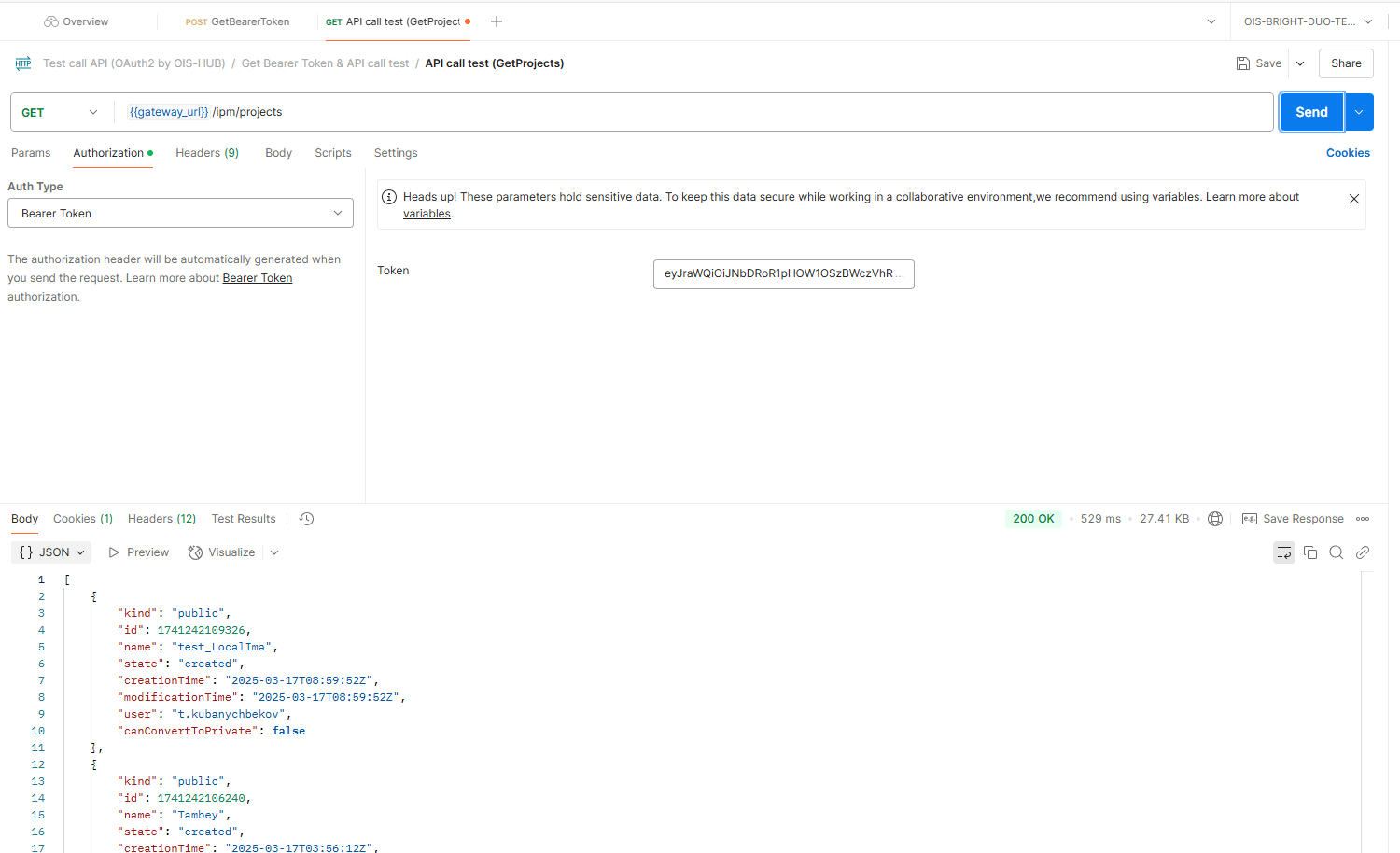 Select image to enlarge
4.Run a Python script by project id
gateway_url/ipm/projects/{projectId}/python/start
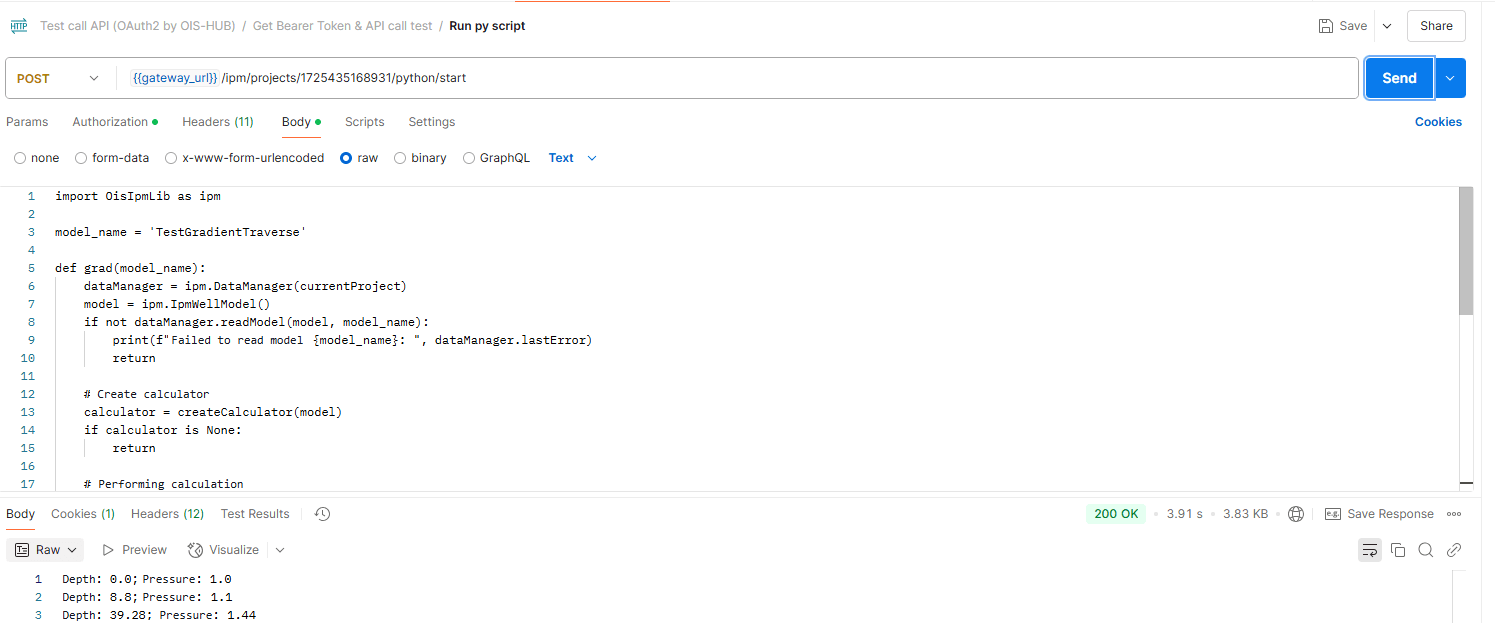 Select image to enlarge