
Forecast
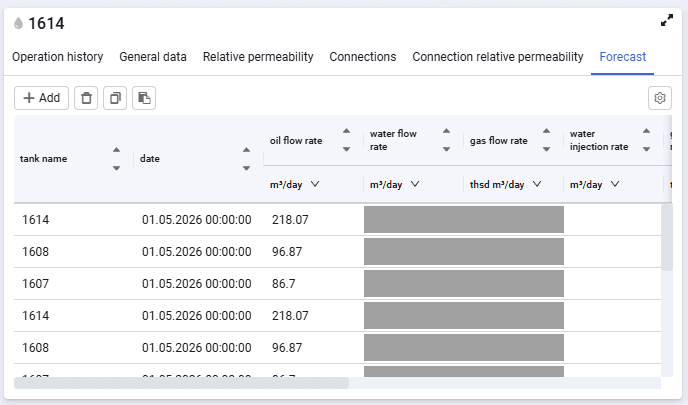
In this window, you can enter data that will be used for the forecast.
 Select image to enlarge
The form contains the following elements:
Add
add an entry.
Copy to clipboard (  )
)
copy to clipboard.
Paste from clipboard (  )
)
paste from clipboard.
Delete (  )
)
delete an entry.
The table contains the following columns:
- tank name;
- date;
- oil flow rate;
- water flow rate;
- gas flow rate;
- water injection rate;
- gas injection rate;
- water flow rate of water wells;
- gas flow rate of gas wells;
- water recycling;
- gas recycling;
- maximum liquid flow rate;
- maximum water flow rate;
- maximum gas flow rate.
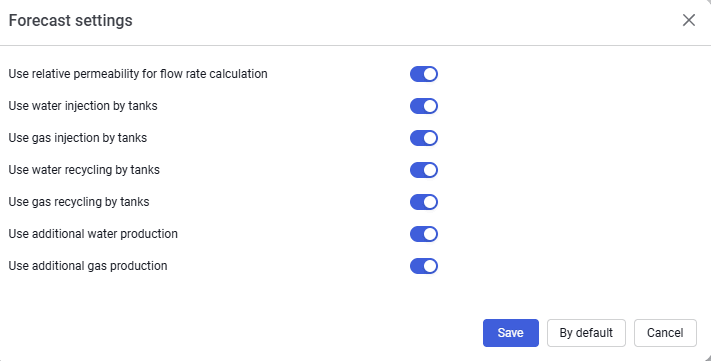
You can open forecast settings by clicking the gear in the upper-right corner of the window. The settings look as follows.
 Select image to enlarge