
Entering well construction
On the "Well construction" tab, four subsections are available for filling in: "Deviation survey", "Downhole equipment", "Heat transfer", and "Gauges".
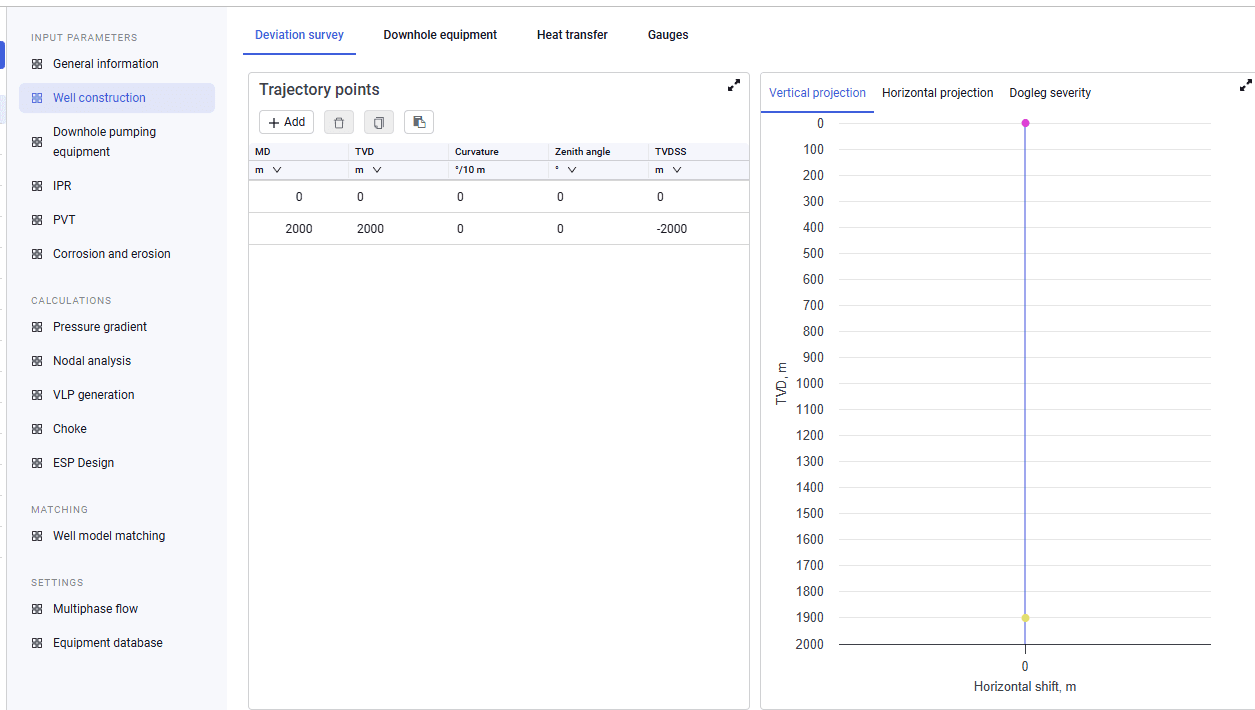
1.In the "Deviation survey" subsection, the required source data and the values that will be calculated depend on the selection on the "General information" tab.
2.If TVD is selected as the calculated deviation survey parameter, enter the following as source data:
- MD;
- zenith angle;
- azimuth.
Dogleg severity, TVD, and TVDSS will be calculated.
If zenith angle is selected as the calculated deviation survey parameter, enter the following as source data:
- MD;
- TVD.
Dogleg severity, zenith angle, and TVDSS will be calculated.
3.After you enter the values, plots of the vertical projection, horizontal projection, and dogleg severity appear on the right side of the screen.
 Select image to enlarge
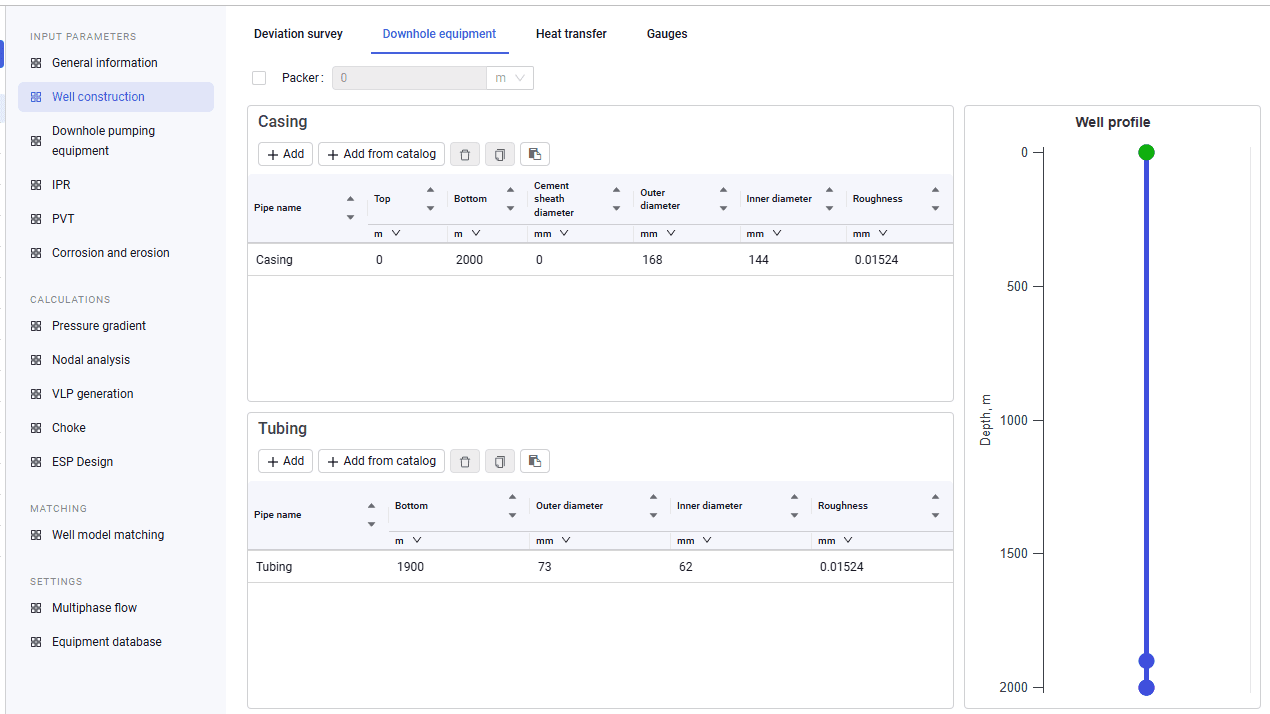
4.In the "Downhole equipment" subsection, enter information about casings and tubing: setting depths, diameters, roughness, and so on.
5.You can also enable a packer and enter its depth.
6.After all data is entered, the well profile appears on the right. Points on the profile mark the tubing bottom and the casing bottom.
 Select image to enlarge
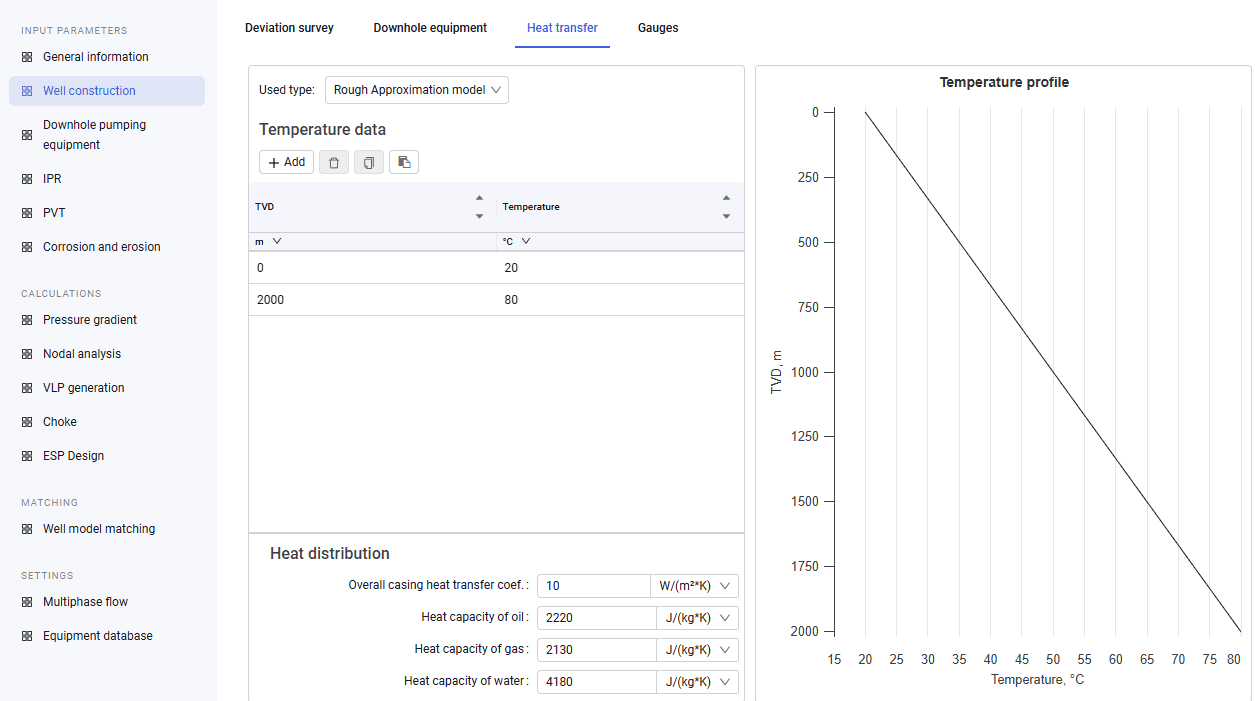
7.In the "Heat transfer" subsection, select the model used to calculate heat transfer (the drop-down list provides the following models: Rough Approximation, Improved Approximation, Hasan-Kabir). Also enter temperature data: TVD and the temperature values corresponding to that depth. Depending on the selected model, enter the overall heat transfer coefficient (for the "Rough Approximation" and "Improved Approximation" models) or the casing, tubing, cement, and rock heat transfer coefficients and the thermal conductivity of rock (for the "Hasan-Kabir" model).
After all data is entered, a temperature-versus-depth plot appears on the right.
 Select image to enlarge
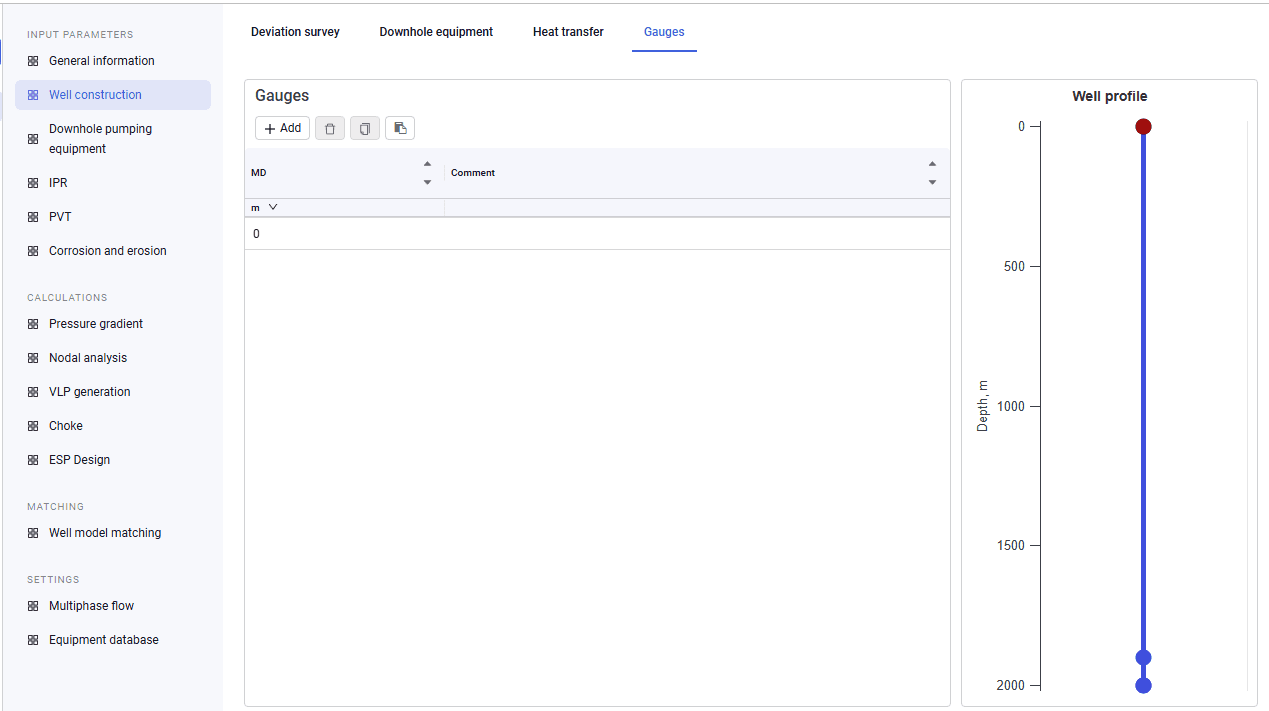
8.In the "Gauges" subsection, you can enter gauge setting depths.
After you enter the data, the well profile appears on the right, with points marking the gauge setting depths.
 Select image to enlarge
9.After you enter a gauge depth, it is also shown in the pressure gradient calculation results.