
Entering Connection Data
If you need to configure connections from one tank to another, perform the following actions:
1.In the object Navigator, select a tank.
2.On the Connections tab, click Add.
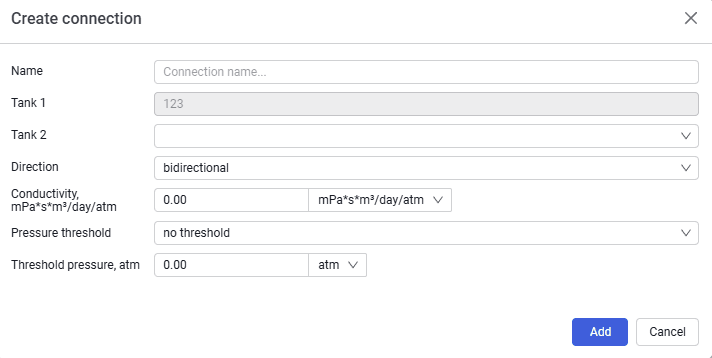
3.In the Create connection window, enter the following parameters:
- Connection name;
- Tank 2;
- Direction;
- Conductivity (mPa*s*m³/day/atm);
- Pressure threshold;
- Threshold pressure.
 Select image to enlarge
4.Click the Add button
5.The new connection will automatically appear in the connections table