
Reservoir Pressure Matching
To run automatic reservoir pressure matching, do the following:
1.Click Pressure matching.
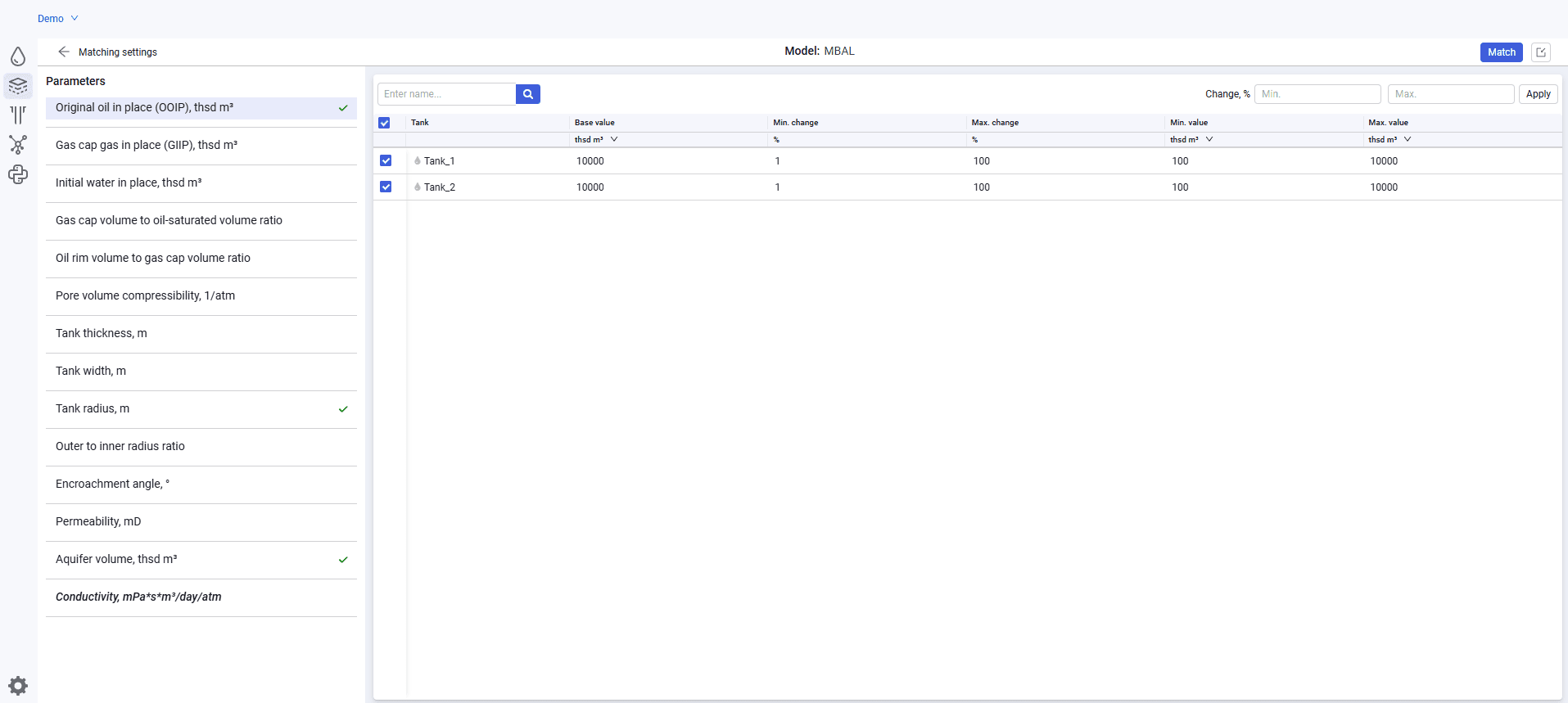
2.In the Matching settings window, select the required matching parameter, for example reservoir thickness. Select the reservoir for which matching should be performed.
3.Specify Min. change, % and Max. change, %; the Min. value and Max. value are calculated automatically. Alternatively, specify Min. value and Max. value; the percent change is calculated automatically. Without specified minimum and maximum values, the matching calculation will not run.
Parameters for which reservoirs are selected for matching display  .
.
 Select image to enlarge
1.Click Match.
2.While the calculation is running, a preloader is shown on the calculation button and the button is unavailable for restarting the calculation.
3.After the calculation is completed, the calculation button becomes active again and an additional Matching variants tab appears.
4.In the Matching variants window, select one of the variants with the minimum objective function. By default, the last variant with the minimum objective function is selected
5.Apply the selected variant using the Apply button. The selected values are written to the corresponding sections of the reservoir model. By default, 500 iterations of value matching and model calculation are performed.