
Tables
To enter relative permeability data, perform the following actions:
1.In the object Navigator, select a tank.
2.On the Relative permeability tab, from the Relative permeability drop-down list, select Tables and perform the following actions:
3.Add new rows to enter water saturation data using the  button
4.Enter a series of values:
- water saturation, fraction;
- water relative permeability;
- oil relative permeability
5.Add new rows to enter gas saturation data using the button
6.Enter a series of values:
- gas saturation, fraction;
- gas relative permeability;
- oil relative permeability
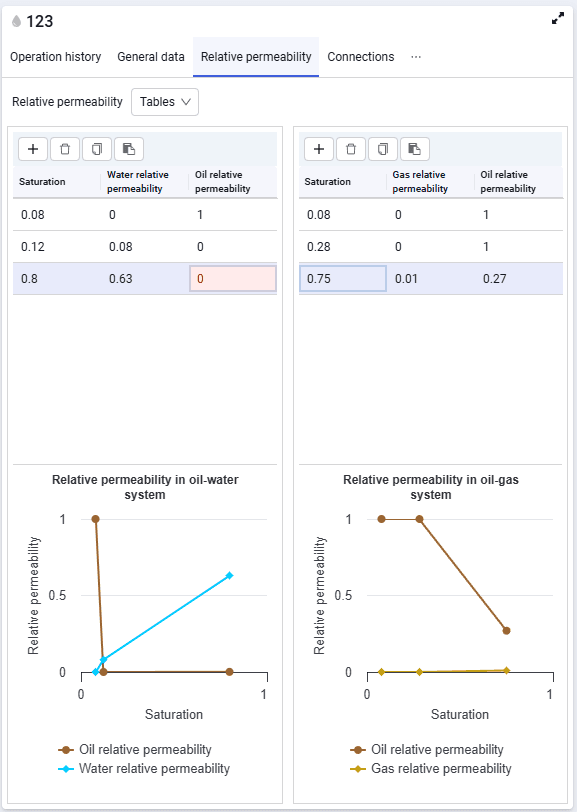 Select image to enlarge
7.You can enter relative permeability values manually from the keyboard, using the spinner in the cell, or by pasting from the clipboard from previously prepared tables. To do this, select the required value range in the prepared table, copy it, then select the first cell of the range where the copied values should be pasted and click  . The values will appear in the table.