
Relative Permeability Matching
Relative permeability matching is intended to improve forecast quality. When matching relative permeability, pay more attention to the latest historical period, which gives the most reliable current reservoir state. Therefore, instead of considering the entire development history, it is better to consider only the last few steps. Matching uses weighting factors w_i. Most often the weighting factors are selected so that the inequalities are satisfied.
To match relative permeability for a reservoir, do the following:
1.Click the Relative permeability matching button
2.In the Relative permeability matching window, select the required reservoir by selecting the check box
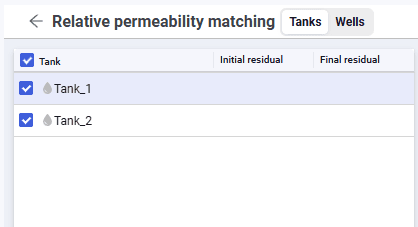 Select image to enlarge
3.From the Objective function drop-down list, select the objective function.
4.Select the required matching parameters and specify the minimum and maximum values of the selected parameter within which matching will be performed
5.Start matching with the Match button
6.The matching results are displayed for each parameter.
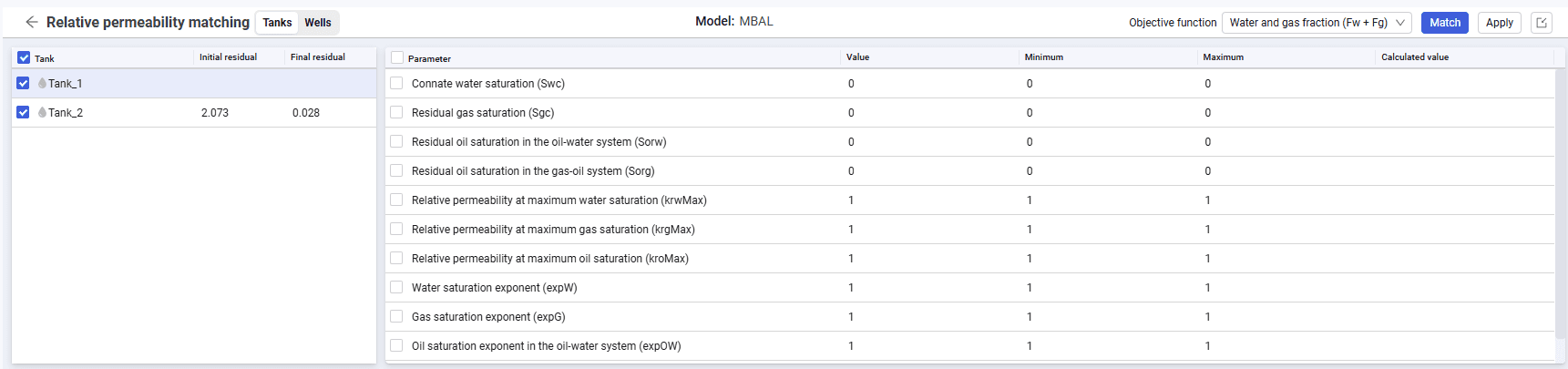 Select image to enlarge
7.To save the matched parameters, select the reservoir and click the Apply button
8.Relative permeability matching for wells is performed in the same way as for reservoirs.