
Bottomhole Pressure Matching Settings
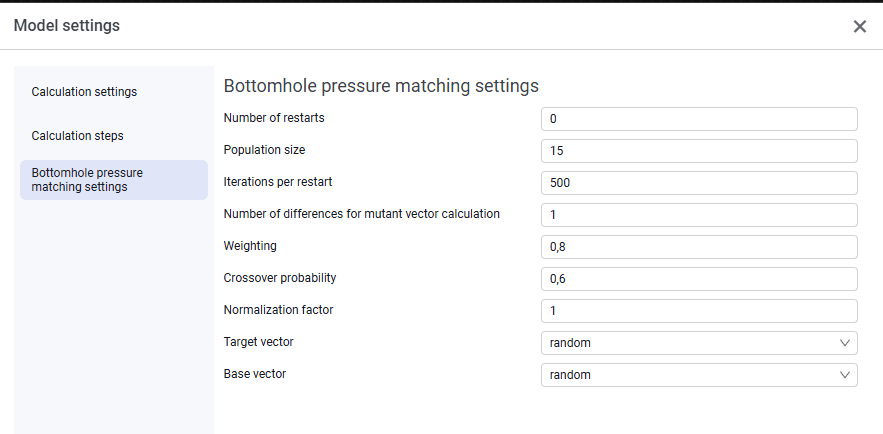 Select image to enlarge
Main settings that affect the number of model calculations:
- Number of restarts – number of model matching attempts. In some complex cases the matching algorithm may fail to find the optimal solution (for example, it may stop at a local minimum). In that case you can try running model matching again, excluding previously found solutions from consideration;
- Population size – number of individual solutions ("individuals") simultaneously exploring the search space at each iteration;
- Iterations per restart – number of model calculations that will be performed in each matching attempt;
- Number of differences for mutant vector calculation – Determines how new each trial variant will be;
- Weighting. A high value makes the algorithm take larger steps and more actively explore new areas. This helps avoid getting "stuck" on a mediocre solution;
- Crossover probability — determines how many features from parent solutions are transferred to the new one;
- Normalization factor — a multiplier that automatically scales all input parameters to the same range before optimization starts;
- target and base vectors: random — the algorithm more actively explores the entire space and is less likely to stop early at a local solution. best — the algorithm converges faster to the nearest good solution, but may miss it.
Thus, the total number of model calculations equals the number of restarts multiplied by the number of iterations per restart. The remaining settings usually do not need to be changed. All of them are parameters of the differential evolution algorithm used to match the model.