
Entering basic fluid properties
To enter basic fluid properties, do the following.
1.On the "Fluid" tab, fill in the following parameters.
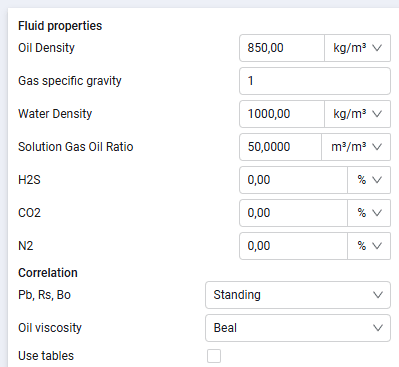
For a fluid model of the "Oil" type:
- oil density;
- gas gravity relative to air;
- water density;
- solution gas oil ratio;
- H2S content;
- CO2 content;
- N2 content;
- correlation for calculating bubble point pressure, solution gas-oil ratio, and formation volume factor;
- correlation for calculating oil viscosity:
 Select image to enlarge
If you select the "Use tables" option, the fluid model is calculated not from the selected correlations, but from the tables entered on the "PVT Tables" tab.
2.For a fluid model of the "Gas" type:
- condensate density;
- gas gravity relative to air;
- water density;
- condensate-gas ratio;
- H2S content;
- CO2 content;
- N2 content;
- correlation for calculating the gas Z-factor;
- correlation for calculating gas viscosity
If you select the "Use tables" option, the fluid model is calculated not from the selected correlations, but from the tables entered on the "PVT Tables" tab.