
Drawing the system
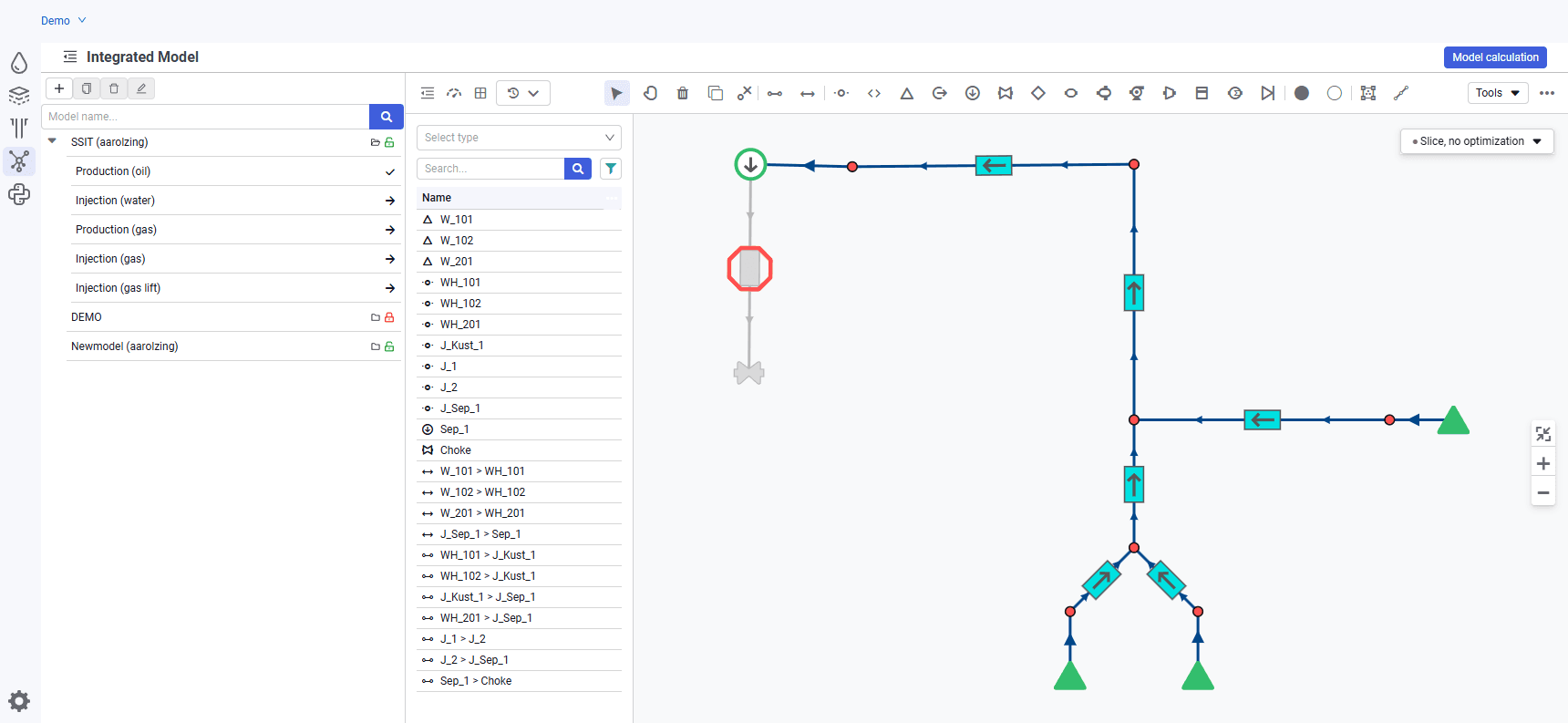
The purpose of this step is to graphically display the gathering and transportation system.
1.Start by building wells. Using the icon  above the graphics area, add several wells to the schematic.
2.To move objects that have already been built, click the icon  above the graphics area. To delete — click the icon
  .
.
3.Next, build joints using the icon  : a wellhead for each well, two manifolds, and a joint upstream of the separator.
4.Using the icon  , add a sink to the schematic. It will be the terminal point of the system.
5.Using pipelines ( ) and connections (
 ), connect the objects to each other. At this point, drawing the system can be considered complete.
 Select image to enlarge