
General Data
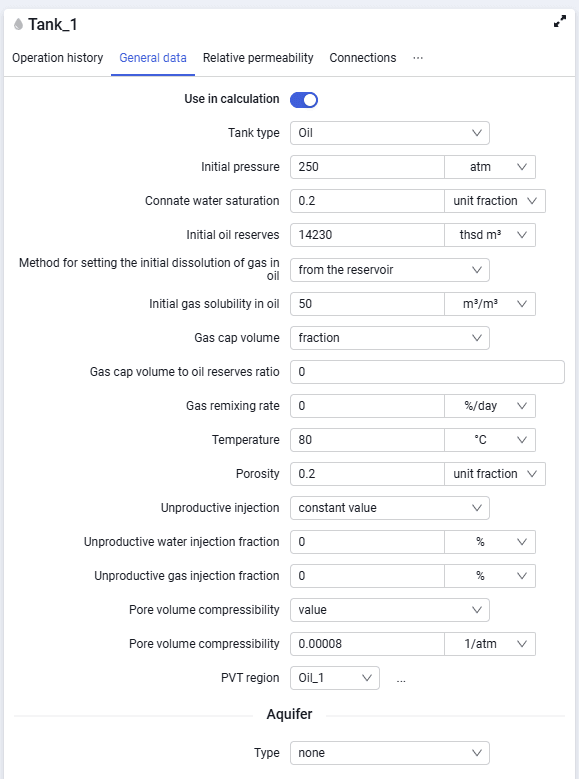 Select image to enlarge
Contains the following elements:
- tank type. The drop-down list contains the following types — oil, gas, water;
The required parameters may change depending on the tank type. For a tank of type "Oil", the following data are available:
- initial pressure;
- connate water saturation;
- original oil in place (OOIP);
- initial solution GOR input method (from the reservoir or from PVT model);
- initial solution GOR (when the initial solution GOR input method is from the reservoir);
- gas cap volume input method (fraction or volume)
- gas cap volume to oil-saturated volume ratio (when the gas cap volume input method is fraction);
- gas cap gas in place (GIIP) (when the gas cap volume input method is volume);
- gas re-dissolution rate;
- temperature;
- porosity;
For a tank of type "Gas", the following data are available:
- initial pressure;
- dew point pressure;
- connate water saturation;
- gas reserves;
- oil rim volume input method (fraction or volume) (see Fig. 8.11);
- initial oil rim to gas reserves ratio (when the oil rim volume is specified as a fraction);
- original oil in place (when the oil rim volume is specified as a volume);
- temperature;
- porosity;
For a tank of type "Water", the following parameters are available:
- initial pressure;
- initial water in place;
- gas re-dissolution rate;
- temperature;
- porosity.
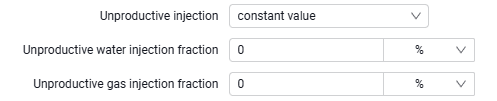
Regardless of the selected tank type, unproductive injection can be specified (the "Unproductive injection input method" parameter) in two ways:
- constant value;
- by steps.
When unproductive injection is specified as a constant value, enter the percentages of such injection for water and gas; they will be applied to the entire development history.
 Select image to enlarge
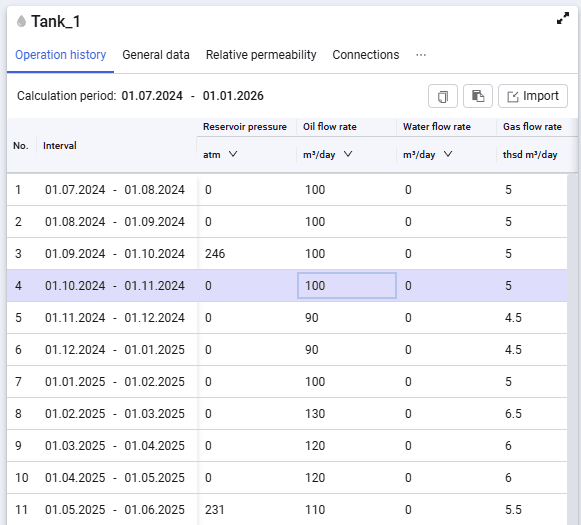
When unproductive injection is specified using the "by steps" method, columns appear on the "Operation history" tab for entering the unproductive injection fraction for water and gas by date.
 Select image to enlarge
For all tank types, you must also set:
- pore volume compressibility type — value or correlation;
- PVT region. You can select the required PVT region from the drop-down list;
- Compositional PVT. You can select the required compositional file from the drop-down list (the field is available when PVT type "Tracking" is selected in calculation settings);
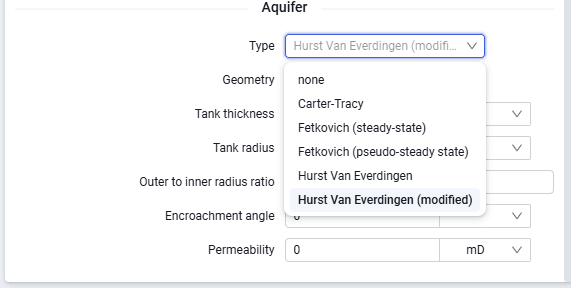
- aquifer. The following types are available — Carter-Tracy, Fetkovich — steady-state (radial, linear, bottom), Fetkovich — semi-steady state (radial, linear, bottom), Hurst Van Everdingen (radial, linear, bottom), Hurst Van Everdingen — modified (radial, linear, bottom).
 Select image to enlarge