
Fluid model input data
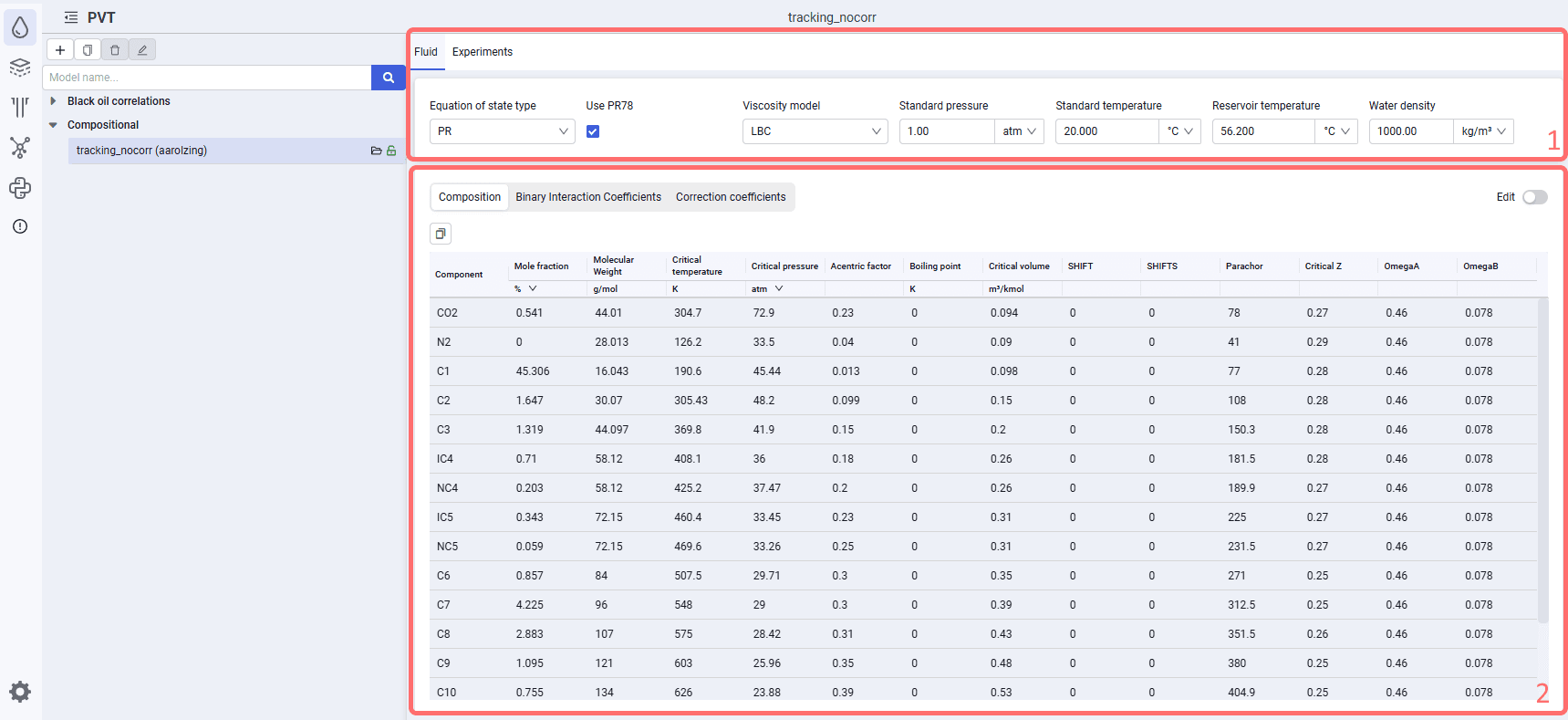
The "Fluid" tab displays the parameters of the loaded compositional model. The tab is divided into 2 areas.
Area 1 shows the selected equation of state type (PengRobinson or SoaveRedlichKwong), the selected viscosity model (Pedersen or Lohrenz-Bray-Clark), standard and reservoir condition values, and water density.
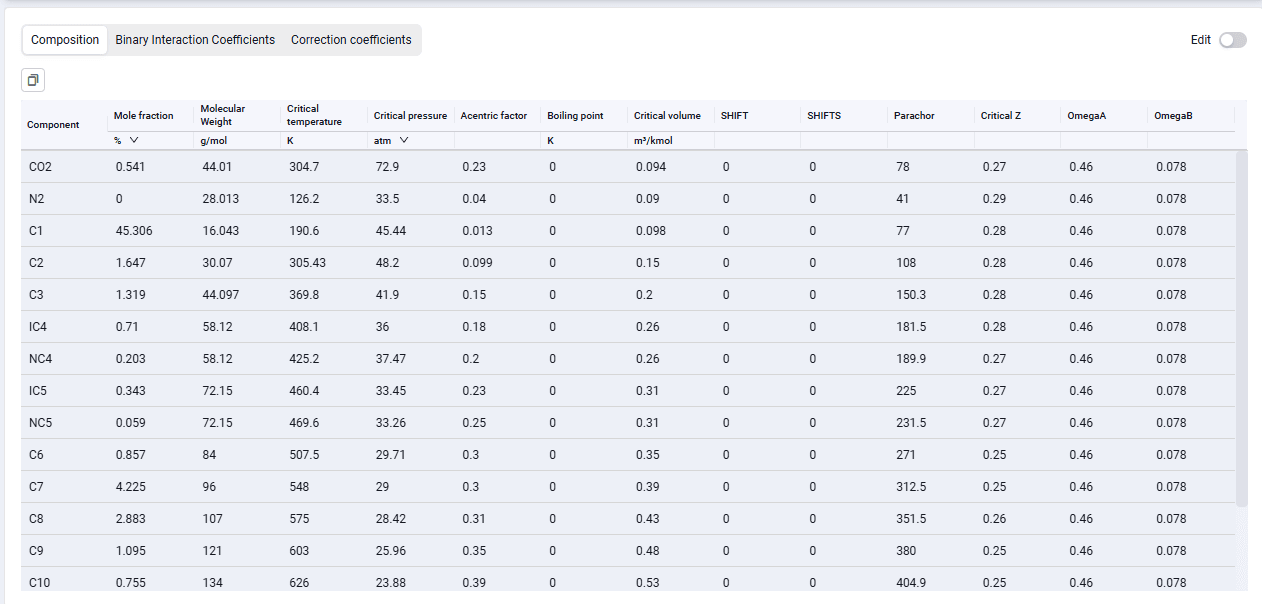
Area 2 shows the component composition and component properties, binary interaction coefficients, and correction coefficients for the selected viscosity correlation. On the right there is the "Edit" switch, which controls whether manual adjustments can be made in this area (disabled by default).
 Select image to enlarge
 Select image to enlarge
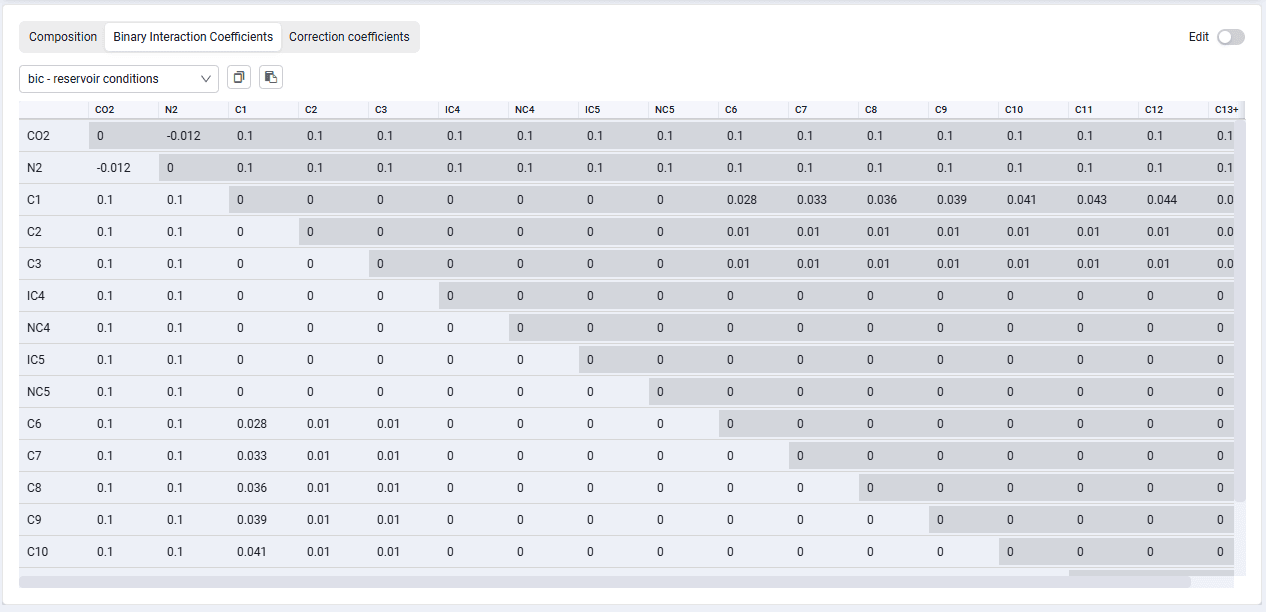
When you click the "Binary Interaction Coefficients" tab, a table of binary interaction coefficients between components is displayed.
 Select image to enlarge
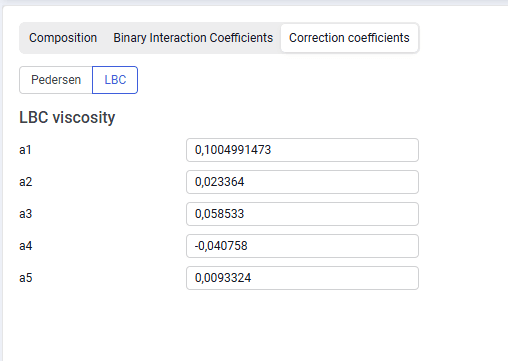
When you click the "Correction coefficients" tab, the correction coefficients of the selected viscosity correlation are displayed. From this window you can also change the selected viscosity model.
 Select image to enlarge