
Project Settings
To go to the "Project Settings" section, click the gear icon in the lower-left corner of the "nv.AIM" application home page.
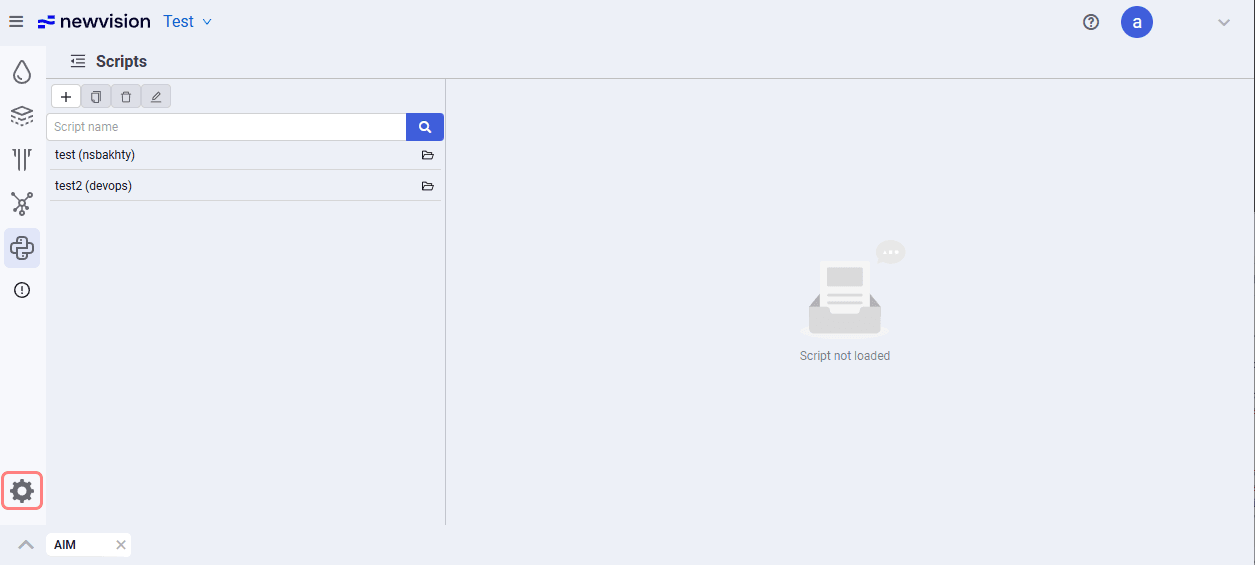 Select image to enlarge
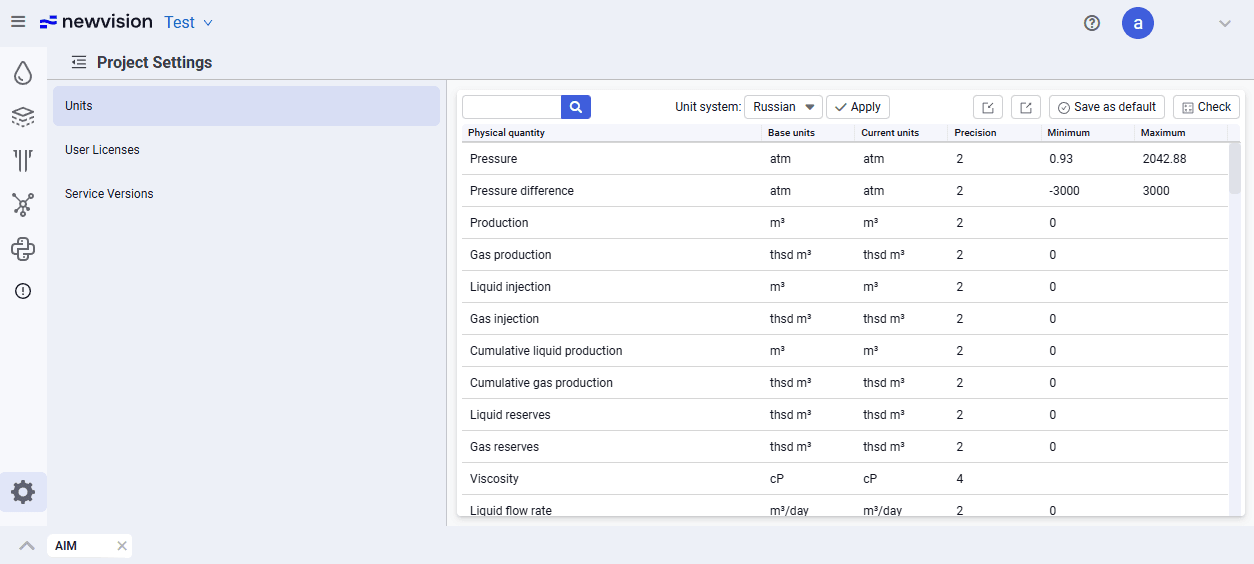
The Project Settings section looks as follows.
 Select image to enlarge
In this section you can change units for each parameter, define the minimum and maximum, and also define the precision with which the parameter is displayed.
The table consists of the following columns:
- Physical quantity;
- Base units;
- Current units. Cells in the column are editable — when you click a cell, you can open a drop-down list and change the units to a value from the drop-down list;
- Precision. Cells in the column are also editable. By default, all parameters have a precision of 2 (two decimal places);
- Minimum. The minimum allowed value for this parameter. Can be changed;
- Maximum. The maximum allowed value for this parameter. Can be changed.
Control buttons are located to the right above the table:
- Import (
 ): Lets you import units data in JSON format;
 - Export (
 ): Lets you export units data in JSON format;
 - Save as default: Lets you make the selected units the default for the current project;
- Reset: Lets you restore units to the default values.