
Script writing example
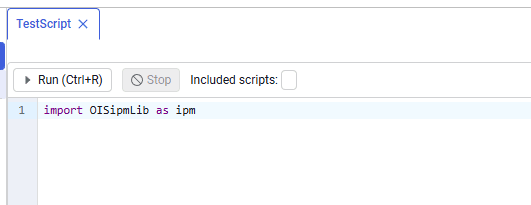
Import the OisIpmLib library:
 Select image to enlarge
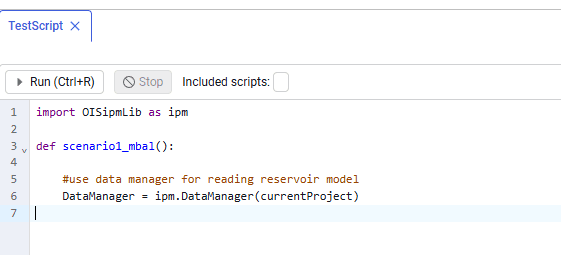
Create an instance of the DataManager class (the class for working with the model store, described in Working with the model store via API). Then initialize DataManager with currentProject:
 Select image to enlarge
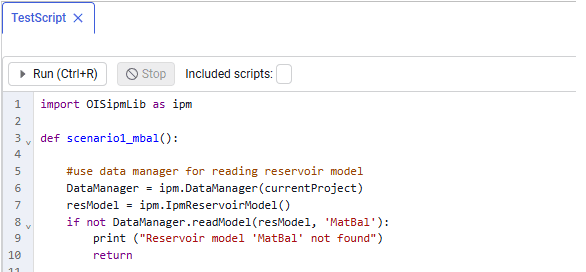
Create an empty resModel instance of the IpmReservoirModel class so that an existing material-balance model can be written into it. Using DataManager.readModel, load the reservoir model by name (the readModel method must receive resModel and the model name in the project, «MatBal»).
 Select image to enlarge
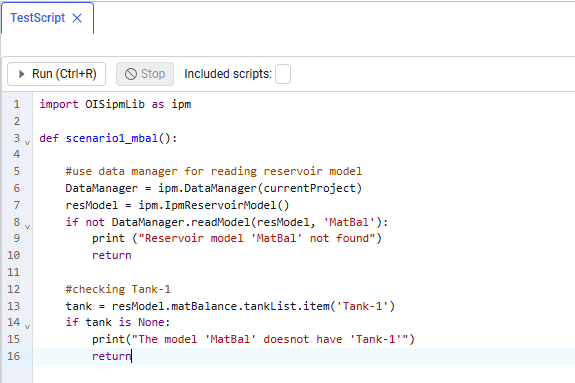
Get the list of objects inside the MatBal model, access the tank with identifier Tank-1, and assign it to the tank variable.
 Select image to enlarge
Print the current initial oil in place in tank Tank-1:
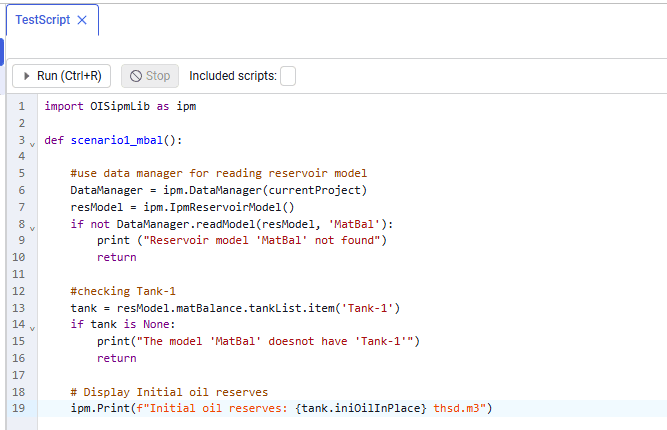 Select image to enlarge
Change the initial oil in place: set the new initial oil in place in tank Tank-1 to 55,000 thousand cubic meters. This change shows how model parameters can be modified from a script:
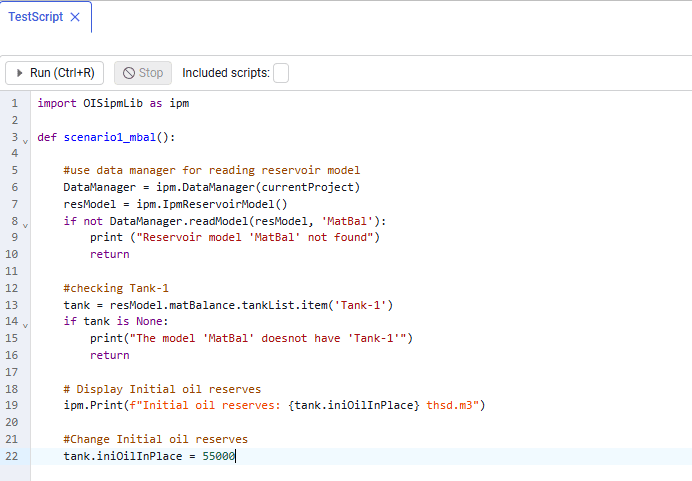 Select image to enlarge
After changing the reserves, you can print the new value to the log:
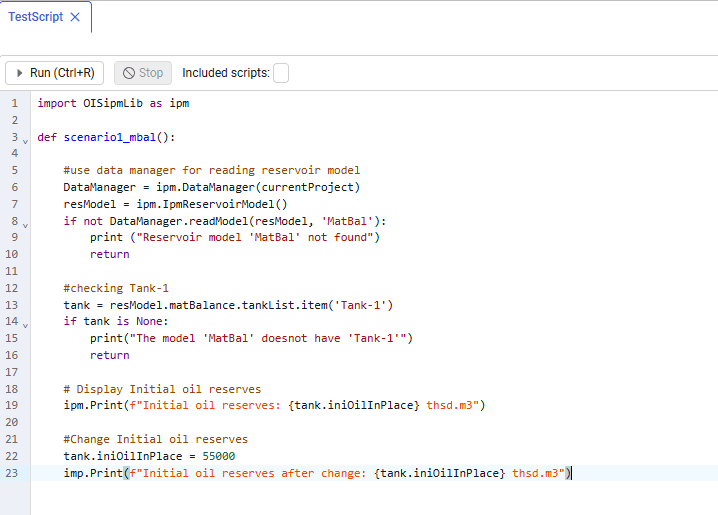 Select image to enlarge
Save the model changes: using DataManager, save the modified reservoir model back to the store under the same name MatBal:
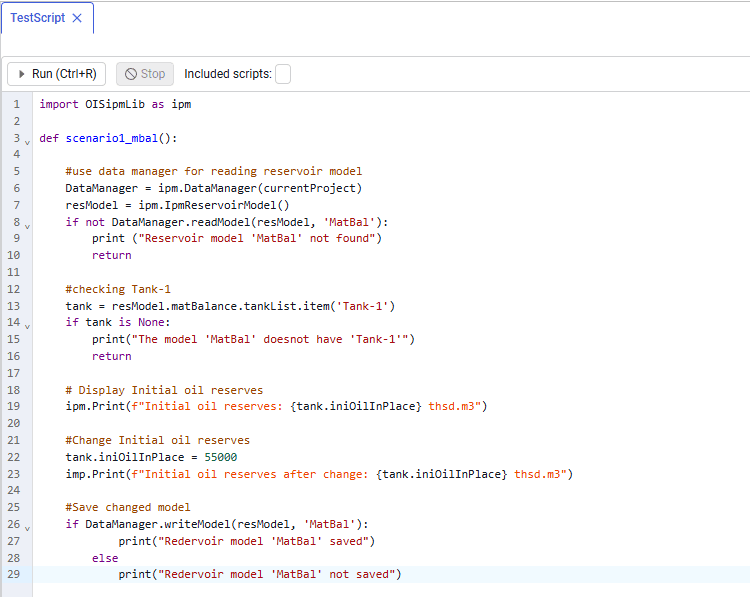 Select image to enlarge
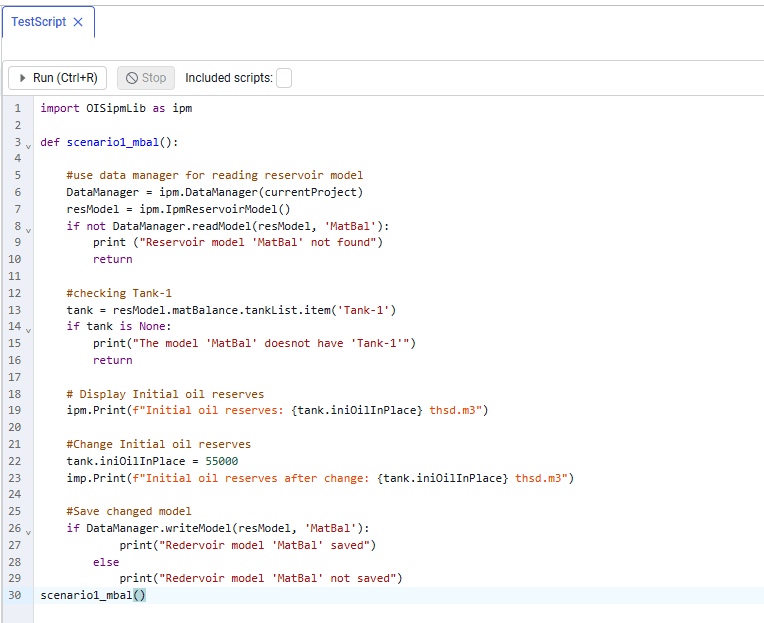 Select image to enlarge
This function demonstrates API capabilities for working with scripts, including:
- reading model data;
- accessing model objects (for example, tanks);
- changing parameters;
- saving results.
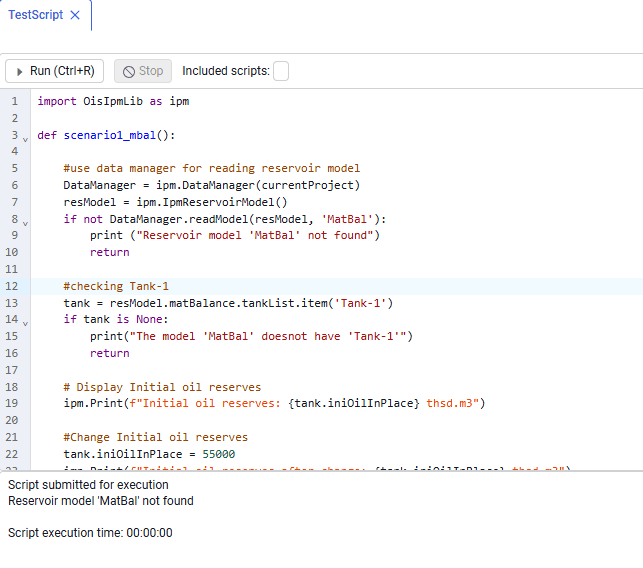
To run the script, click Run or use the Ctrl+R shortcut. After the script finishes, the console window shows the values predefined in the code.
 Select image to enlarge
After the script runs, you can review the changes directly in the model.
This script is a practical example of automating and controlling model workflows in SERVER, which provides flexibility and improves the efficiency of analytical work.
Code completion
You can build commands using code completion. Consider the following example:
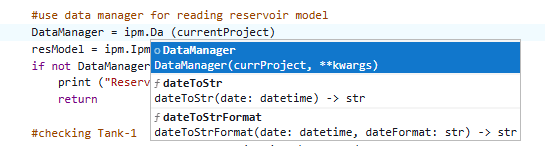 Select image to enlarge
Each object access is accompanied by a contextual comment. Completion is applied by pressing Enter (similar to code editors). When you access a project model, the system shows a drop-down list of all models in the project.
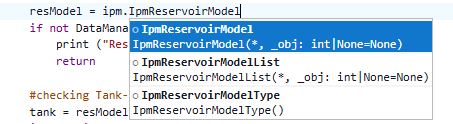 Select image to enlarge