
Running a reverse allocation calculation
To run the calculation on a Source object, do the following:
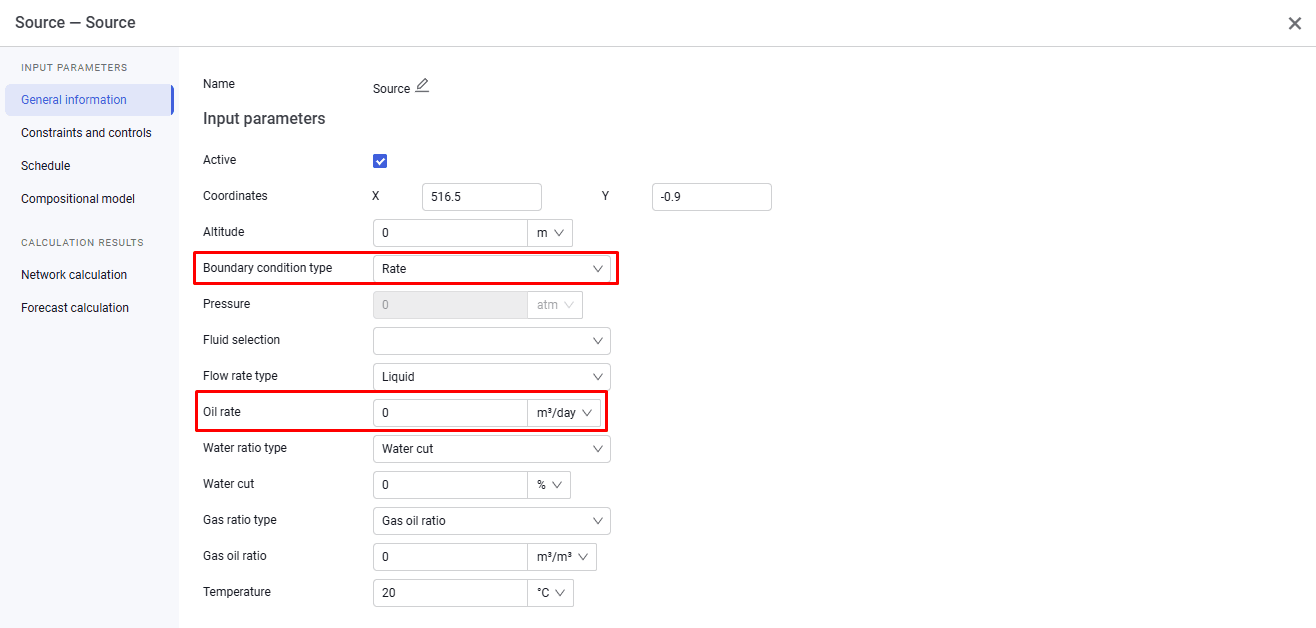
1.Set the boundary condition type to Rate;
2.Specify the required liquid rate that will be allocated among wells according to their operating parameters.
 Select image to enlarge
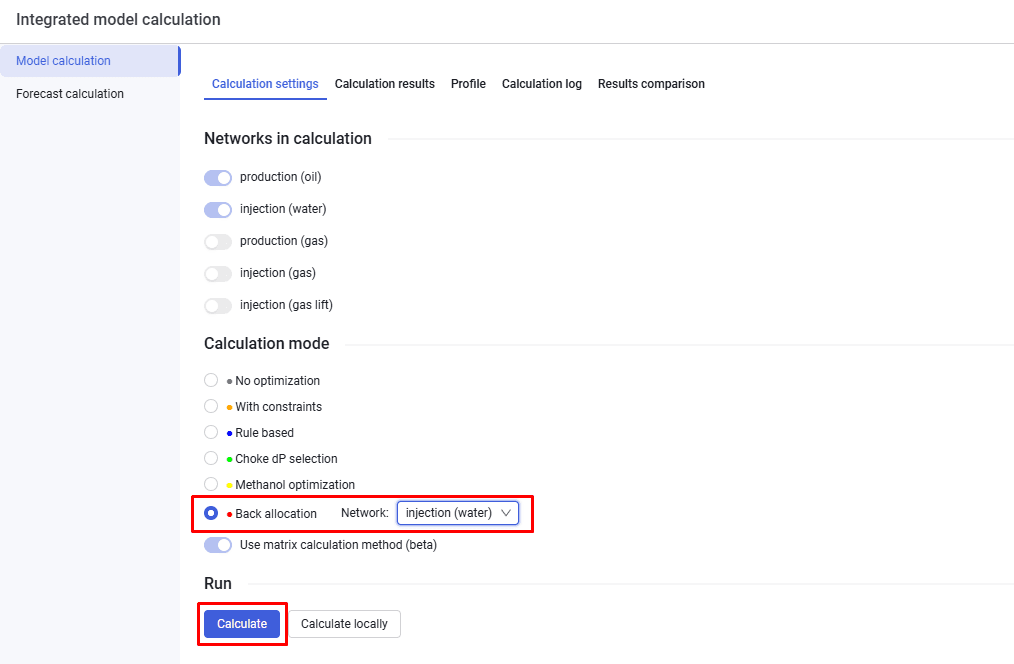
3.On the Model calculation tab, select the calculation settings, select the reverse allocation option, select the network type, and click Calculate.
 Select image to enlarge